Every image matches
The same garment, fabric, design and model across front, back, side and close-up, and across the whole collection.

Fivo vs FASHN AI
FASHN is a fashion AI toolkit: virtual try-on, AI models, product-to-model images, short videos and an API that developers build into their own apps. Fivo is a photoshoot workflow for brands that want the finished catalogue, from an Android app, a bulk web studio or a team that does it for you. Both are made for fashion, for different buyers.
From about ₹20 an image · price shown before you generate · see pricing
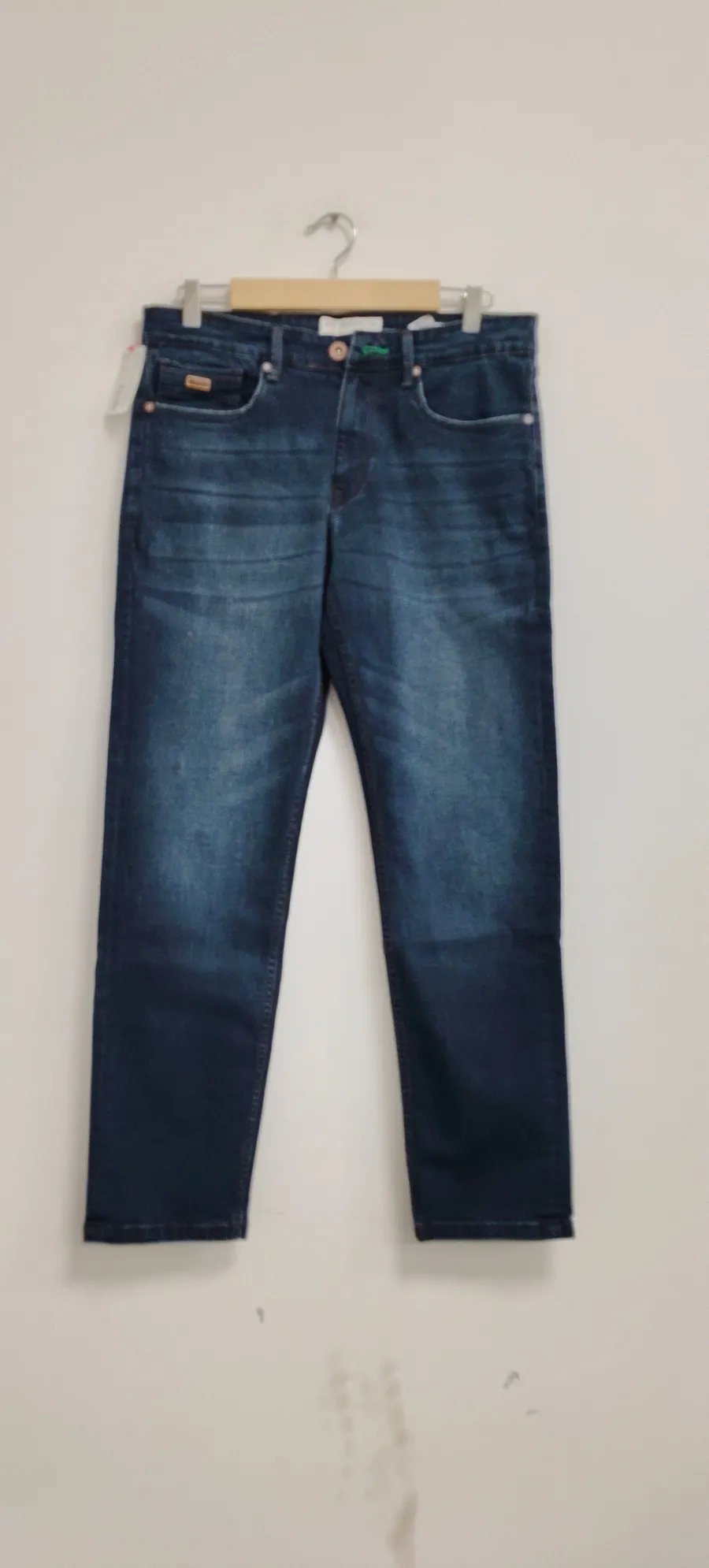 Brand's hanger
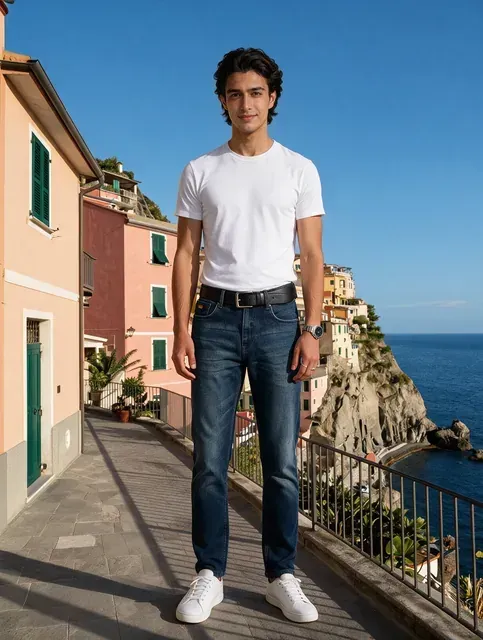 Fivo
FASHN AI is a toolkit for creators and developers: virtual try-on, AI models made from a description, product-to-model images, short videos, a chat agent and an API. Fivo is a ready workflow for brands: upload garment photos and get matching on-model views and videos in one look, from an app, a web studio or full service.
Why brands choose Fivo
Customise every shoot to your brand. Fivo keeps your garment, your models, your styling and your look the same in every image you put out.
The same garment, fabric, design and model across front, back, side and close-up, and across the whole collection.
Your photo is the reference: colour, print, embroidery and cut are carried into every image, not reinvented.
Choose the pose for each shot, from straight catalogue fronts to walking, seated and detail shots.
Pick models by the look and age group your customers relate to: women, men, kids, Indian or international.
Choose each styling article per garment: footwear, jewellery, bags, watches, belts, and the top or bottom it's paired with. Or upload your own.
Quick verdict
Key difference: FASHN hands builders and creators the engines. Fivo hands a brand the finished shoot.
Feature by feature
FASHN's column is from fashn.ai, checked November 2026.
| FASHN AI | Fivo | |
|---|---|---|
| Built for | Fashion brands, creators and developers, through an app, a chat agent and an API | Fashion brands that want the finished on-model catalogue, with nothing to build |
| Indian ethnic wear | Not stated on fashn.ai, checked Nov 2026 | Sarees, kurta sets, lehengas and suits sit alongside western wear and menswear |
| What you start from | A product photo, a model image or a text idea | A photo of the garment on a hanger, flat, on a mannequin, worn, or taken on a phone |
| Colour and design fidelity | Says it keeps colour, print, logos, materials and construction intact, and advises comparing with the real product | The brand's photo is the reference for colour, print and embroidery in every view; a colour-match step runs in Fivo's pipeline |
| Matching views | Agent editing can explore new views of an image | Front, back, side and close-up from a single reading of each garment |
| Models for your target customer | Models generated from a text description, or picked from its Elements library | Women, men, girls, boys and an older age group, Indian and international, chosen to match who you sell to |
| Consistency across a collection | Consistent models reused across looks and campaigns | One model and look applied to every garment in a Studio upload, each garment's fabric and design kept from its photo |
| Pose control | Poses and backgrounds from its Elements library, with edits in chat | Each shot's pose picked on screen from Fivo's pose library, from fronts to walking and seated |
| Backgrounds | A library of backgrounds, or a scene described in a prompt | Studio backdrops and lifestyle places, from plain sweeps to courtyards and terraces |
| Styling per garment and brand | Try-On Max covers clothing, shoes, bags, hats and jewellery; a whole-outfit tool isn't described | Accessories and the paired top or bottom chosen per garment from Fivo's styling catalogue, uploaded by the brand, or left off; kurta sets and co-ords as one outfit |
| Whole-collection workflow | Automation through its Agent API; team workspaces in the app | Fivo Studio: upload a drop and shoot it in one look, with no code |
| One garment from a phone | iOS and Android apps, synced with the web | The Fivo Android app for one garment at a time; no iPhone app |
| Video from the same photo | Turns images into short videos, such as a 5-second clip | On-model videos from the same garment photo |
| Channel formats | Not stated on fashn.ai, checked Nov 2026 | Downloads in 2:3, 3:4, 9:16 and 1:1, one for each channel |
| How you work | Prompts and chat with the FASHN Agent, or calls to its API from your code | Options on screen in the app or Studio; nothing to integrate |
| Turnaround | Try-On v1.6 takes about 5 to 17 seconds a call | The app in minutes; a Studio collection usually inside 24 hours |
| Done-for-you production | Not stated on fashn.ai, checked Nov 2026 | Full service, with Fivo's team producing the shoot end to end |
| Virtual try-on for shoppers | Its own try-on model, in the app and through the API | Not offered |
| Developer API | Agent API and try-on endpoints, with TypeScript and Python SDKs | On request: set up with Fivo's team to connect your catalogue, PIM or store; no public docs or SDKs |
Checked on FASHN's own website, home and API pages, November 2026. A row FASHN's pages don't cover is marked as not stated.
Why brands pick Fivo
Shoot one garment in the Android app or a whole collection in Fivo Studio. There's no key to manage, no SDK and no developer to brief.
Every garment comes back as a front, back, side and close-up made from one reading, ready for a product page's image slots without exploring views one by one.
Mirror-work kurtas, block-print sarees, kurta sets with dupattas and brocade sherwanis shoot next to jeans, shirts and dresses, in the same workflow.
For a season launch or a backlog, Fivo's team runs creative direction, the shoot, review and delivery, so the brand only approves.
The flat lay you upload decides the dye, mirror work and print in each view, and Fivo's pipeline runs a colour-match step before the image is done.
Don't dilute your brand with a model your shoppers wouldn't recognise. Pick from Indian and international looks in every age group Fivo carries, and decide how each shot is posed.
Where FASHN AI leads
The clearest case is a product of your own. A try-on button on your store, a styling feature inside your app, images generated automatically from your back office: FASHN's public API and SDKs are made for that. Fivo's API is set up on request to link a brand's own systems, with no public SDK.
FASHN also suits creators who like to direct each image themselves, in a chat or with prompts, and who want models generated from a description rather than picked from a catalogue. It has an iPhone app as well as Android, and team workspaces for agencies.
Brand photos, shot with Fivo
A mustard kurta with a mirror-work placket from a flat lay, an ivory block-print saree photographed on a floor, and an ivory brocade sherwani with its stole. More on the showcase.
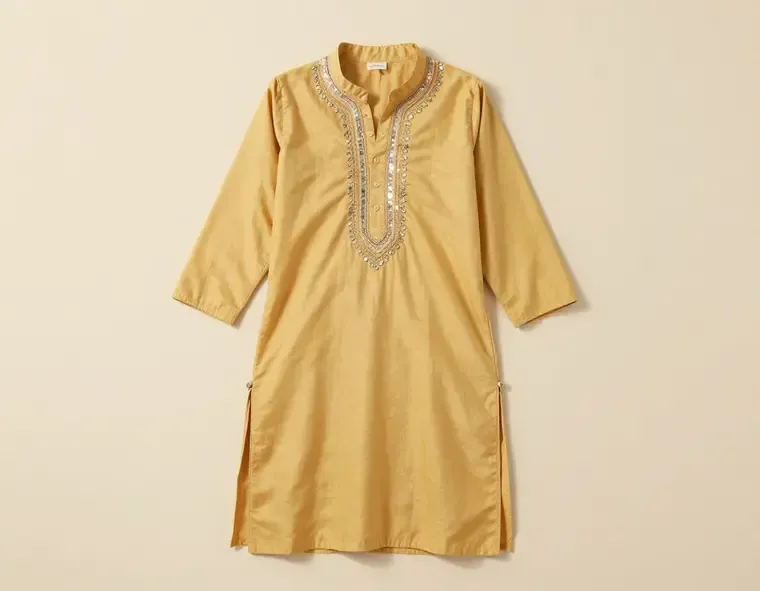 Brand's flat-lay
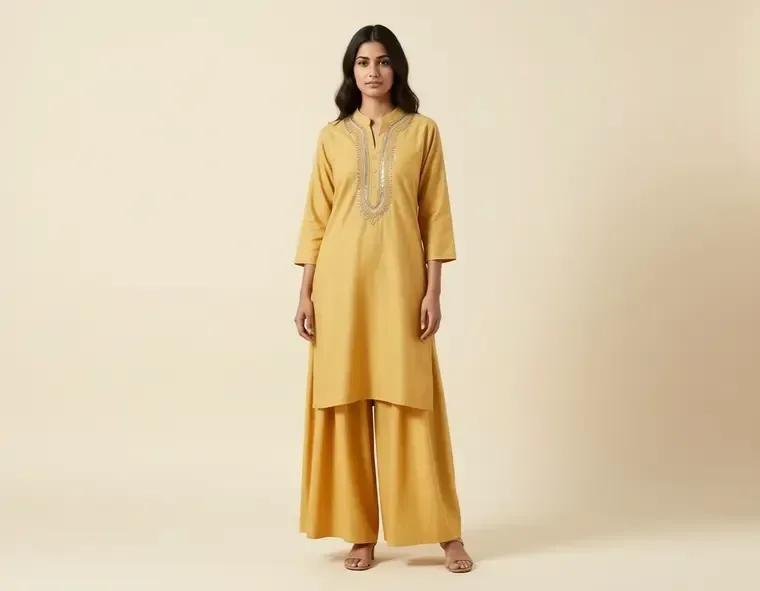 Fivo
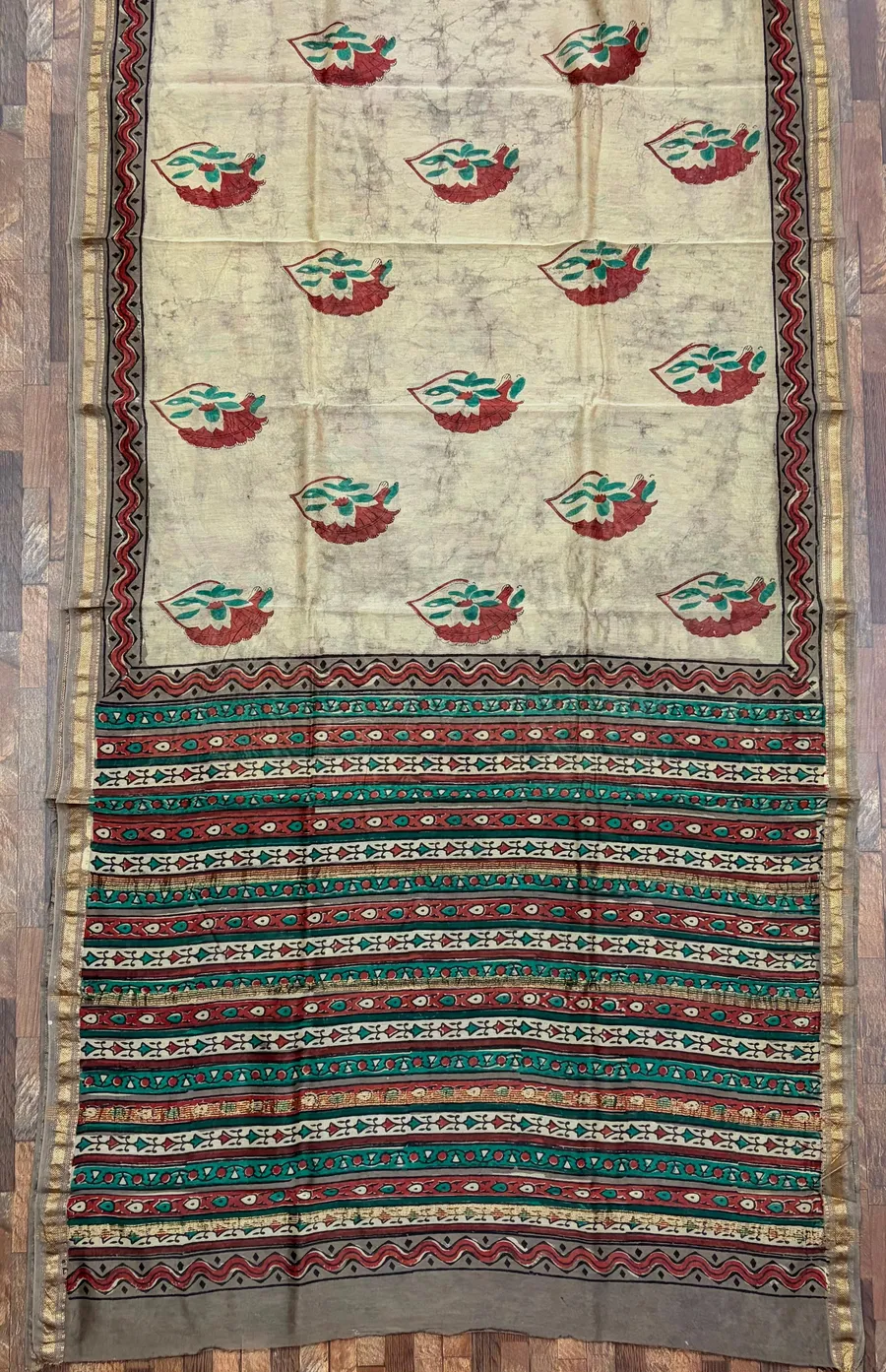 Brand's flat-lay
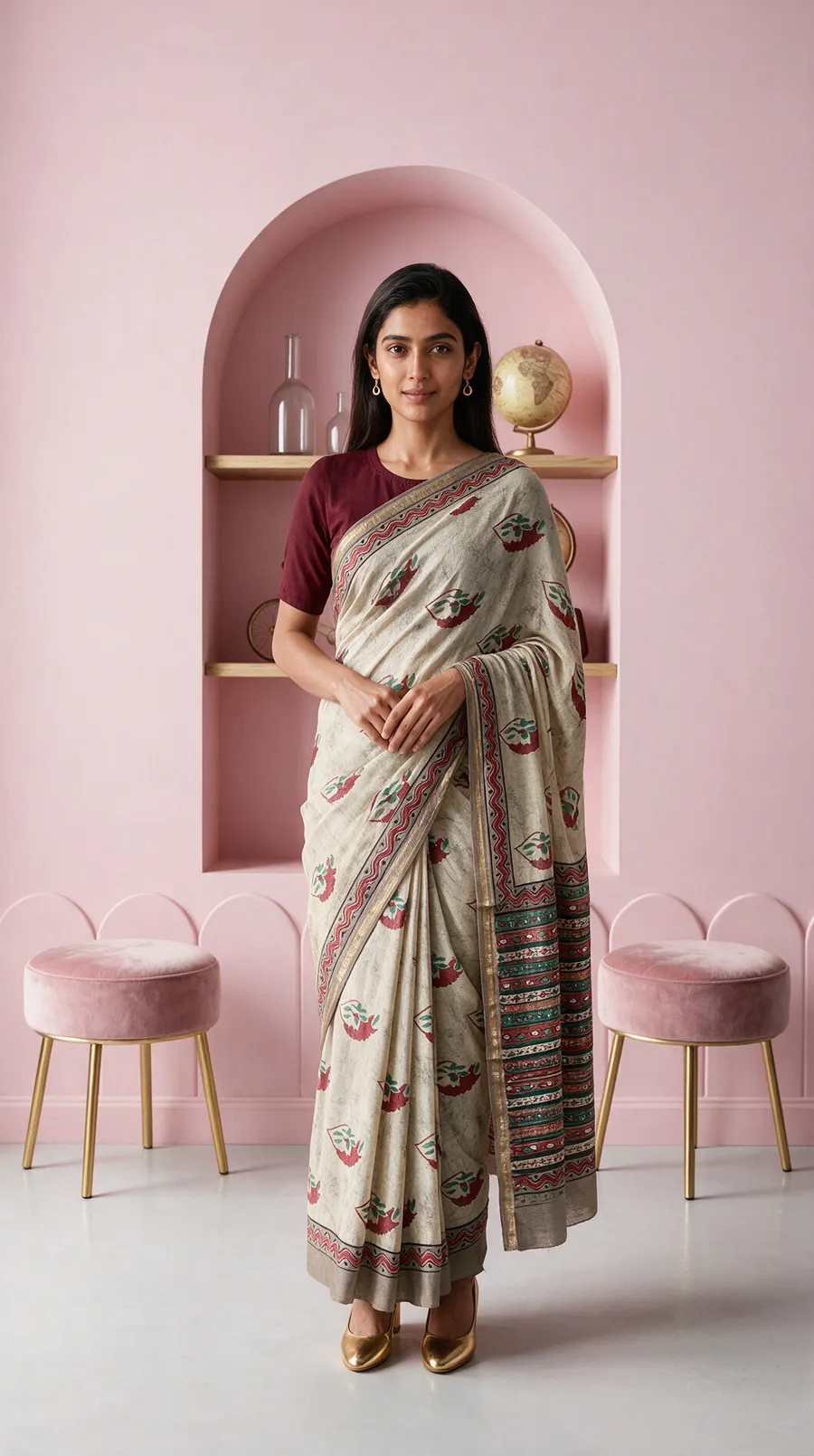 Fivo
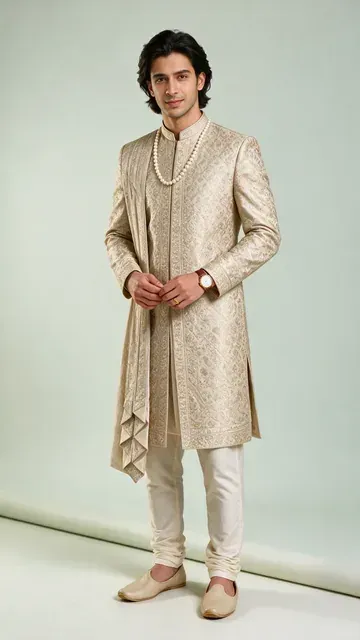 Fivo
Who each is built for
For brands that want the shoot done.
For people building with fashion AI.
Switching from FASHN AI?
Take five garments you have already run through FASHN, and upload the same photos you started from.
Choose a model from Fivo's catalogue, a pose and a backdrop in Fivo Studio, once for all five.
Fivo returns front, back, side and close-up for each garment, and videos if you ask.
Set both results next to each real garment and check print, length and trims. Keep FASHN for anything you're building.
Questions
What fashion brands ask when they are choosing between FASHN AI and Fivo.
Both. FASHN's site, checked November 2026, lists virtual try-on alongside product-to-model images, AI model creation, fashion videos and agent editing. Fivo does not offer try-on; it is built for on-model photoshoots of a brand's catalogue, from the brand's own garment photos.
No. FASHN has a web app and iOS and Android apps you can use directly. A developer is needed only for its API, which comes with TypeScript and Python SDKs for adding try-on or generation to your own product. Fivo needs no developer to shoot; an API link to your own systems is optional and set up by Fivo's team.
Fivo shoots sarees, kurtas, kurtis, lehengas and suits as part of its everyday range, and offers full service. FASHN's site did not mention ethnic wear when checked in November 2026. Either way, test a few of your own kurta sets or sarees before committing to a tool.
When you are building a product: a try-on feature for shoppers, an app, or automated generation through a self-serve API with SDKs. It also suits creators who want to prompt each image themselves, generate models from a description, or work on iPhone.
Yes, on request. Fivo can provide an API to connect with a brand's own catalogue, PIM or store, set up with Fivo's team; there are no public docs or SDKs to sign up for. Most brands need none: they shoot one garment in the Fivo Android app, a whole collection in Fivo Studio, or ask for full service.
FASHN reuses consistent models across looks. Fivo goes one step further for a catalogue: Studio applies one model, pose set and backdrop to the whole upload, and each garment's fabric and design are read from its own photo, so the grid reads as one shoot. Check a few images against the real pieces before you list.
Yes, if your business has both needs. A brand might run FASHN's try-on on its own store for shoppers while shooting the catalogue images themselves in Fivo Studio. The two don't clash: one renders a garment on a shopper's photo, the other produces the listing images.
Not if you are building shopper try-on, which Fivo doesn't offer, or need a self-serve API with SDKs today. If you mostly use FASHN to make catalogue images and spend time directing each one, run five garments through Fivo Studio and compare the finished sets view by view before you decide.
NO CODE NEEDED