Every image matches
The same garment, fabric, design and model across front, back, side and close-up, and across the whole collection.

T-shirt model photoshoot
A basic tee sells on its fabric and its fit: the knit, the rib at the neck, where the sleeve ends. Fivo starts from a photo of your actual t-shirt and puts it on a model from its catalogue, in a studio or a street, so buyers see the tee they will receive rather than a template.
From about ₹20 an image · price shown before you generate · see pricing
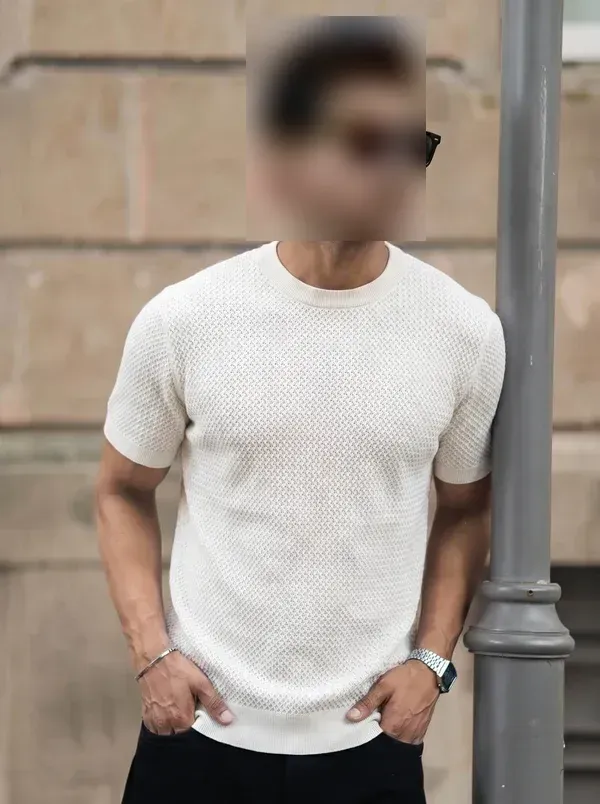 Brand's on-model photo
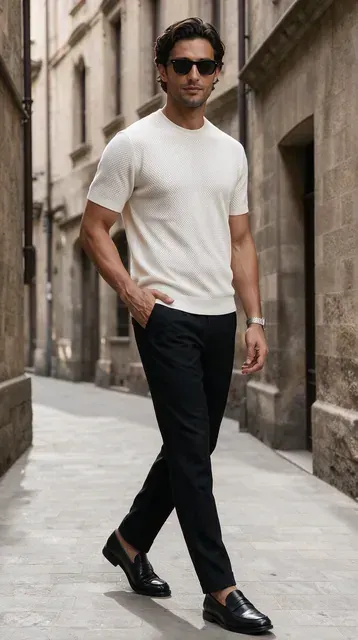 Fivo
An AI t-shirt photoshoot puts your real t-shirt on a model from one photo of it. Fivo reads the colour, neckline, rib, sleeve and fabric texture from your photo and makes on-model images and video in the setting you choose. Unlike a mockup, the tee in the picture is the one you ship.
Why brands choose Fivo
Customise every shoot to your brand. Fivo keeps your garment, your models, your styling and your look the same in every image you put out.
The same garment, fabric, design and model across front, back, side and close-up, and across the whole collection.
Your photo is the reference: colour, print, embroidery and cut are carried into every image, not reinvented.
Choose the pose for each shot, from straight catalogue fronts to walking, seated and detail shots.
Pick models by the look and age group your customers relate to: women, men, kids, Indian or international.
Choose each styling article per garment: footwear, jewellery, bags, watches, belts, and the top or bottom it's paired with. Or upload your own.
What a t-shirt buyer checks
Waffle, rib, slub and heavyweight jersey read as fabric in the thumbnail. The ivory waffle-knit tee above carried its texture from a catalogue photo into a stone alley.
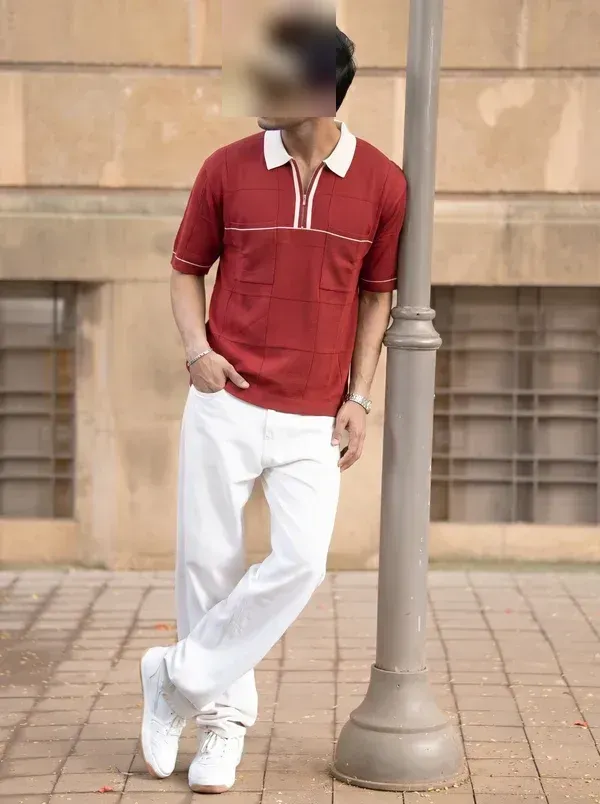
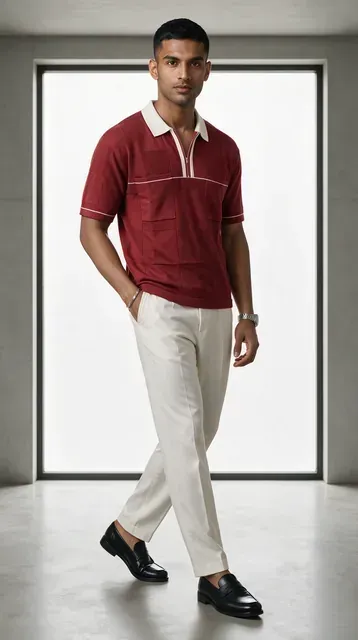
A crew neck keeps its rib band, and a polo keeps its collar, zip and contrast piping, as on the maroon knit polo below.
A boxy heavyweight tee and a slim crew read differently on a body. Lay the tee flat with the sleeves out, so its width and sleeve length come through.
Upload each colour to Fivo Studio and set the model, pose and backdrop once. Each shade is colour-matched to its photo, and the swatches on your product page share one model and setting.
A mockup paints your design onto a stock blank. Fivo starts from a photo of your own tee, so the fabric, neck and sleeve in the image are the ones that ship.
Pick men, women or kids in the age group you sell to, then style each tee with denim, joggers, sneakers or a watch from Fivo's styling catalogue, or upload your own.
One polo, input to result
The brand's own on-model photo of a zip-neck knit polo, then Fivo's result in a concrete room. The cream collar and the contrast piping sit where the polo has them.
Shooting a t-shirt range
Flat on a plain surface, creases smoothed, shot from straight above in daylight. A hanger or an on-model photo works too. Photograph the back if it differs.
In Fivo Studio, pick a model from the catalogue, a pose and a background; every tee and colourway in the upload is shot in it.
Studio prices the whole range, GST included, before it starts. Adding your photos costs nothing, and you pay as you go.
Compare the neck, the sleeve and the colour with each tee, then take 2:3, 3:4, 9:16 or 1:1 for each channel.
More tees shot with Fivo
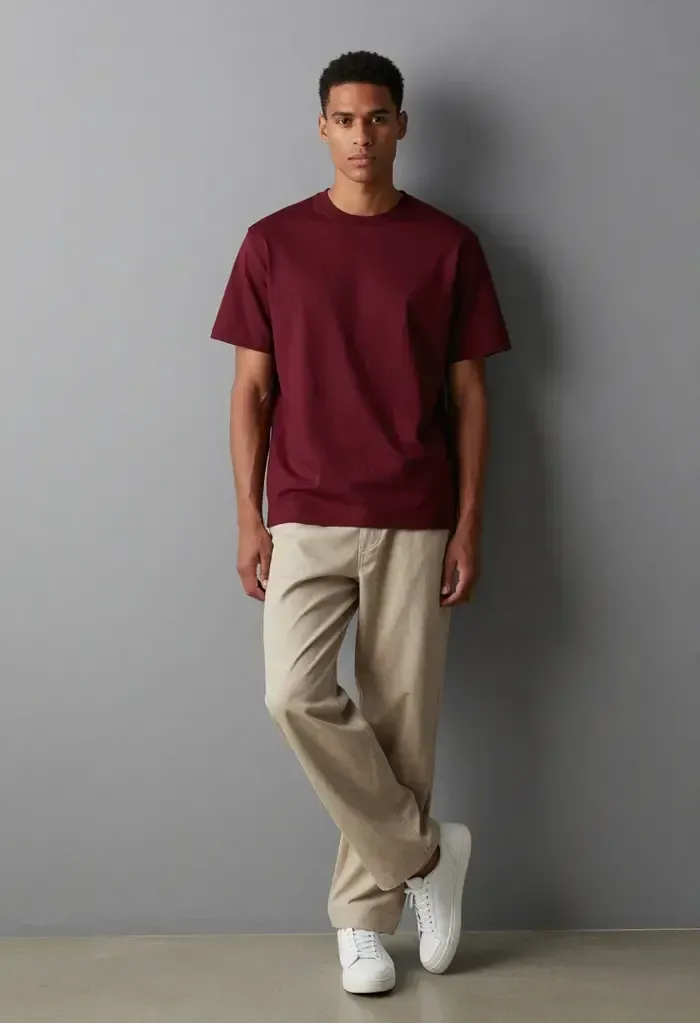
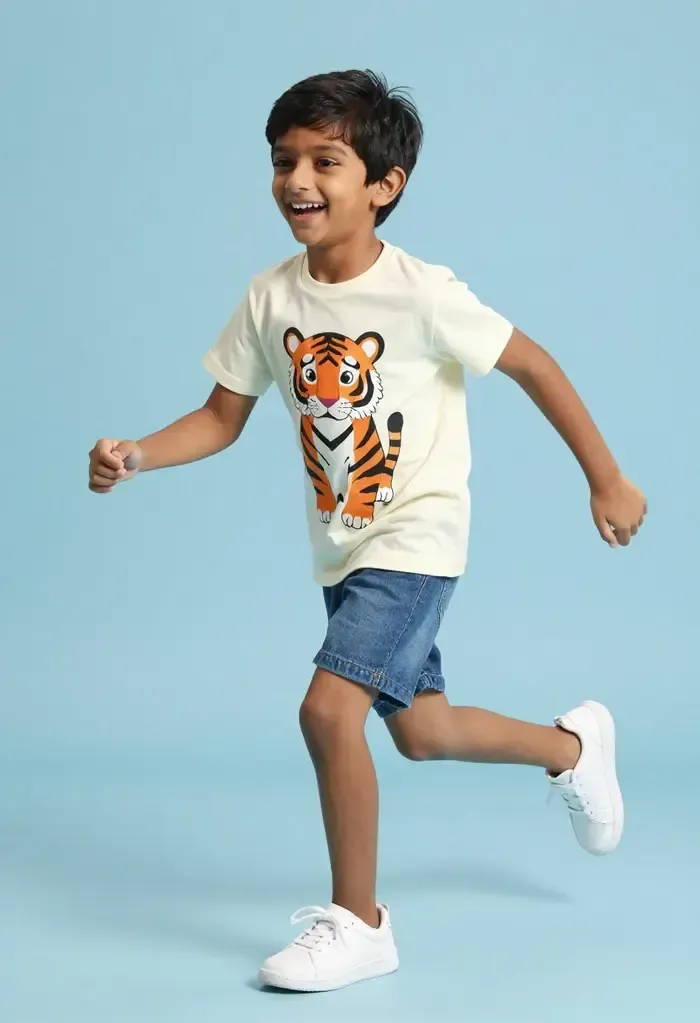
Both are Fivo results shown without the brand's photo, so they show the fit and the setting rather than a before and after. Children's ranges have their own kidswear guide.
 Fivo
 Fivo
A tee drop, two ways
| Studio shoot | Fivo | |
|---|---|---|
| What you shoot from | Pressed samples on a model | A photo of each tee |
| Six colours of one style | Six changes on set | Six uploads, one look |
| Front and back | Two set-ups per colour | Made from one reading of the tee |
| A restock in a new colour | Wait for the next shoot | Shot that day, in the same look |
| Video for reels | A separate production | From the same tee photo |
| Cost | A day rate | About ₹20 an image, total shown first |
Questions
What t-shirt sellers ask before they shoot a range with Fivo.
Fivo reads a printed tee from your photo like any other garment, but this page doesn't yet show a graphic tee beside its input, so we won't promise how fine artwork or small lettering comes out. Try one printed tee as a sample first and check the print against the garment before you use it.
Yes. Upload each colour to Fivo Studio and choose one model, pose and background for the batch. Every colourway is shot in that look, so the colour options on your product page show the same model and setting, and the whole range keeps your brand's look.
A mockup generator places your design on a stock t-shirt template. Fivo starts from a photo of your own t-shirt and puts that garment on a model from its catalogue, with front, back, side and close-up views and video. Buyers see the fabric and fit they will actually get.
The fit is read from your photo, so lay the tee flat with the sleeves out and its width and drop shoulder are visible. The maroon heavyweight tee on this page is a boxy cut. We don't show an oversized tee here yet, so compare your first result with the real garment.
Yes. Back is one of Fivo's four views. Upload a photo of the back with the front, so a back panel, a yoke or a back print is read from the garment rather than guessed.
Yes. The first two garments on this page are knits: an ivory waffle-knit tee and a maroon zip-neck polo with a contrast collar, each from the brand's own catalogue photo. A sharp, evenly lit photo gives the texture the most to work from.
Shoot it in one batch in Fivo Studio and keep only the views you need: front and back for most tees, a close-up where the fabric is the selling point. At about ₹20 an image, 40 styles at two views each is roughly ₹1,600. See Fivo pricing.
Yes. They may be used for any lawful purpose, including store listings, paid social and reels. Every marketplace reviews listings against its own image rules before they go live.
YOUR NEXT TEE DROP
 Fivo for AndroidShoot one garment at a time on your phone. Images and videos in your brand's look.