Every image matches
The same garment, fabric, design and model across front, back, side and close-up, and across the whole collection.

Fivo for boutiques
Photograph a new piece at the counter, choose a model and a backdrop, and post it to Instagram or your WhatsApp list within minutes. The Fivo Android app shoots one garment at a time, from the phone already in your hand, keeping each piece's shade and handwork and last week's model.
From about ₹20 an image · price shown before you generate · see pricing
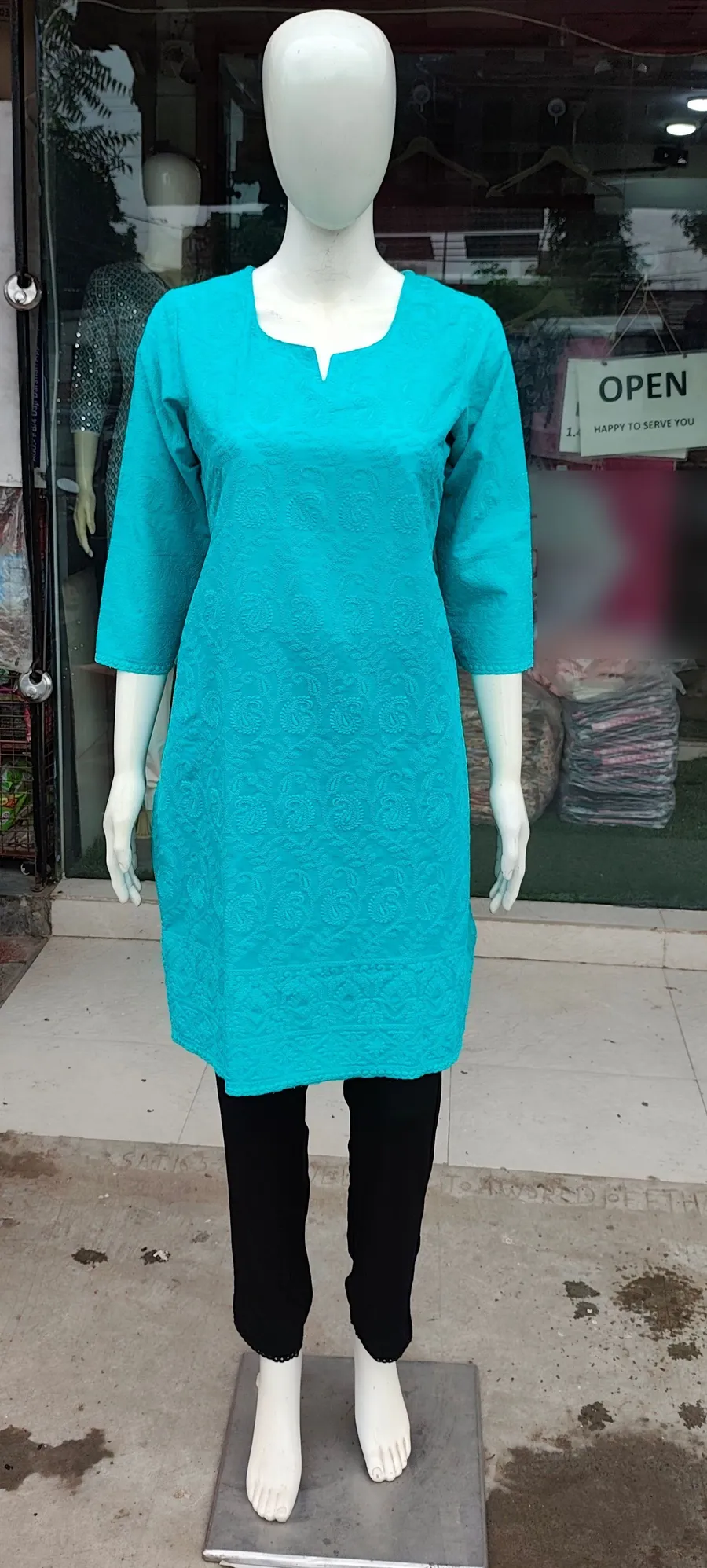 Brand's mannequin
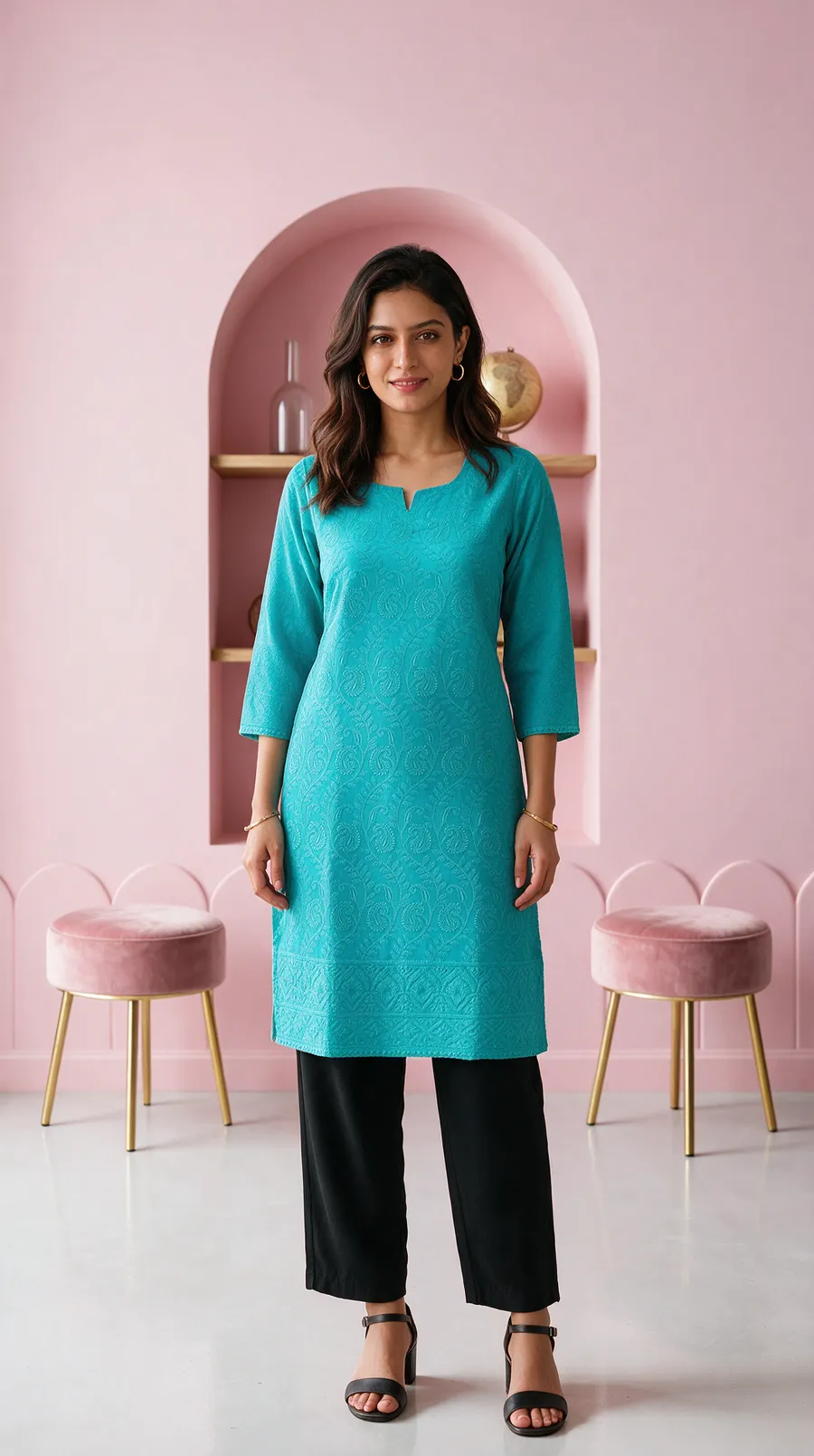 Fivo
It turns a phone photo of a piece on a hanger, a mannequin or laid flat into images of that piece on a model. A boutique owner picks the model from Fivo's catalogue and a studio or lifestyle backdrop in the Fivo Android app, and has images ready to post in minutes, paying only for the pieces shot.
Why brands choose Fivo
Customise every shoot to your brand. Fivo keeps your garment, your models, your styling and your look the same in every image you put out.
The same garment, fabric, design and model across front, back, side and close-up, and across the whole collection.
Your photo is the reference: colour, print, embroidery and cut are carried into every image, not reinvented.
Choose the pose for each shot, from straight catalogue fronts to walking, seated and detail shots.
Pick models by the look and age group your customers relate to: women, men, kids, Indian or international.
Choose each styling article per garment: footwear, jewellery, bags, watches, belts, and the top or bottom it's paired with. Or upload your own.
Why boutique photos stall
A hanger, a trial-room curtain and a phone.
The same phone, a model and a backdrop.
You shoot by the piece, not by the batch.
What boutique stock needs
One size, one colour, sometimes the only one made. Fivo works from your photo of that exact piece, so a one-off is shot as it is.
Add a close-up when the handwork is the selling point. The thread colour and stitch placement follow your photo, so the customer who zooms in sees the piece she will receive.
Choose by the age group and look of the women who shop with you, Indian or international, and a pose that shows the drape: standing straight, walking or seated.
Keep the same model and backdrop week after week, and the Instagram grid reads as one boutique with its own taste, never a generic AI look.
Photograph the back as well when it has a tie, a cut-out or a border, and the back view follows your photo.
Once an order is stitched, shoot it like any other piece, styled with jewellery and footwear from Fivo's catalogue, your own jhumkas, or nothing at all, and post it beside your regular stock.
Which way in
Most boutiques need only the app. Studio and full service cover the weeks that are bigger than usual.
The piece that came in this morning, shot from your phone and on a model in minutes, ready to post before the shutter comes down.
Get it on Google PlayWhen a festive or wedding-season consignment arrives at once, upload all of it on the web and shoot it in one look, usually within 24 hours.
About Fivo StudioFor a seasonal lookbook you would rather hand over, Fivo's team produces it end to end, quoted to what you need.
From the counter to the feed
Hang the piece near a window and photograph it straight on, the whole garment in frame. Add a close-up if the handwork is the point.
Choose a model from Fivo's catalogue of women, men and kids, then a pose and a studio or lifestyle backdrop.
The app shows the cost, GST included, before it makes anything. Credits for an image that fails come back to you.
Save the images to your phone, post them to Instagram, and send them to your WhatsApp list or the one customer who asked.
Photos like a boutique takes
Every one of these began as an everyday photo: a mirror selfie with the face hidden, two shop mannequins and a kids' dress laid on a bed. More in phone photo to model.
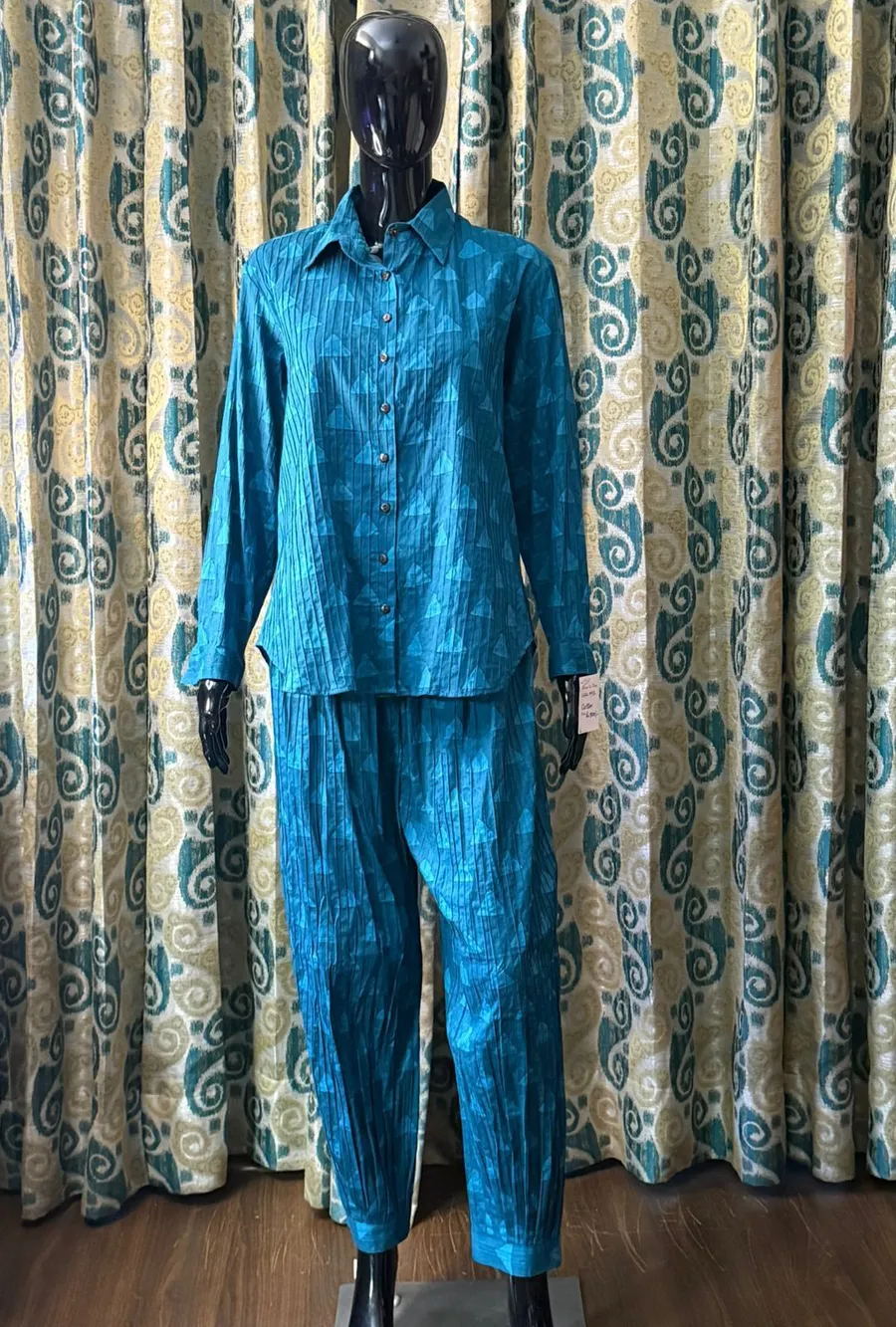 Brand's mannequin
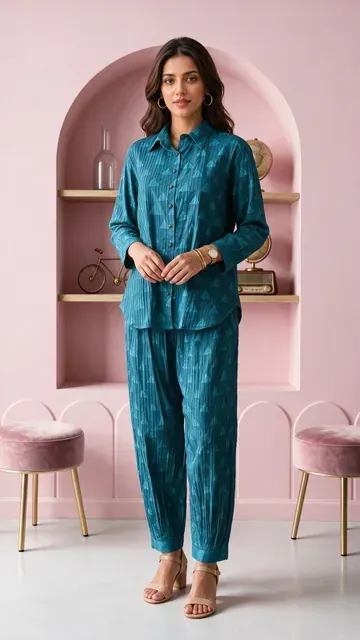 Fivo
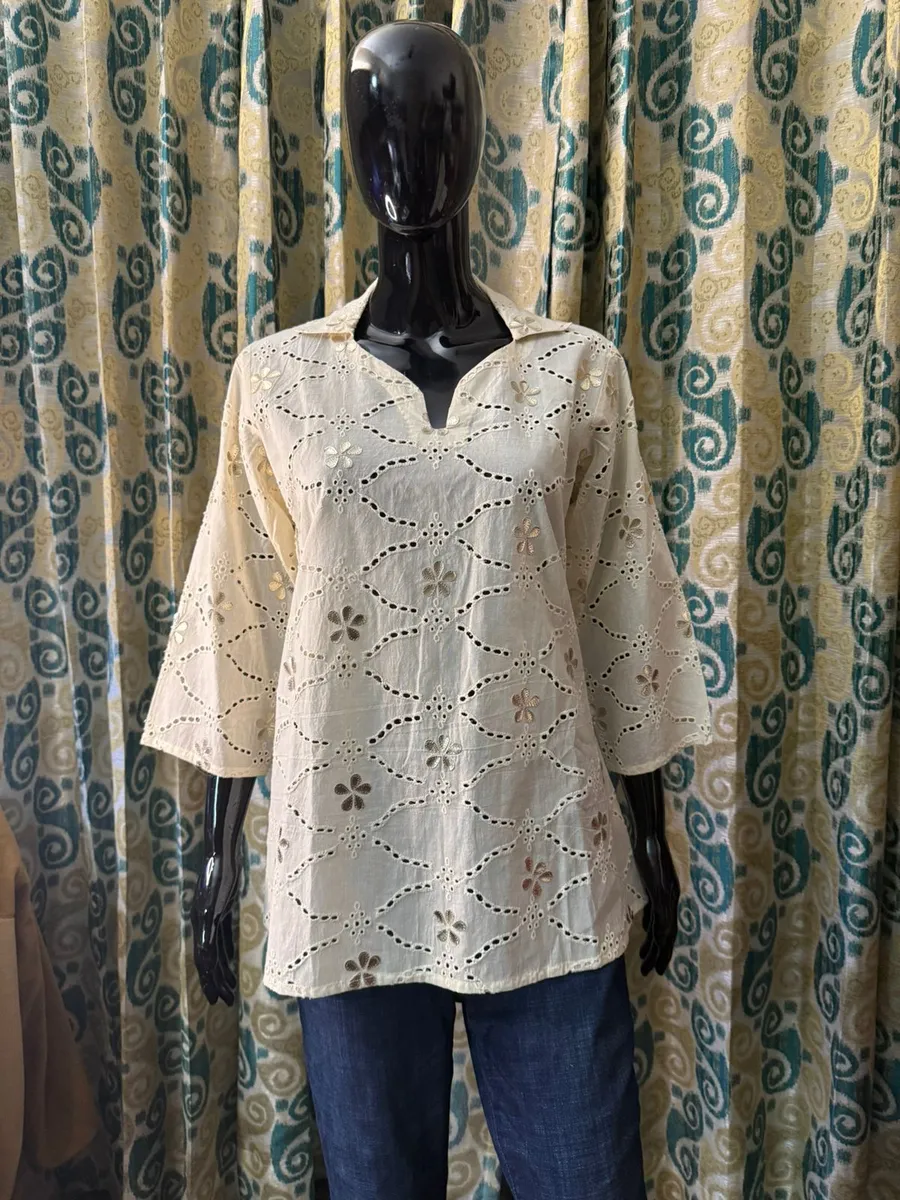 Brand's mannequin
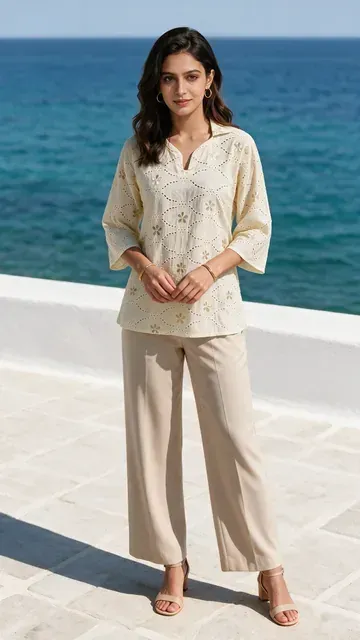 Fivo
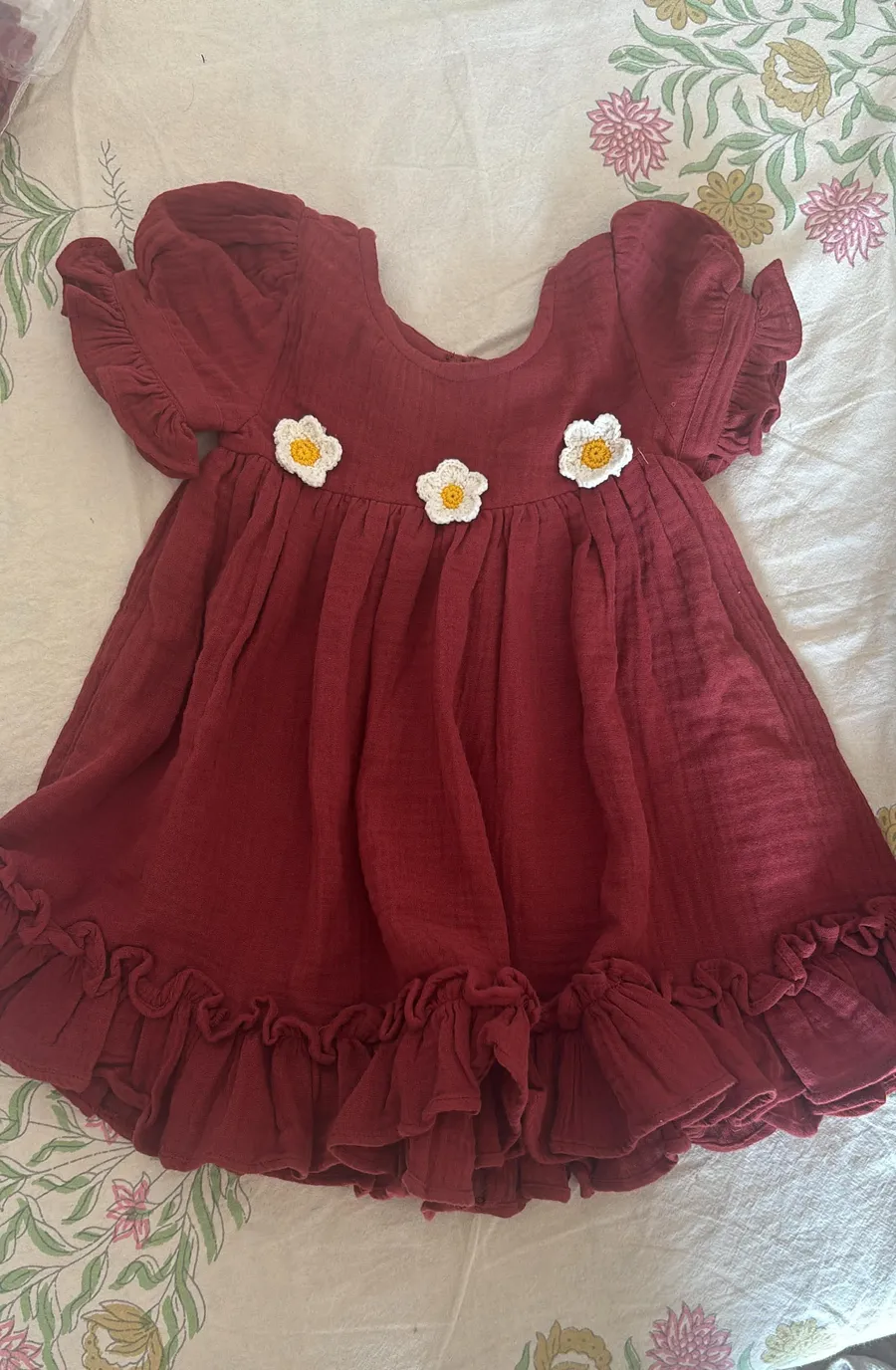 Brand's phone photo
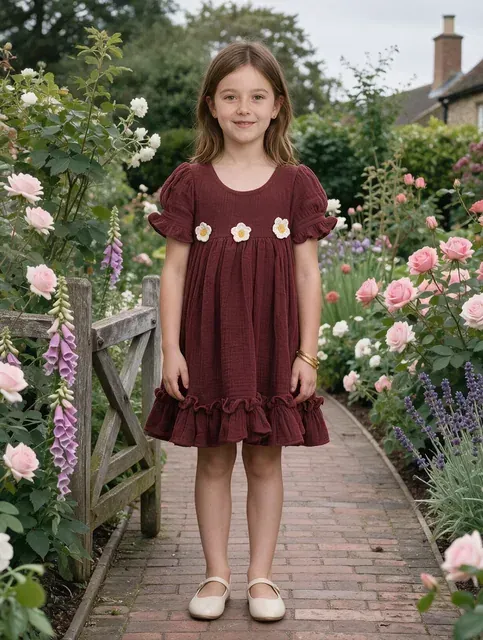 Fivo
What a week costs
Worked out at about ₹20 an image. Pay only in the weeks you shoot: uploading photos costs nothing.
| Images | Roughly | |
|---|---|---|
| One piece | Front, back and a close-up: 3 images | ₹60 |
| A week of new stock | 20 pieces × 3 images = 60 | ₹1,200 |
| Square images for WhatsApp | 20 pieces × 1 image in 1:1 = 20 | ₹400 |
| A month at that pace | 4 weeks × 80 images = 320 | ₹6,400 |
The exact amount, GST included, is shown in the app before each image is made.
Workflows for a boutique
The everyday route: a hanger or counter photo becomes the piece on a model. How to take the photo: phone photo to model.
The outfit already dressed on the window mannequin, put on a model instead. See mannequin to model.
Vertical images and short on-model videos for the week's story. See social media content.
The month the consignment lands, shoot it in one look in Studio. See festive catalogue photoshoots.
Questions
What boutique owners ask before they shoot their first piece with Fivo.
For most boutiques the Fivo Android app is enough: it shoots one garment at a time from your phone, which is how boutique stock arrives. Fivo Studio on the web shoots in bulk, so it earns its place the week a whole season's consignment lands. Both make the same images and videos.
Yes. Fivo works from your photo of the exact piece, so a one-of-a-kind garment is shot as it is. Add a close-up for handwork and a back view if the back is designed too, then check each image against the piece before you post it.
Your photo is the reference, and a colour-match step runs as each image is made, so the shade, print and embroidery follow the piece on your counter. Shoot in even daylight, because a yellow tube light changes the colour in the photo itself.
At about ₹20 an image and three images a piece, 20 pieces is 60 images, or about ₹1,200 a week. You pay as you go, and the app shows the full price, GST included, before anything is made. See Fivo pricing.
Yes. Pick the square 1:1 format, save the images to your phone and send them to a broadcast list or one customer. The images are yours to use for any lawful purpose, from WhatsApp catalogues to Instagram posts and your own website.
Yes. Once it is stitched, photograph it on a hanger or laid flat like any other piece and it goes on a model from Fivo's catalogue. You get an image of the finished order for your feed, alongside the regular stock.
No. A phone and daylight are enough. Hang the piece or lay it flat, shoot it straight on with the whole garment in frame, and keep the light even. A plain wall helps, though Fivo replaces the background with the one you choose.
Within minutes. The app makes the on-model images while you wait, so a piece that comes in during the morning can be in your stories the same afternoon.
TODAY'S NEW ARRIVAL
 Fivo for AndroidShoot one garment at a time on your phone. Images and videos in your brand's look.