Every image matches
The same garment, fabric, design and model across front, back, side and close-up, and across the whole collection.

Mannequin to model
Your dress-form photos are already a usable input. Fivo puts each piece on a model you pick from Fivo's catalogue, in a studio or lifestyle setting, with the neckline, length and detail read from the mannequin shot.
From about ₹20 an image · price shown before you generate · see pricing
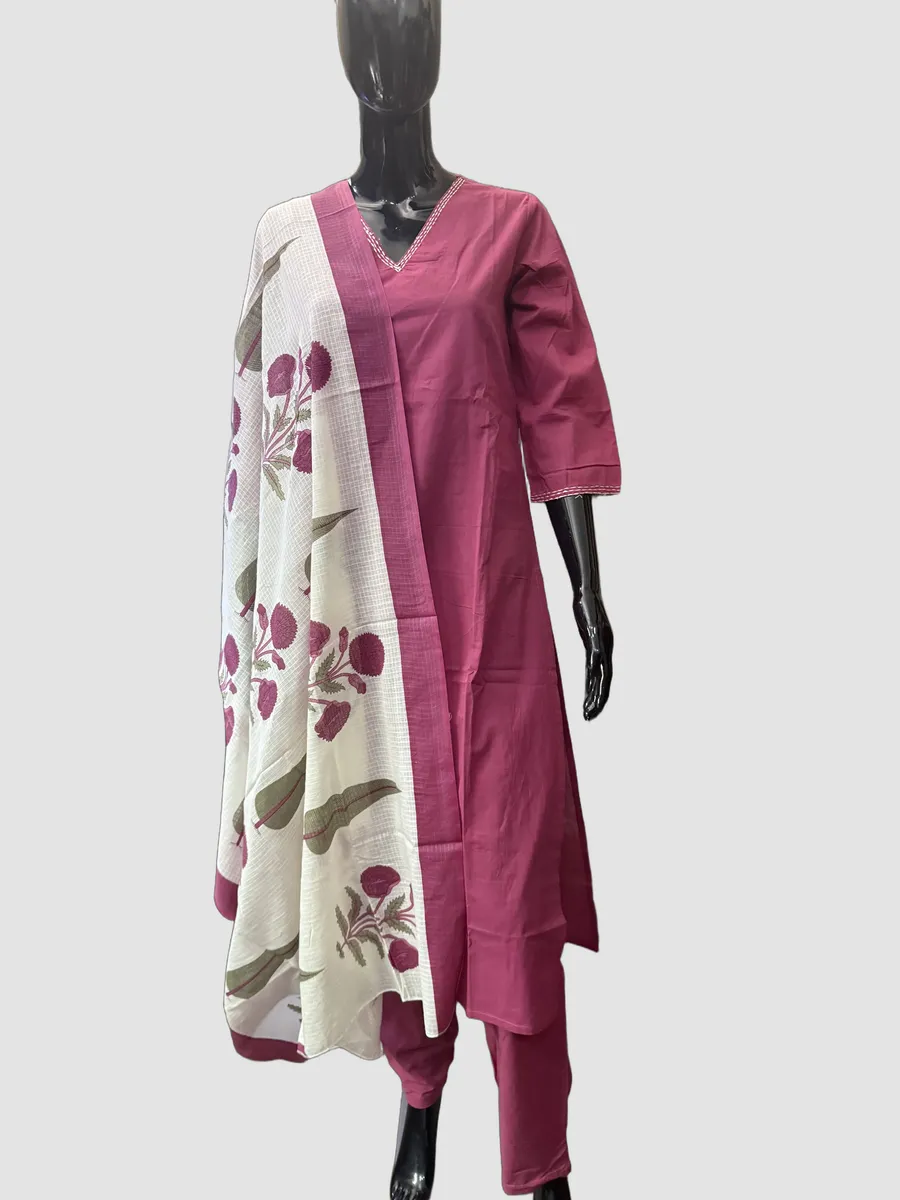 Brand's mannequin
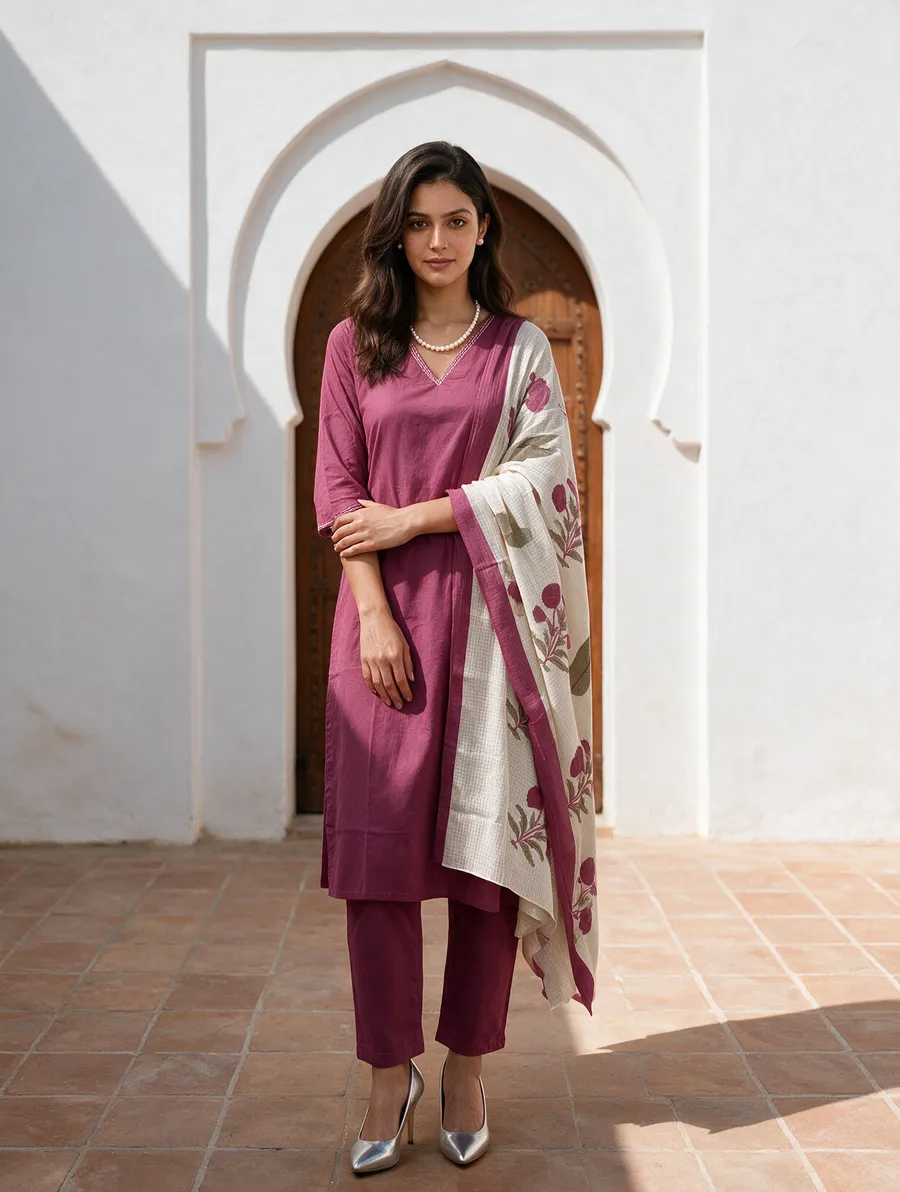 Fivo
Mannequin to model AI takes a photo of a garment on a dress form and shows the same garment worn by a person. In Fivo you upload the mannequin shot, choose a model from Fivo's catalogue and a setting, and get on-model images and videos with front, back, side and close-up views.
Why brands choose Fivo
Customise every shoot to your brand. Fivo keeps your garment, your models, your styling and your look the same in every image you put out.
The same garment, fabric, design and model across front, back, side and close-up, and across the whole collection.
Your photo is the reference: colour, print, embroidery and cut are carried into every image, not reinvented.
Choose the pose for each shot, from straight catalogue fronts to walking, seated and detail shots.
Pick models by the look and age group your customers relate to: women, men, kids, Indian or international.
Choose each styling article per garment: footwear, jewellery, bags, watches, belts, and the top or bottom it's paired with. Or upload your own.
Why move off the mannequin
A dress form has no arms, no shoulders that move and no stride. On a model, shoppers see how a sleeve hangs, where a hem lands and how a dupatta sits.
Fivo reads the garment once from your mannequin photo and builds every view from that reading, so a V-neck, a placket or a tiered hem lines up across all four.
Shoot new arrivals on the same form, in the same corner and light. Each one goes to the same Fivo model and background as last week's, so the catalogue stays on-brand.
The mannequin shot is the reference. The fabric's colour, print and embroidery are carried from it into each view rather than redrawn, and a colour-match step runs in Fivo's pipeline.
A form gives you one stance. Choose the pose for each shot from Fivo's pose library instead: a straight catalogue front, a walk across the courtyard, a seated frame or a close-up.
Pick the model by who buys from your racks: women, men, boys, girls or an older age group, with Indian or international looks.
Taking the mannequin photo
Fivo works from what the photo shows, so a mannequin shot that hides or pulls the garment out of shape gives it less to go on.
| Do | Avoid | |
|---|---|---|
| Light | Daylight from a window beside the form, or two lamps at equal distance either side | One overhead bulb or a direct flash that leaves half the garment in shadow |
| Pins and clips | Pin from behind, out of the camera's view, only enough to stop it slipping | Clips that bunch fabric at the back and change the shape the photo shows |
| Neckline | Seat the collar on the form so its shape and depth are clear | A neckline folded inward, or hidden under a dupatta or stole |
| Framing | Neckline to hem in frame, camera at the form's chest height | Cropped sleeves or hem, or a high angle that shortens the piece |
| Creases | Steam the garment once it is on the form | Packing folds across the front, which can read as part of the fabric |
| Back and detail | Turn the form for a back photo; add a close-up of embroidery or print | One front shot for a garment with a back zip, tie-up or yoke |
One mannequin photo set, every view
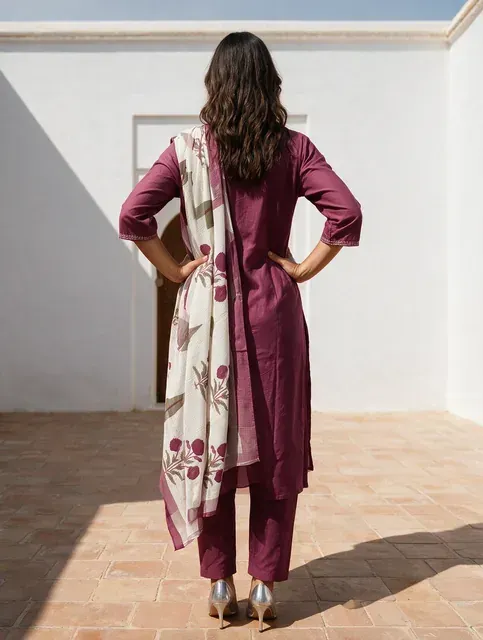
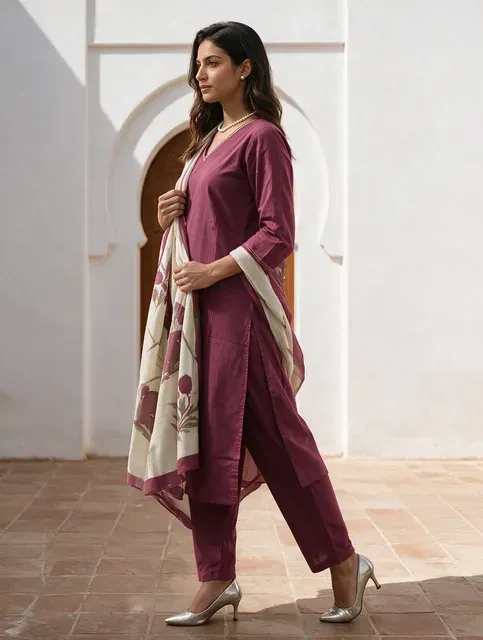
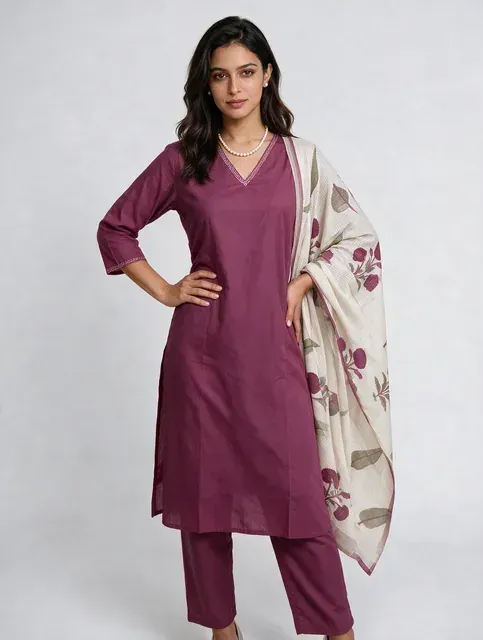
The brand photographed a V-neck kurta, straight pants and a printed dupatta on a mannequin. Fivo made the courtyard front, back and side, and a close-up on plain grey.
Real mannequin inputs
Every input below is a brand's own mannequin photo. The chikankari kurti was shot on a phone outside the shop; the striped shirt is on a dress form in a workroom.
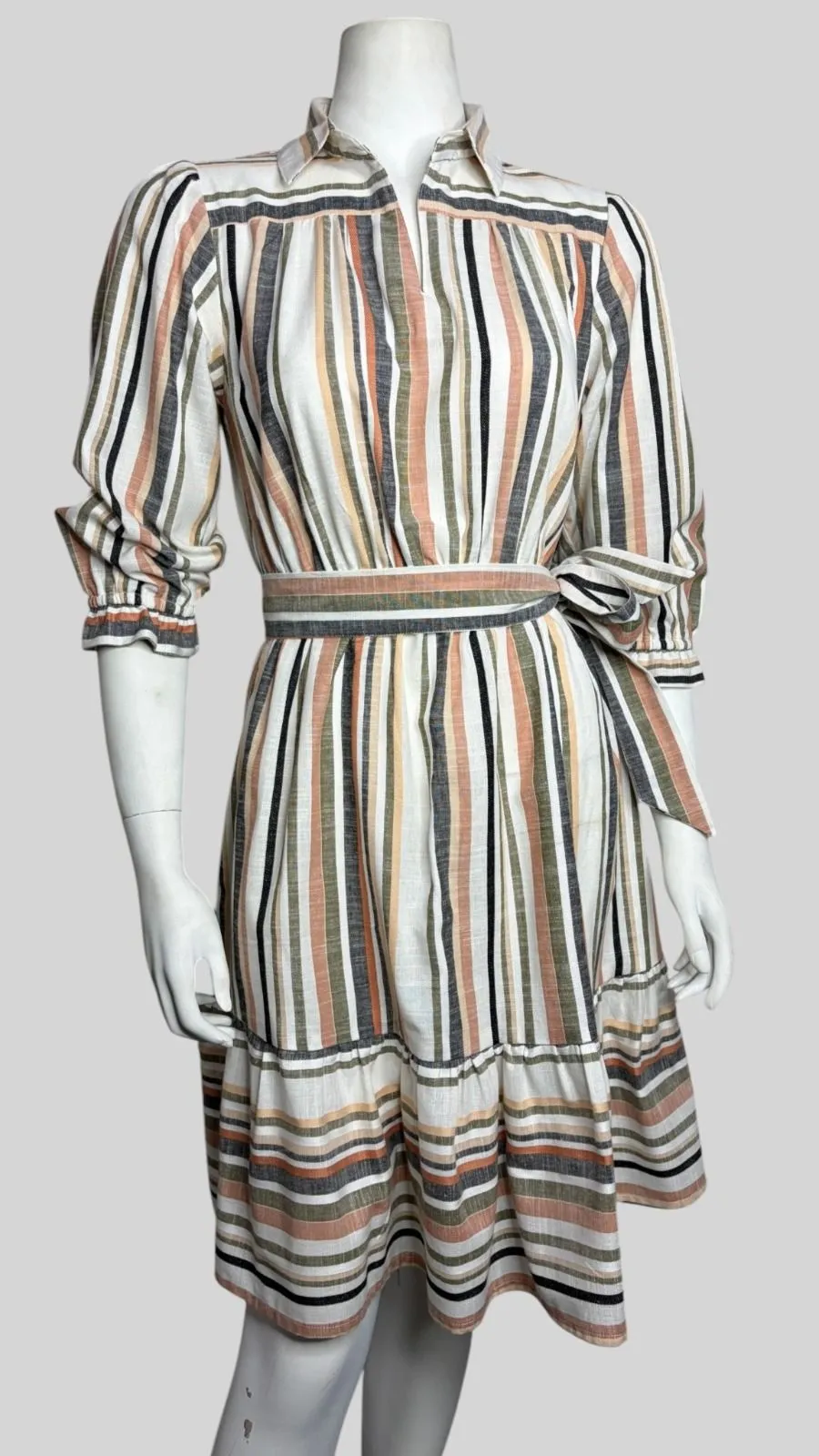 Brand's mannequin
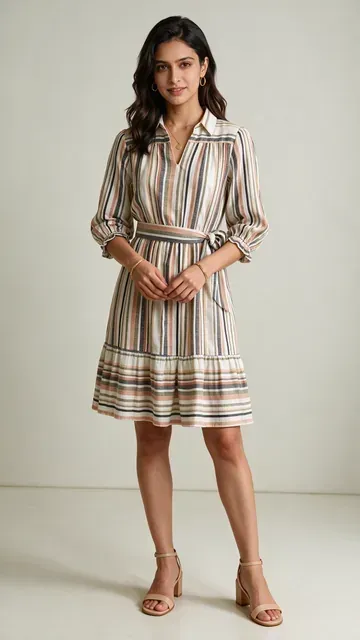 Fivo
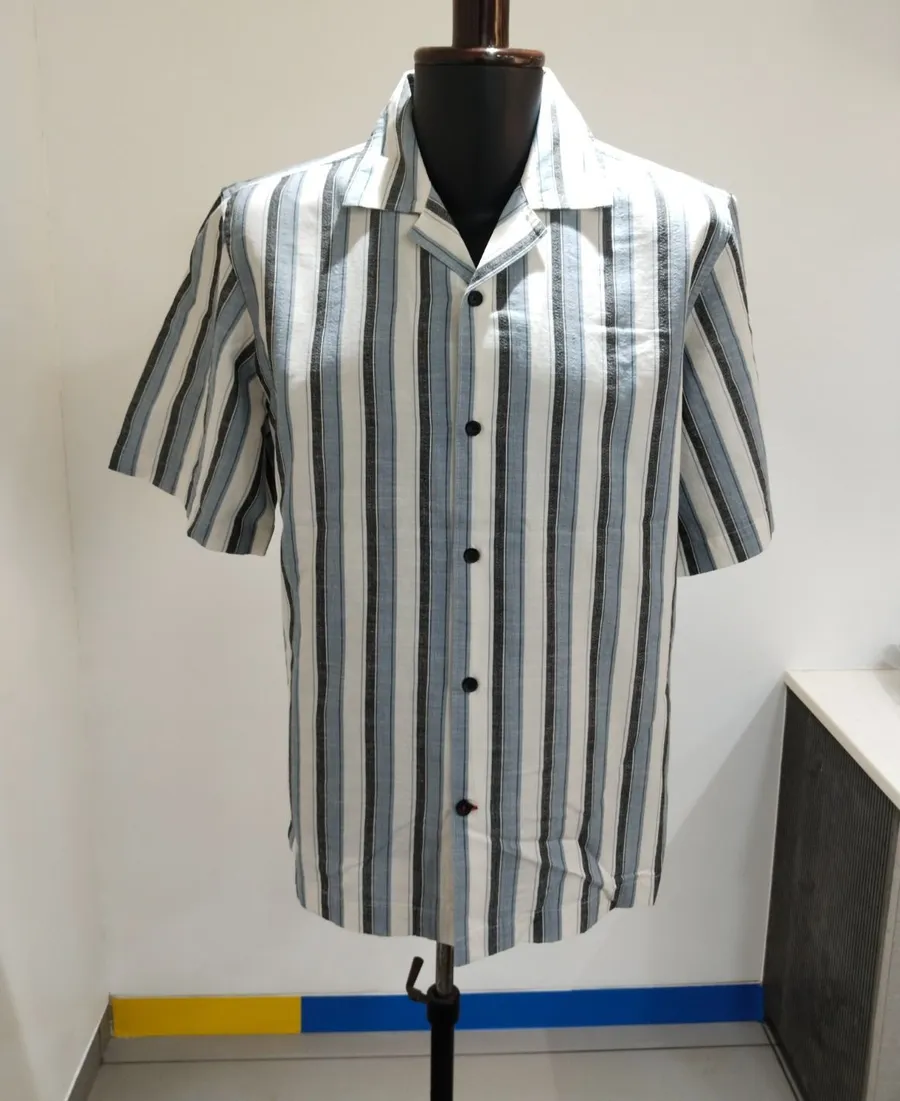 Brand's mannequin
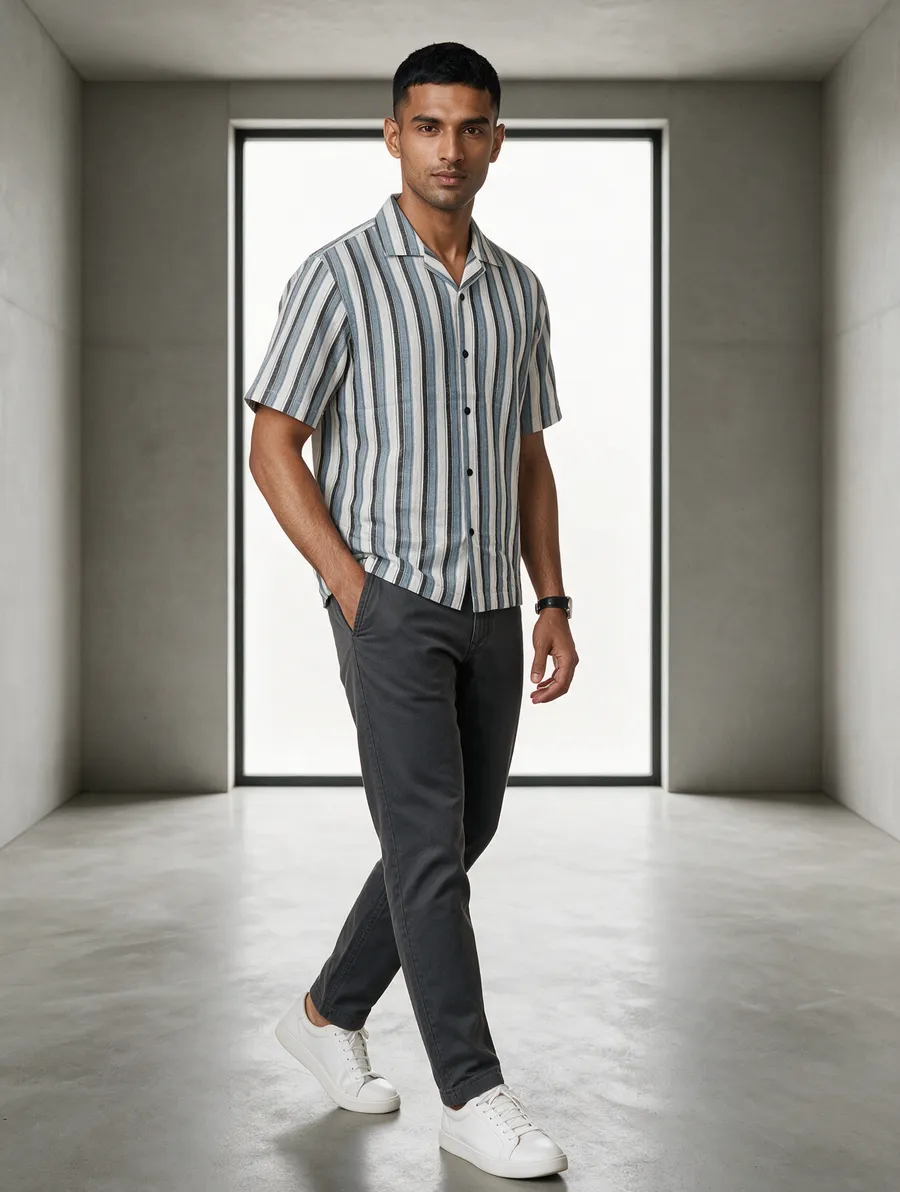 Fivo
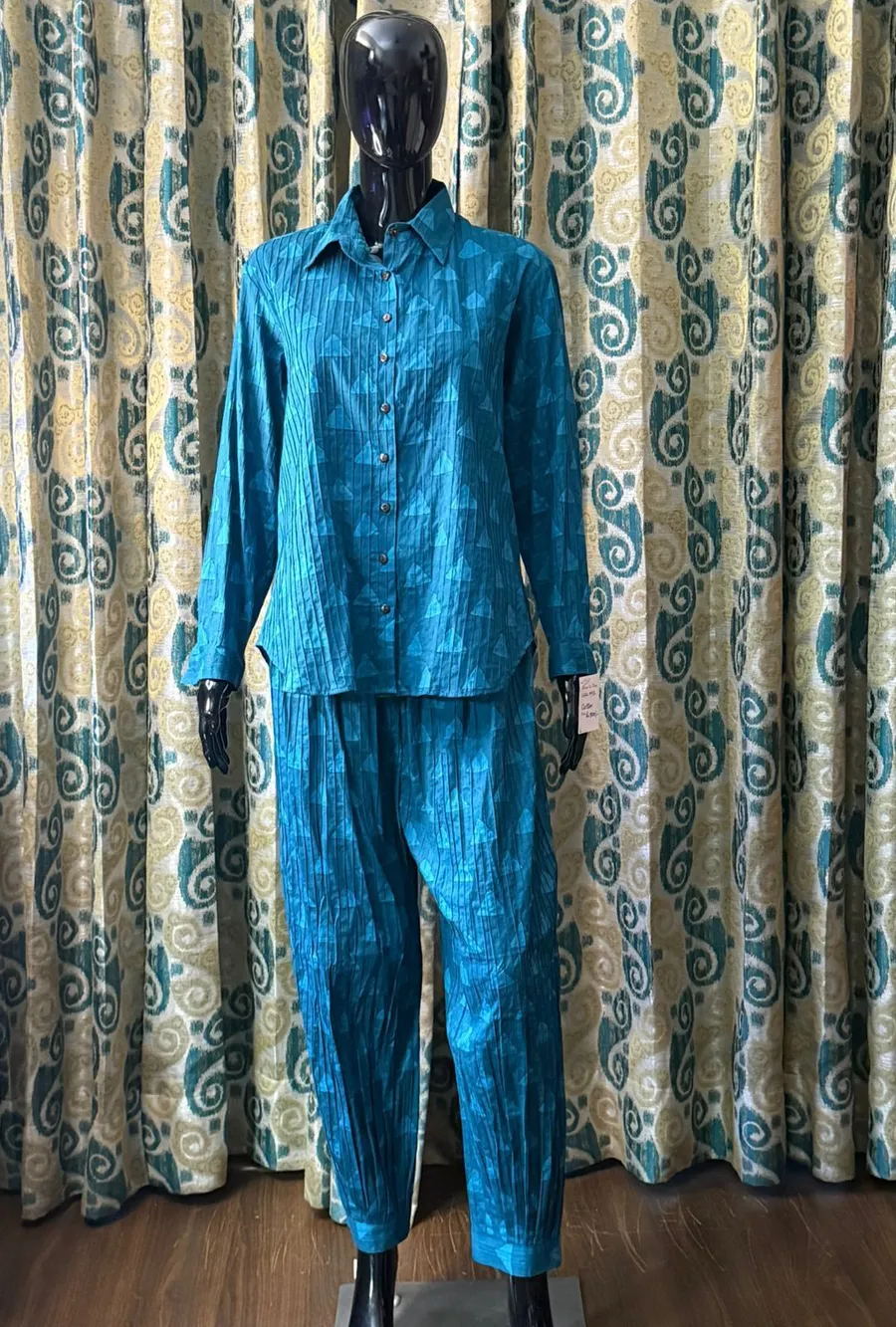 Brand's mannequin
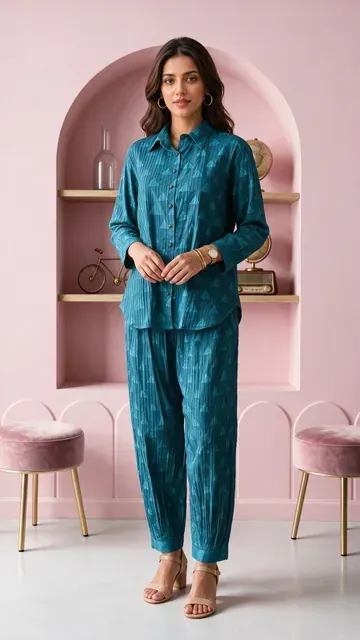 Fivo
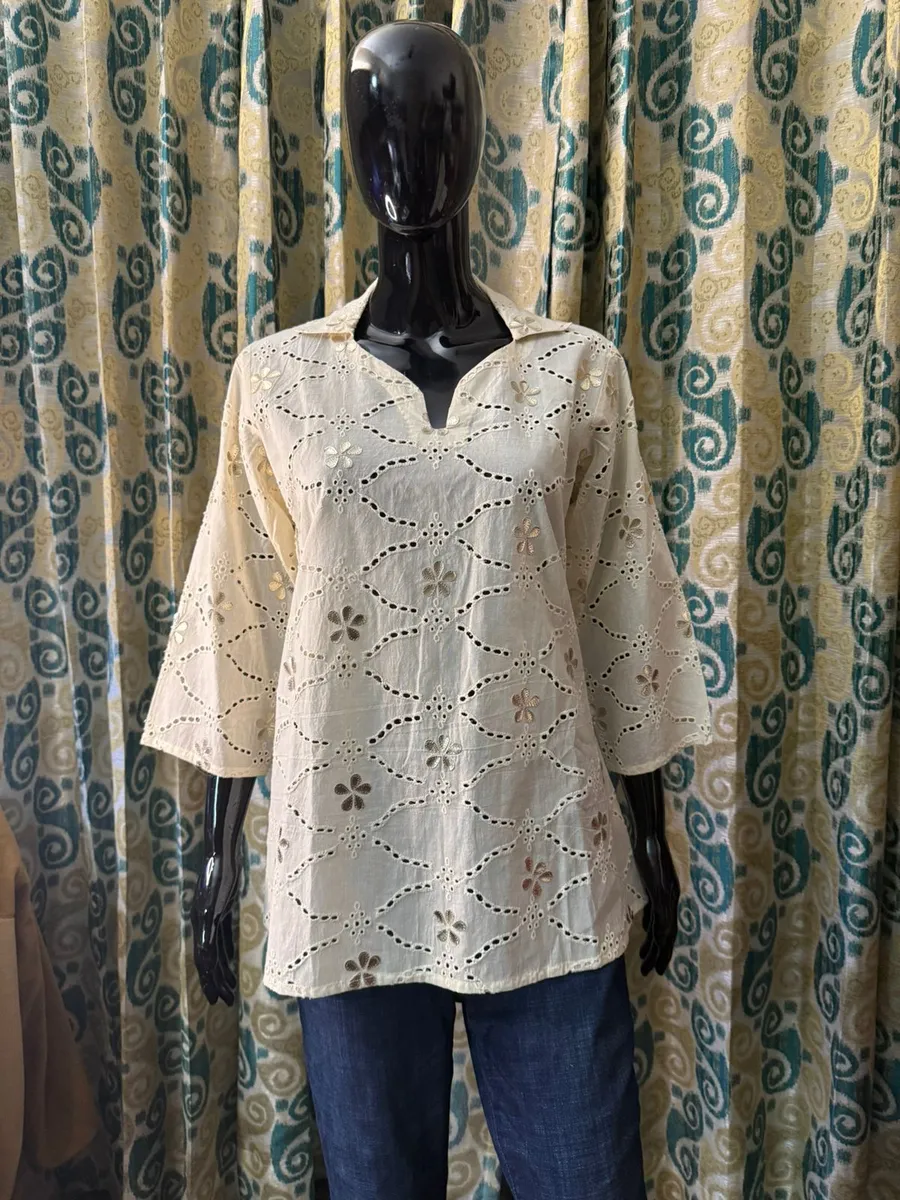 Brand's mannequin
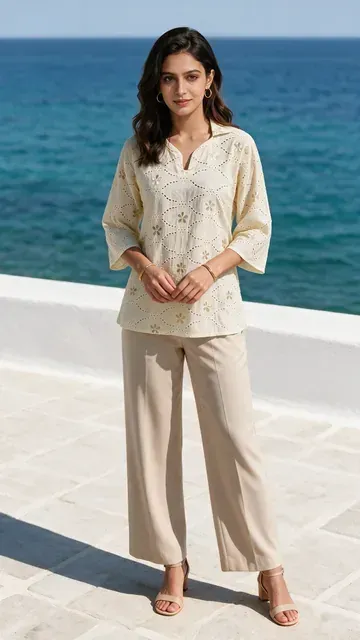 Fivo
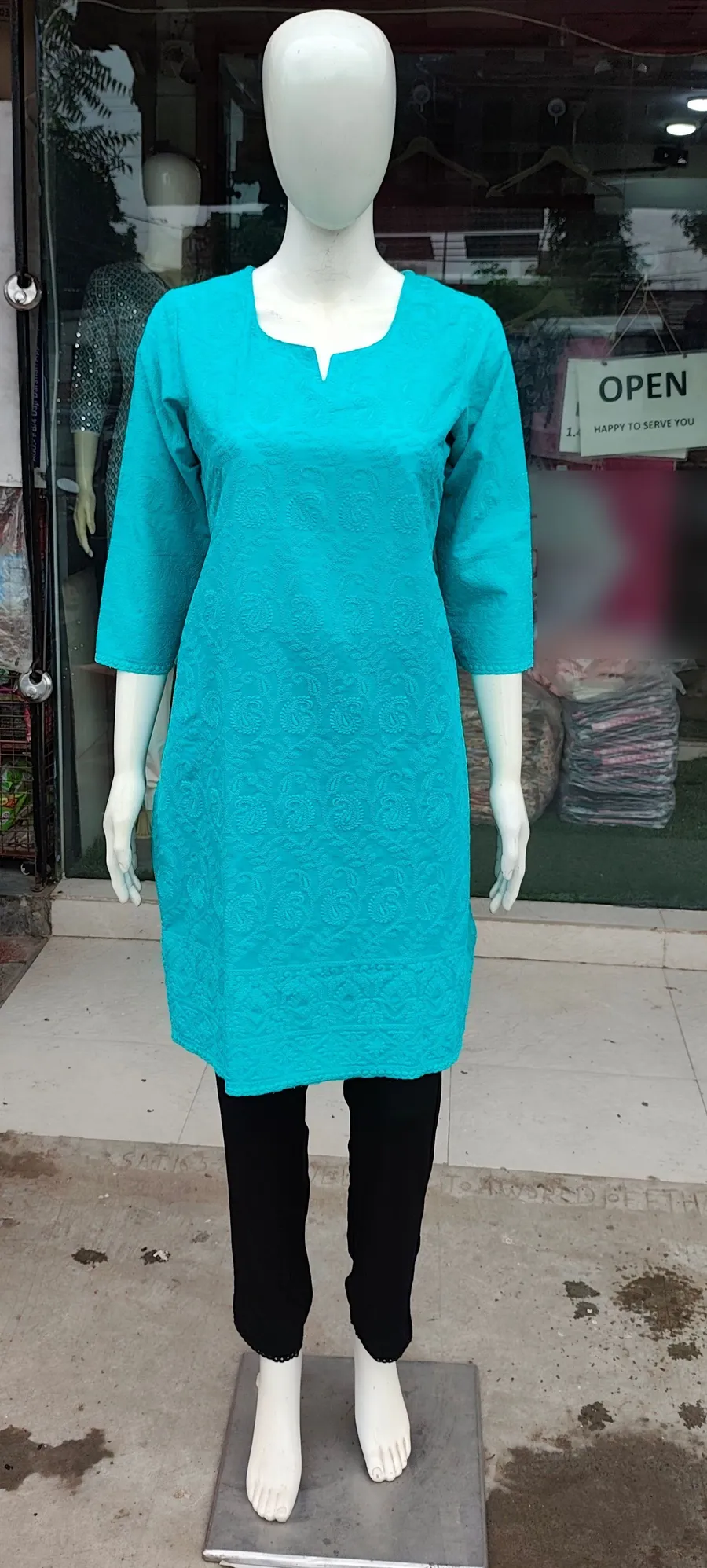 Brand's mannequin
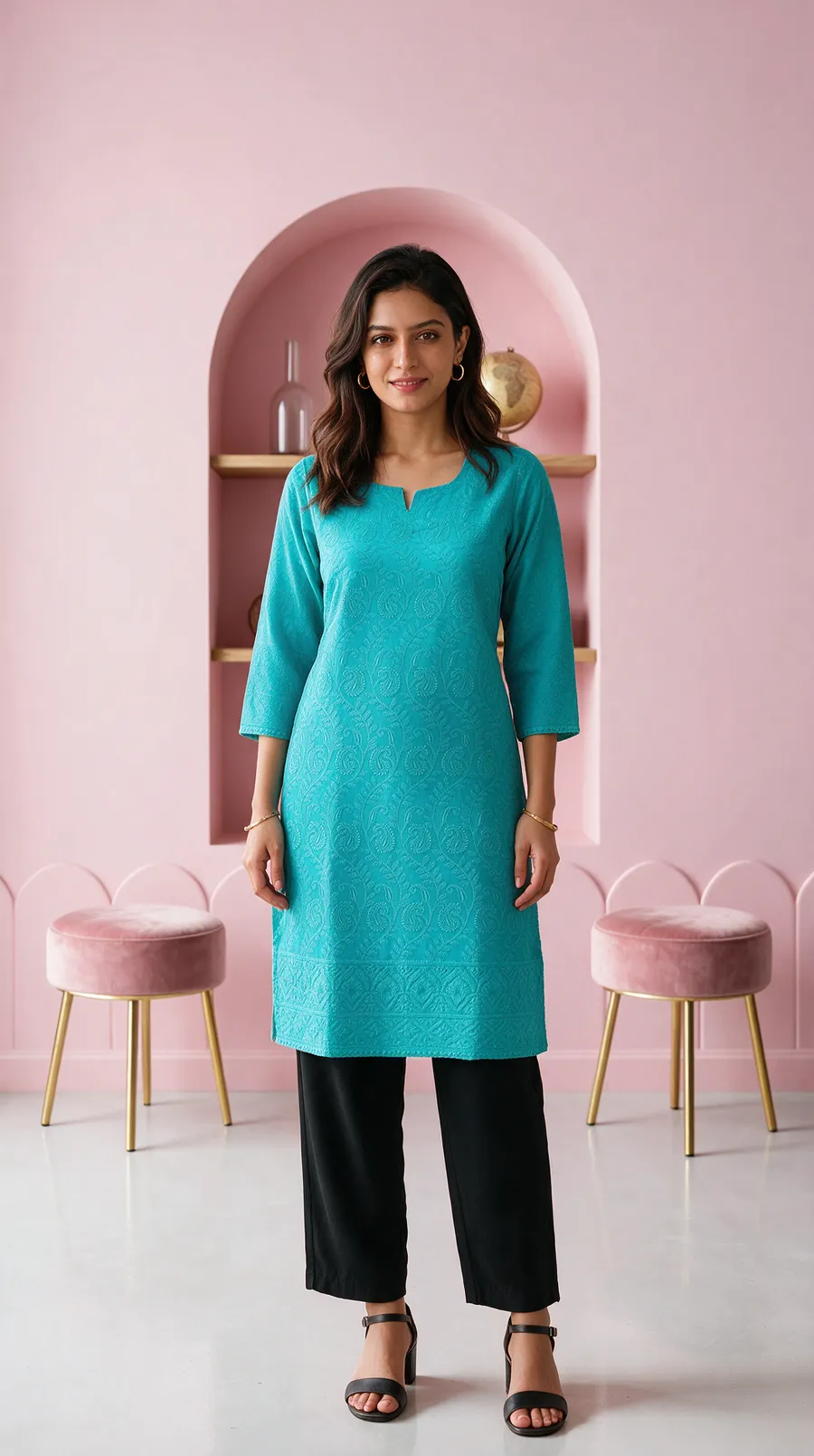 Fivo
Mannequins and marketplaces
Flipkart's apparel image rules, as reproduced in Fynd's partner documentation for Flipkart, say mannequins are not allowed. AJIO's rules in the same documentation don't take a mannequin image as a listing's first image. Both were checked in November 2026, and both are a partner's copies rather than the marketplaces' own pages.
Each marketplace reviews listings against its own current rules. Our Flipkart and AJIO guides go further.
From dress form to model
Pick the clearest front photo of each piece, plus a back shot and a close-up where the design needs them.
Use the app for one piece or Fivo Studio for a rack. Choose the model, pose, styling and a studio or lifestyle background.
The total with GST appears before anything runs. Credits for a failed image come back to you.
Hold each result up against the real piece and download only what's right.
Three ways in
Upload a season of mannequin photos on the web and give every piece the same model and background.
Open Fivo StudioPhotograph the form in the back room and see the piece on a model minutes later.
About the appFivo's team takes your mannequin archive and produces the catalogue end to end.
Questions
What brands with a dress form ask before their first shoot with Fivo.
Yes, if each one is sharp, evenly lit and shows the whole garment from neckline to hem. Older mannequin shoots work as well as new ones. Where a photo is dark, cropped or blurred, a fresh shot on the form is quicker than hoping the detail comes through.
Fivo works from what the photo shows, so a clip that gathers fabric at the back can change the shape it reads. Pin from behind, out of the camera's view, and use as few pins as you can.
Soft, even light from the front or both sides: a large window on an overcast day, or two lamps at the same distance. A single overhead bulb or a direct flash throws shadow across one side and flattens the colour.
The model wears the garment as it is cut, not as the form shapes it. Fivo keeps the cut, length and drape true to your photos, on a model chosen for your customer from Fivo's catalogue: women, men, boys, girls or an older age group. Take out any pins that tighten the piece for the photo.
Fivo reads the garment once from your mannequin photos and makes all four views from that reading, with a colour-match step along the way, so the shade and handwork come from your photo. Shoot the back on the form too when it has its own detail, and check each image against the piece.
Yes. The plum kurta set on this page was photographed on a mannequin with its pants and dupatta, and shot as one outfit. Drape the dupatta on the form so the kurta's neckline and any embroidery stay visible. For the styling, pick juttis and earrings from Fivo's catalogue, upload your own accessories, or leave it plain.
About ₹20 a Standard image: credits are ₹1 and a Standard image uses 20. Uploading costs nothing, there is no subscription, and the full price with GST shows before you generate. Full service for a whole catalogue is quoted.
You may use the images Fivo generates for any lawful purpose, including listings, advertising and social media. Each marketplace reviews listings against its own current image rules, so check the latest ones before you upload.
YOUR MANNEQUIN SHOTS
 Fivo for AndroidShoot one garment at a time on your phone. Images and videos in your brand's look.