Every image matches
The same garment, fabric, design and model across front, back, side and close-up, and across the whole collection.

AI fashion photoshoot tools, 2026
Fivo wrote this roundup, and Fivo is one of the tools in it, so read it with that in mind. Every tool got the same questions: what it is built for, what you start from, whether a collection stays consistent, whether there's a phone app, and what it says about ethnic wear. Every competitor fact is taken from that tool's own site.
From about ₹20 an image · price shown before you generate · see pricing
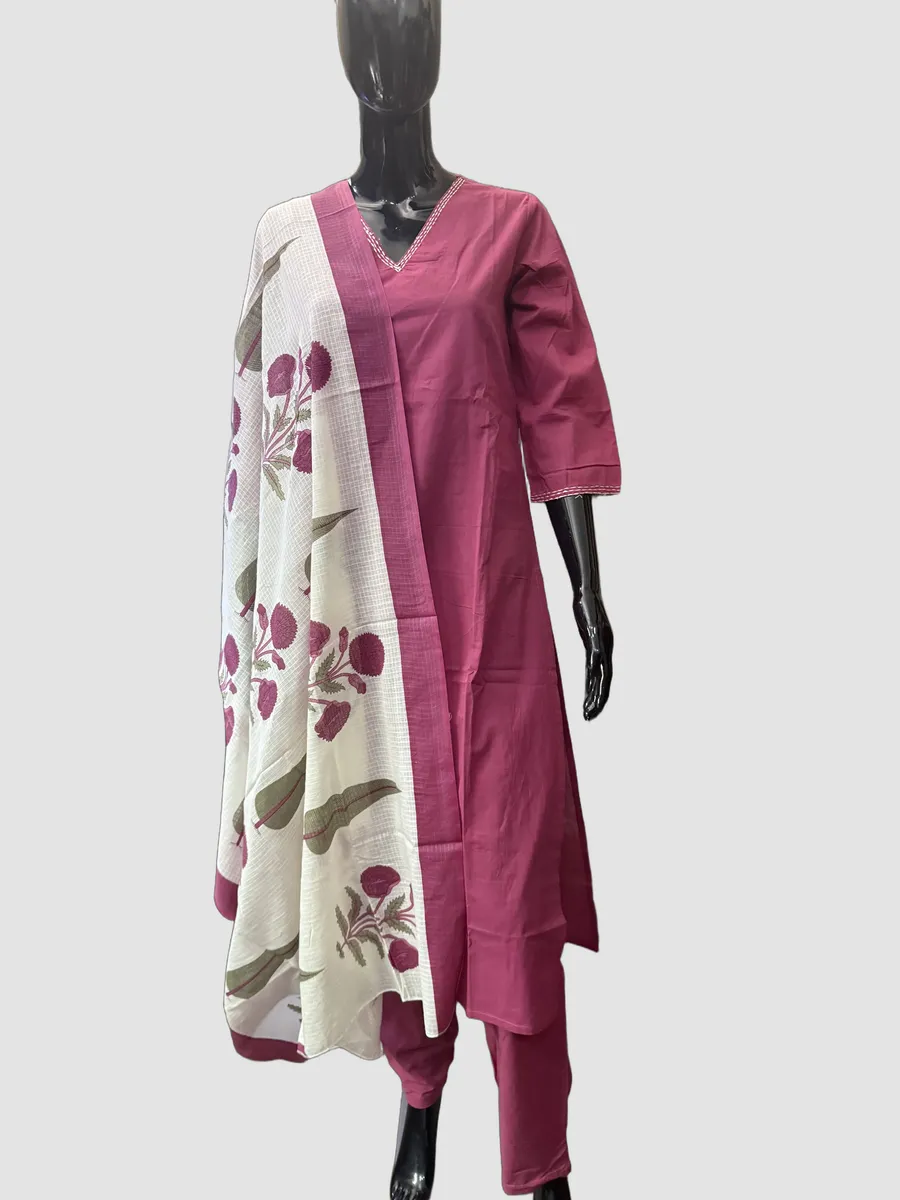 Brand's mannequin
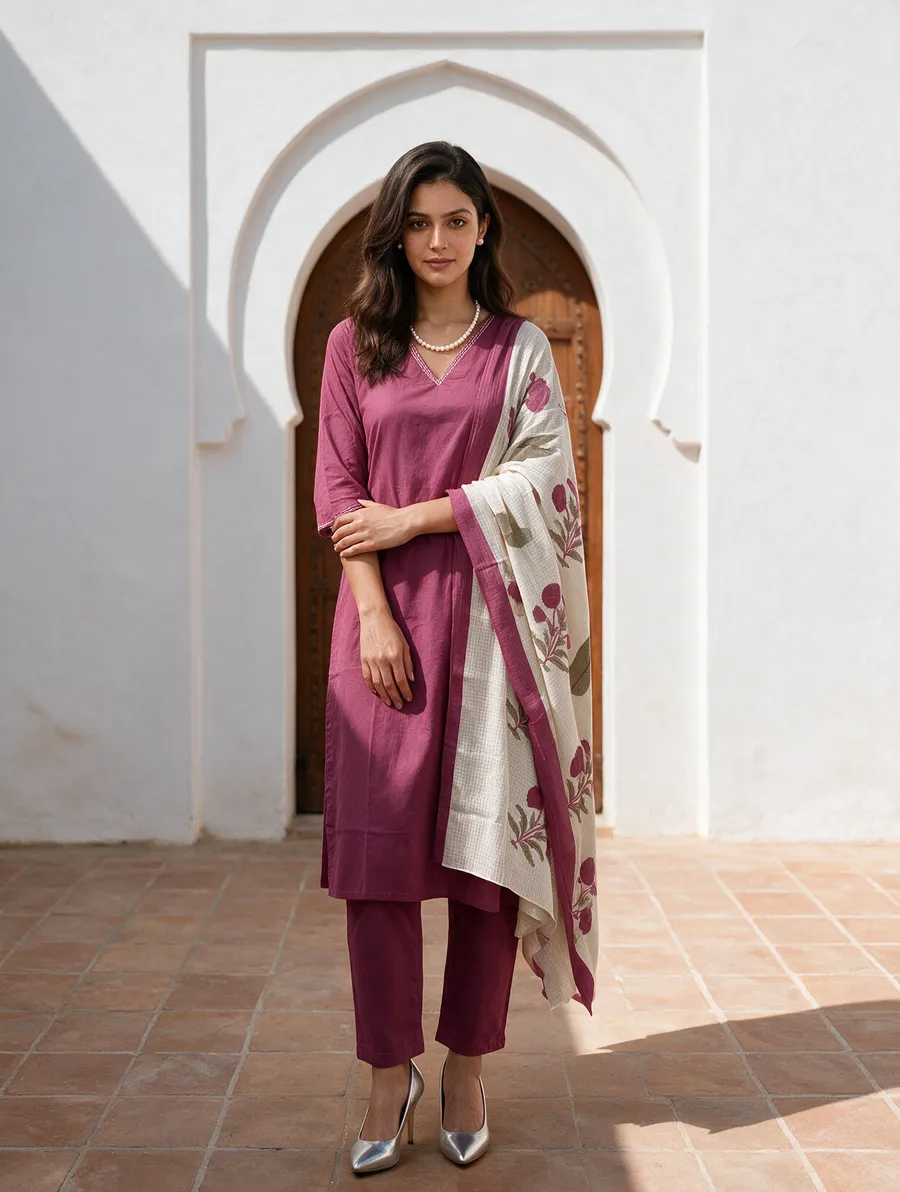 Fivo
An AI fashion photoshoot tool takes a photo of a garment, on a hanger, a mannequin or laid flat, and returns it worn by a model, with no studio day. Ayna, Botika, FASHN AI and Fivo are built only for fashion. Photoroom, Scalio, ChatGPT and Gemini add fashion images to a broader product.
Why brands choose Fivo
Customise every shoot to your brand. Fivo keeps your garment, your models, your styling and your look the same in every image you put out.
The same garment, fabric, design and model across front, back, side and close-up, and across the whole collection.
Your photo is the reference: colour, print, embroidery and cut are carried into every image, not reinvented.
Choose the pose for each shot, from straight catalogue fronts to walking, seated and detail shots.
Pick models by the look and age group your customers relate to: women, men, kids, Indian or international.
Choose each styling article per garment: footwear, jewellery, bags, watches, belts, and the top or bottom it's paired with. Or upload your own.
At a glance
From each tool's own site, checked November 2026. Scroll sideways on a phone.
| Tool | Built for | Indian ethnic wear | What you start from | Consistency across a collection | Bulk | Mobile app | Video | Done-for-you service | How you work |
|---|---|---|---|---|---|---|---|---|---|
| Ayna | Fashion ecommerce brands: photoshoots, product videos and listing copy | Garment pages for sarees, kurtas and lehengas, and an ethnic-wear page | Flat-lay, mannequin or on-model photos | Private brand models and saved backgrounds, on some tiers | Bulk uploads; says over 500 SKUs in a single day | Not stated on getayna.com | Product videos of up to 10 seconds | Send for Edits: in-house editors correct an image by hand | A web studio with templates and presets, publishing to Shopify |
| Botika | Fashion brands turning product photos into on-model images and videos | Not stated on botika.com | Flat lay, hanger or ghost mannequin | Same model and look across frames, from 150+ AI models | Collection uploads | Not stated on botika.com | Short on-model videos, 5 seconds long | A custom-model service, with each image reviewed before it goes live | A web app: upload, then pick a model and scene |
| ChatGPT and Gemini | General AI assistants that also make and edit images | Not a fashion tool; nothing stated | A written prompt, plus any photo you attach | Up to you: re-describe or re-attach the model in each request | One chat request at a time | Web and mobile versions | Gemini lists video generation; ChatGPT's Go page doesn't | Not part of either service | Chat prompts |
| FASHN AI | Fashion brands, creators and developers | Not stated on fashn.ai | A product photo, a model image or a text idea | Consistent models reused across looks | Through its API; team workspaces in the app | iOS and Android | Short videos, such as a 5-second clip | Not stated on fashn.ai | A chat agent and prompts, or an API with SDKs |
| Fivo | Fashion brands and sellers who need garments on models | Sarees, kurtas, kurtis, lehengas and suits | Hanger, flat-lay, mannequin, worn or phone photo | One model and look, set once in Fivo Studio | Fivo Studio on the web | Android; no iPhone app | Videos from the same garment photo | Full service by Fivo's team | Choices on screen, no prompts |
| Photoroom | Editing product photos of every category, with an AI fashion-model tool | Not stated on photoroom.com | A flat lay or a worn shot; its menu also offers mannequins | Custom models saved in Brand Kit | Batch editing of hundreds of images | iPhone, iPad and Android | Turns product photos into videos | Not stated on photoroom.com | Editing tools, on one photo or a batch |
| Scalio | AI marketing for many kinds of business: photoshoots, reels, posts and ads | No saree or kurta page found; its fashion FAQ discusses colour shift in ethnic wear | Flat lays or simple product photos | Back and close-up poses with the same model and background | Batch workflows from a CSV and a folder of photos | iOS and Android | Reels, fit videos and lifestyle clips | Not stated; its AI posts and runs ads with your approval | An app that makes content, posts it and replies, with you approving |
Checked on each tool's own website, November 2026. "Not stated" means we didn't find it on that site.
Brand fit
What each tool's own site says about the four things that keep a catalogue on brand, checked November 2026.
| Tool | Pose control | Models for your target customer | Colour and design fidelity | Styling per garment and brand |
|---|---|---|---|---|
| Ayna | 150+ ready templates; expressions fixed to neutral for now | 70+ base models; solution pages for kidswear, plus-size, teens and seniors | Its kurta page says chikankari, zari and mirror work hold up at zoom | Its kurta page offers churidar, palazzo and dupatta pairings |
| Botika | Standing, seated, leaning and reaching poses | 150+ AI models across body types, skin tones and markets | Says prints stay aligned, logos stay placed and texture stays readable | Extra styling pieces shown; no outfit builder described |
| ChatGPT and Gemini | Whatever each prompt describes | Described in words, or from a reference photo you attach | Down to the prompt and each run; you check it yourself | Each accessory described in the prompt |
| FASHN AI | Poses from its Elements library, with edits in chat | Generated from a description, or picked from its library | Says colour, print, logos and construction stay intact | Try-on covers shoes, bags, hats and jewellery |
| Fivo | Each shot's pose chosen from Fivo's pose library | Women, men, girls, boys and an older age group, Indian and international | The brand's photo is the reference, and a colour-match step runs | Footwear, jewellery, bags and paired pieces per garment, from Fivo's catalogue or your own, or none |
| Photoroom | Model, pose and background picked per product | Pick a model, or save a custom one in Brand Kit | Says a Product Fixer keeps labels and colour | Several products shown together as one outfit |
| Scalio | Choose the pose and crop, including back and close-up | 50+ AI models, or auto-matched to a target market | Says embroidery, prints, knits, drape and colour stay accurate | Not stated on scalio.app, checked Nov 2026 |
Each tool's column is its own claim, read on its website in November 2026. Test colour on your own garments, since no site's claim replaces that check.
Best for · built only for fashion
Brands that want photoshoots, product videos and AI-written listing copy in one place, published to Shopify, with editors on hand to correct an image. See Fivo vs Ayna.
Brands shooting from flat lays, hangers and ghost mannequins that want editorial scenes and a reviewed custom-model service. See Fivo vs Botika.
Developers adding try-on or generation to their own store or app through an API, and creators who direct each image in a chat. See Fivo vs FASHN AI.
Indian labels, ethnic wear included, that want each garment from every side with models, poses and styling picked per brand: one piece on Android, a drop in Fivo Studio, or full service.
Best for · broader tools
Sellers who already use an assistant and need a few images, campaign ideas or captions, with time to prompt and check each picture. See Fivo vs ChatGPT and Gemini.
Sellers whose clothes are already shot on people and need backdrops, cut-outs and batch resizing, with a fashion-model tool on the side. See Fivo vs Photoroom.
Small businesses of any kind that want one app to make content, post it, reply to customers and run ads. See Fivo vs Scalio.
How to choose
Whichever you shortlist, run two or three of your own garments through each and judge the results beside the real pieces.
What to test on your shortlist
Start with your hardest garment. A kurta set with a dupatta, a saree's pallu or the zari on a lehenga is the toughest test for any of these tools, so shoot two or three of your own pieces before deciding.
Then check the back and the close-up against the front, because that is what a shopper zooms into. Ask how you will work day to day: a phone, a web studio, an API, or a team doing it for you. And see whether SKU 30 still looks like SKU 1. Don't dilute your brand with a tool whose models, poses or colours drift across a drop.
Fivo's own work, for reference
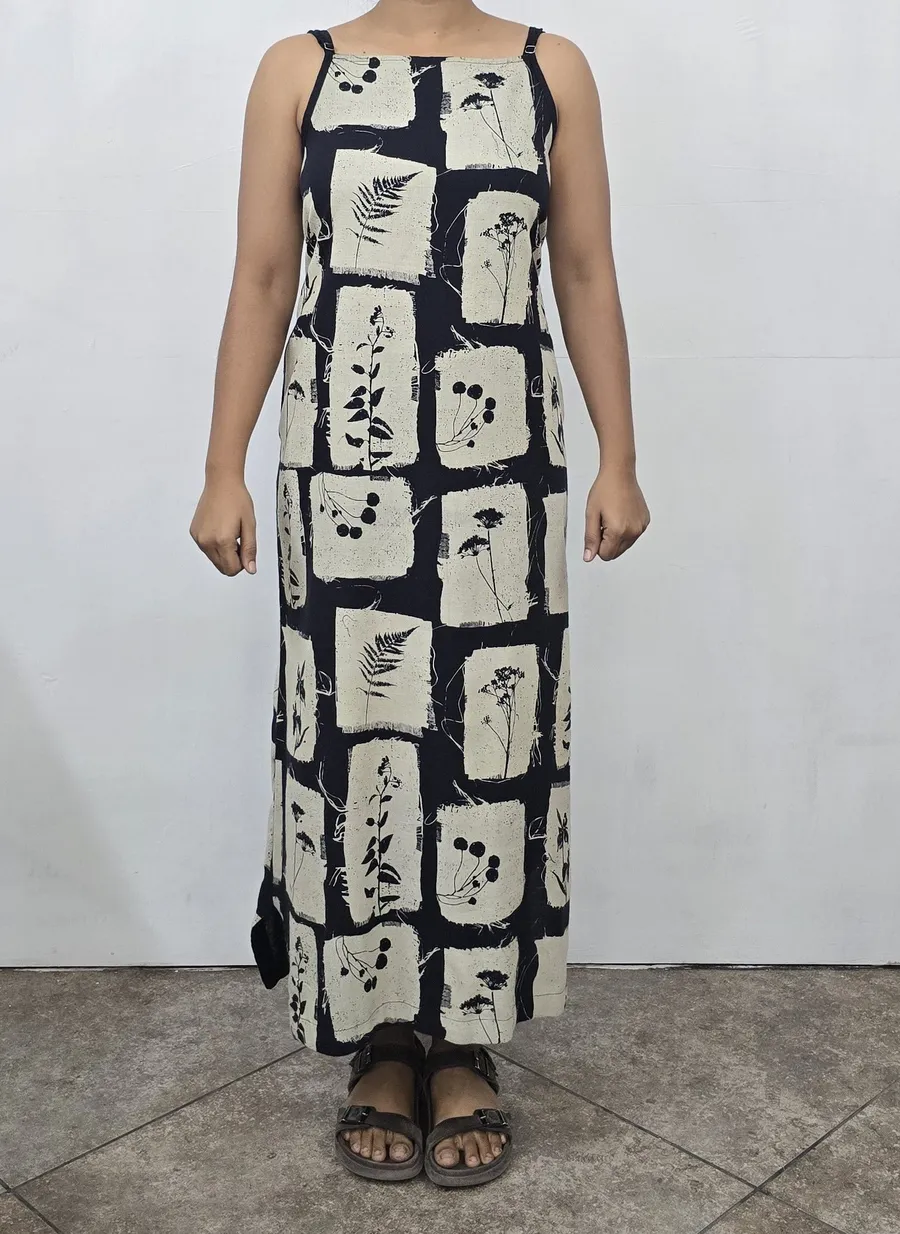
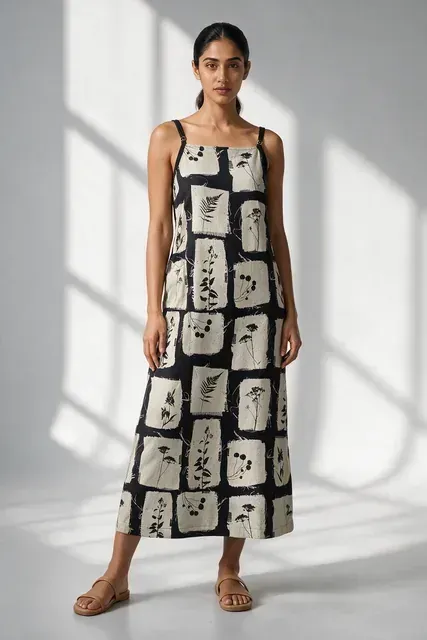
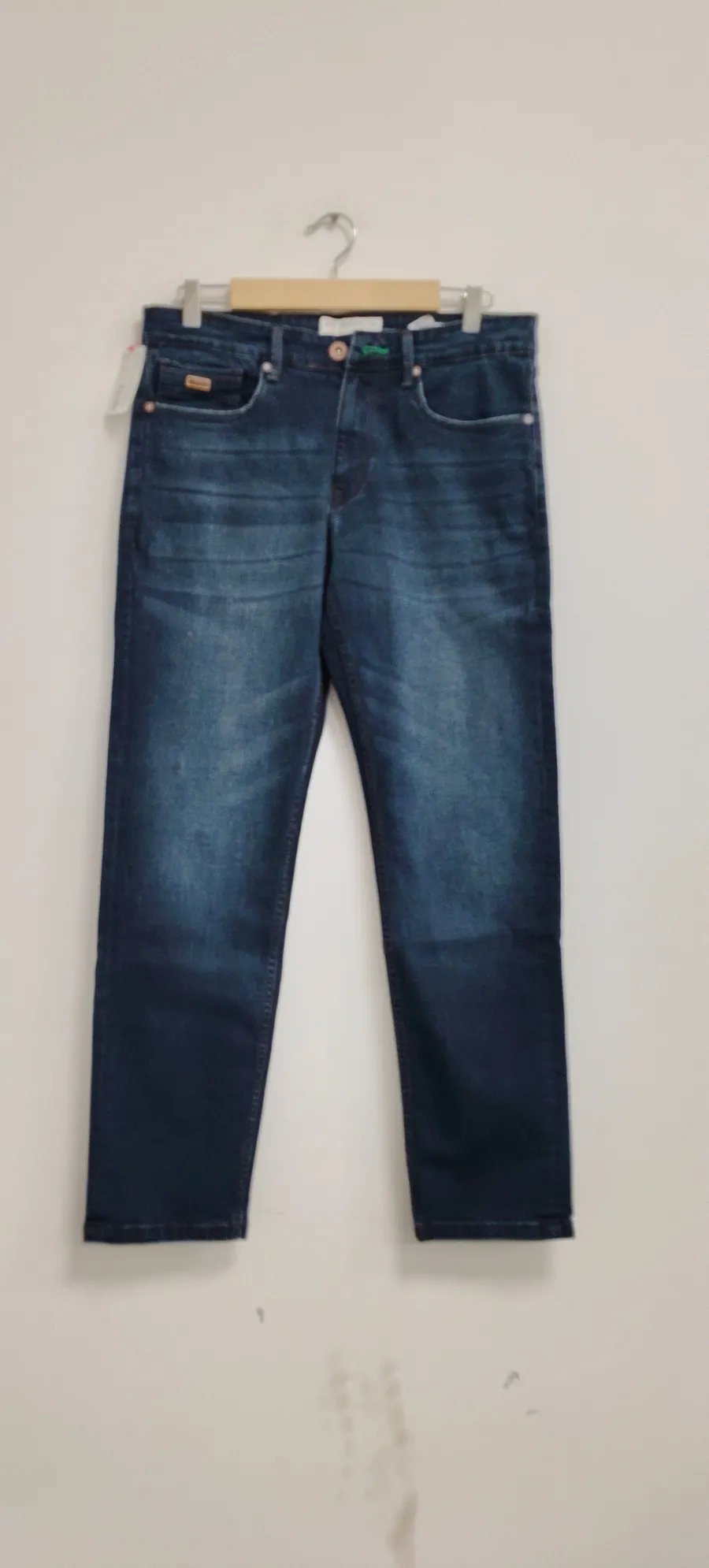
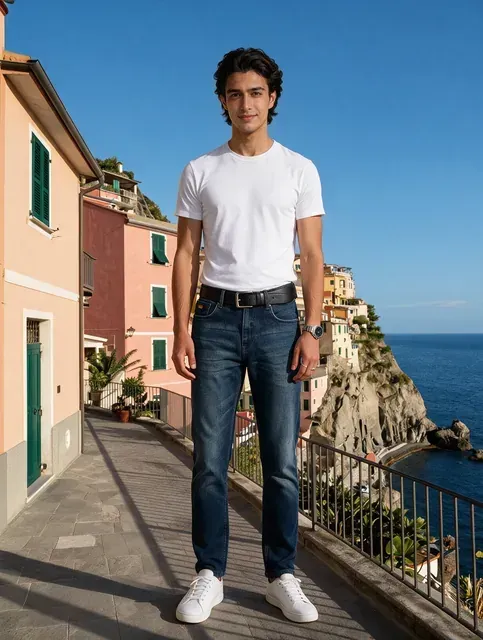
Since this roundup is ours, here is what Fivo made from real brand photos: a mirror-work kurta from a flat lay, a block-print maxi from a phone photo, jeans from a hanger and a kids' dress laid on a bed. Ask the other tools for the same proof on garments like yours.
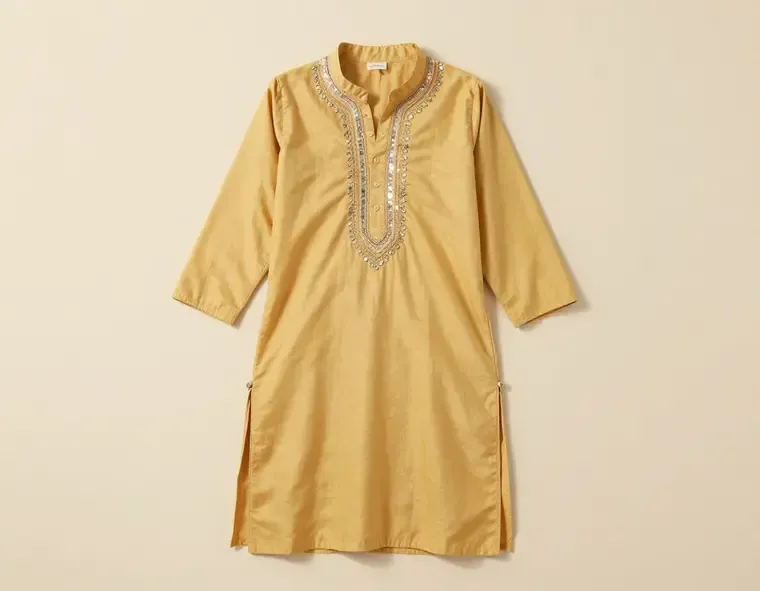 Brand's flat-lay
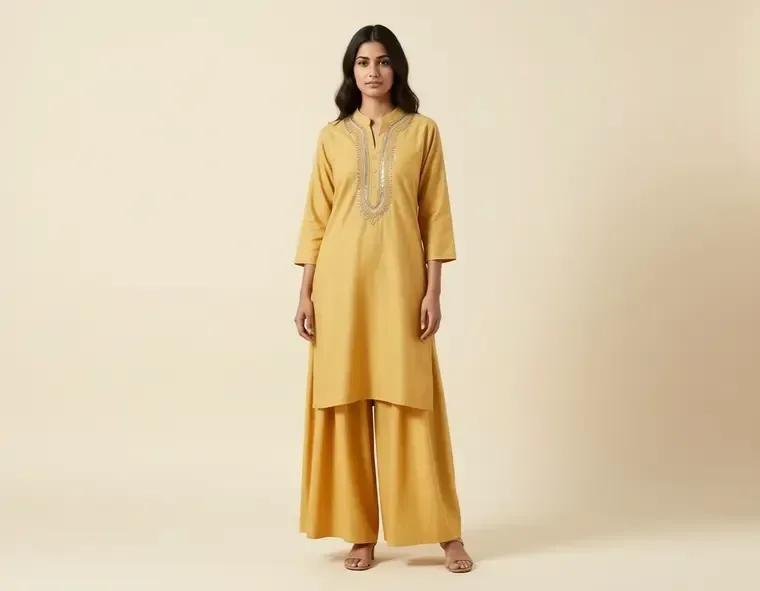 Fivo
 Brand's phone photo
 Fivo
 Brand's hanger
 Fivo
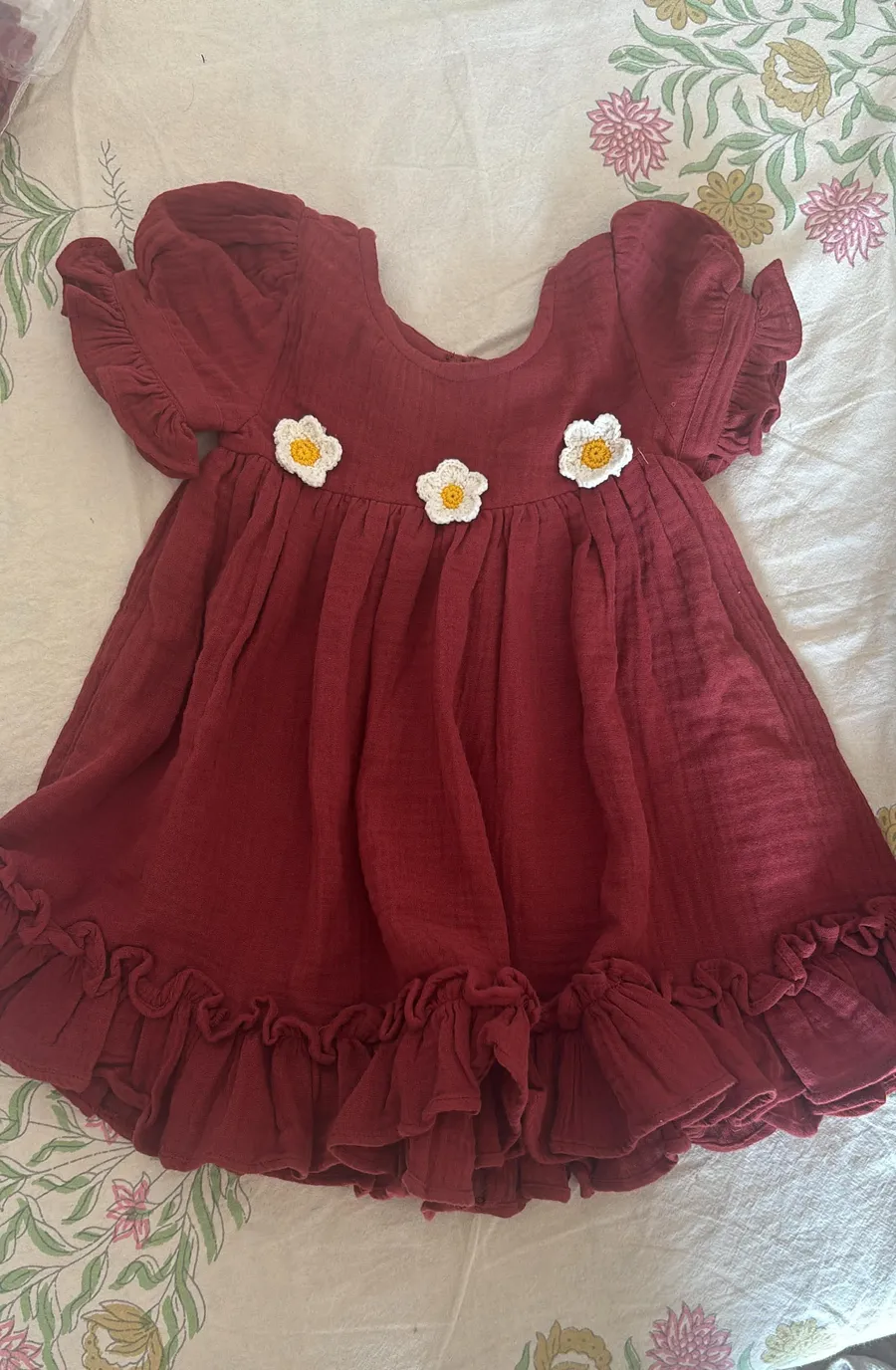 Brand's phone photo
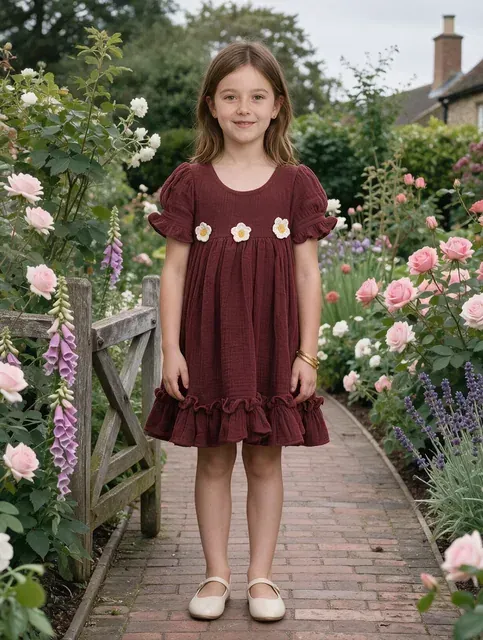 Fivo
What Fivo doesn't have
Fivo has no iPhone app and no shopper try-on, its API is set up on request with Fivo's team rather than self-serve, and Fivo for Shopify is still coming. Models come from Fivo's catalogue of women, men, girls, boys and an older age group, so a brand picks a face rather than bringing one. If any of those matters most to you, another tool on this list may suit you better.
Questions
Questions Indian sellers ask when they shortlist these tools.
It depends on the brand. Fivo suits labels that want every side of each garment in one look, with a full-service option; Ayna suits Shopify brands that also want listing copy; FASHN suits teams building their own apps; Photoroom suits editing photos already shot on people. Test two or three of your own garments on your shortlist before choosing.
With the same questions for each: what it is built for, what you start from, how it keeps a collection consistent, whether it does bulk, video and a phone app, whether it offers done-for-you work, and what it says about ethnic wear. Every answer comes from the tool's own website, checked in November 2026, and dated under the table.
Fivo wrote it and is one of the tools, so treat it as a vendor's view. To keep it fair, every competitor fact comes from that tool's own site, each tool gets a "best for", and Fivo's own gaps (no iPhone app, no self-serve API, no try-on) are listed. Check those sites yourself before you commit.
Fivo offers full service, where its team produces the shoot end to end. Botika's site describes a custom-model service with every image reviewed before it goes live, Ayna's FAQs describe sending an image to in-house editors for manual correction, and Scalio's AI posts and runs ads with your approval. FASHN and Photoroom did not state one in November 2026.
Most offer some choice. Botika names standing, seated, leaning and reaching poses, Photoroom and Scalio let you pick a pose, and FASHN has a poses library. Fivo lets you choose each shot's pose from its library and pick models for your customer's age group and look, then keeps both across a drop.
Several have phone apps: FASHN, Photoroom and Scalio list iOS and Android, and Fivo has an Android app that shoots one garment at a time, ready in minutes. If you sell from an Android phone and add pieces one by one, the Fivo app fits that way of working.
There is no neutral answer, so test your own sarees, kurta sets and lehengas. Fivo shoots sarees, kurtas, kurtis, lehengas and suits as everyday work, and Ayna's site has garment pages for sarees, kurtas and lehengas. The other tools' pages we read did not name ethnic wear when checked in November 2026.
Most do. Ayna lists product videos of up to 10 seconds, Botika and FASHN show 5-second clips, Photoroom turns product photos into videos, Scalio makes reels and fit videos, and Gemini lists video generation. Fivo makes on-model videos from the same garment photo that makes the images, in the same look.
TEST IT ON YOUR OWN GARMENT
 Fivo for AndroidShoot one garment at a time on your phone. Images and videos in your brand's look.