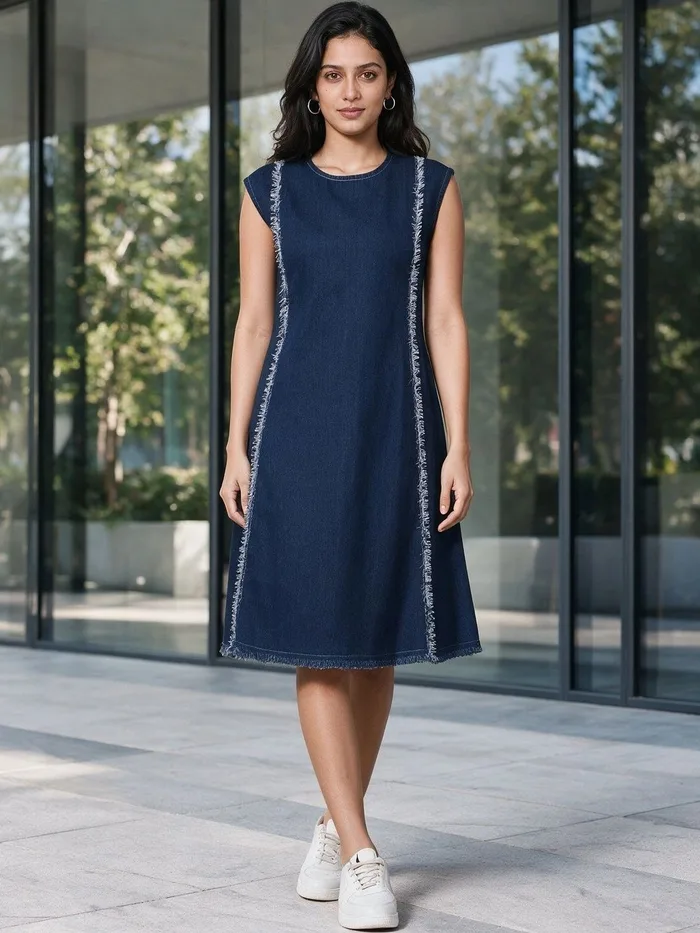
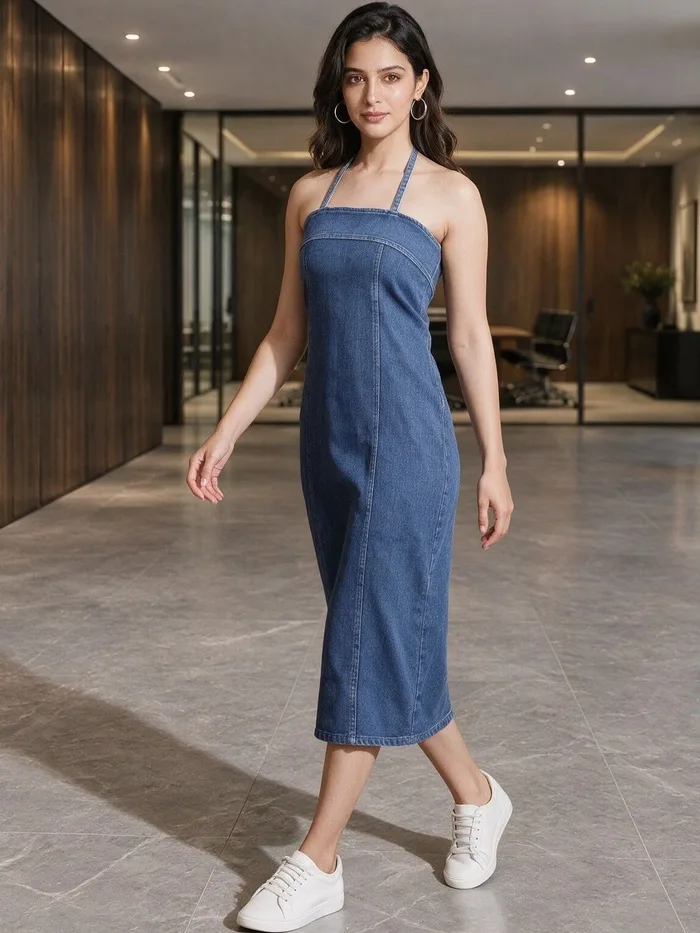
Every image matches
The same garment, fabric, design and model across front, back, side and close-up, and across the whole collection.

Jeans model photography
Denim buyers zoom into the wash first, then look for the rise and the line of the leg. Fivo starts from a photo of your jeans, hung from the waistband, laid flat or on a mannequin, and puts them on a model from its catalogue with the wash, the fading and the whiskering as they are.
From about ₹20 an image · price shown before you generate · see pricing
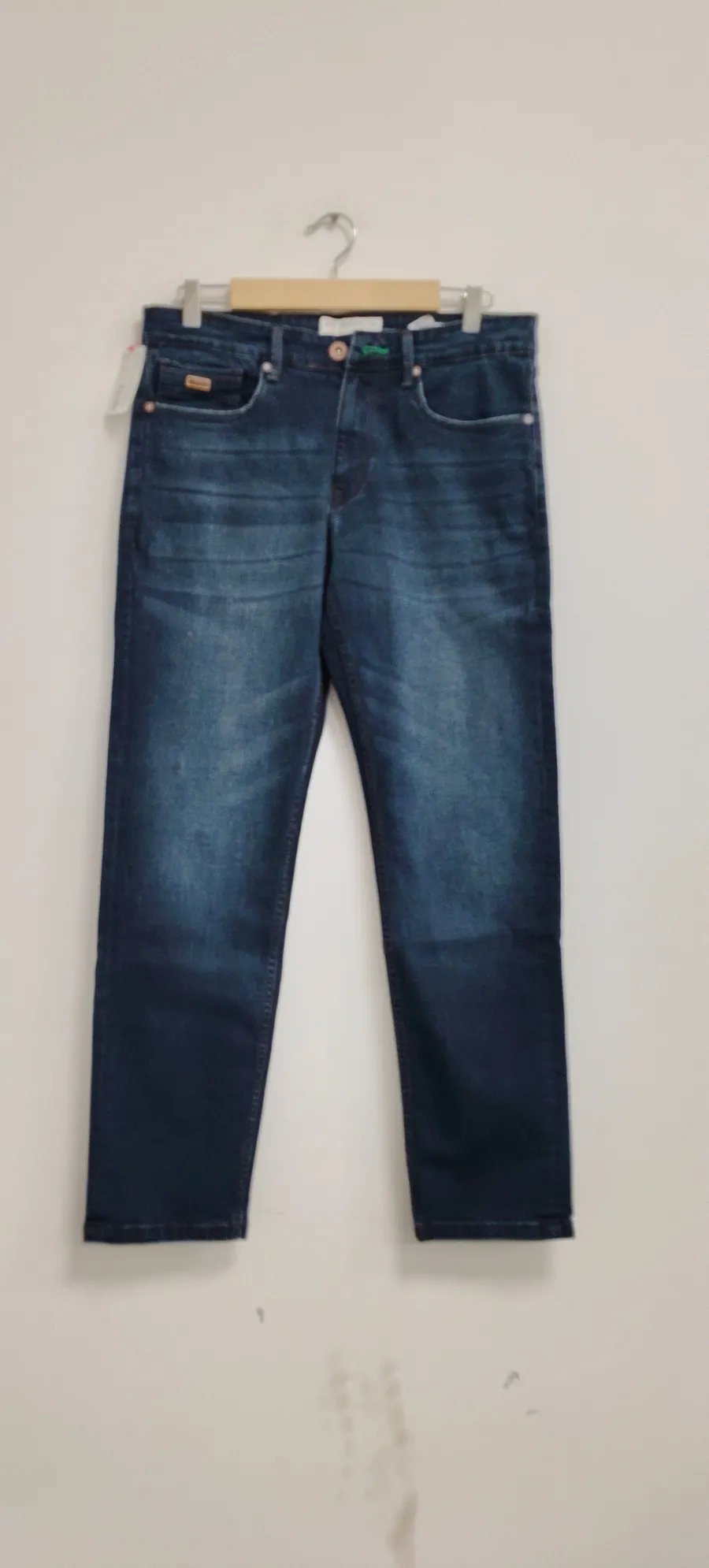 Brand's hanger
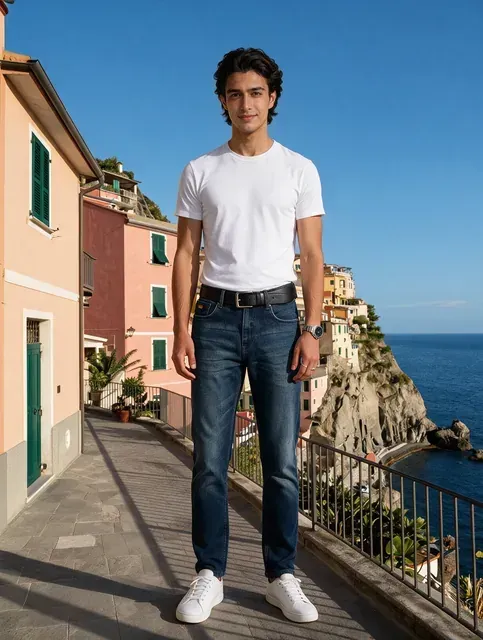 Fivo
An AI jeans photoshoot puts your jeans on a model from a photo of the pair. Fivo reads the wash, fades, whiskering, rise and leg shape from that photo and makes front, back, side and close-up images, plus video, from the same reading. A new wash of an existing fit can be shot the day it lands.
Why brands choose Fivo
Customise every shoot to your brand. Fivo keeps your garment, your models, your styling and your look the same in every image you put out.
The same garment, fabric, design and model across front, back, side and close-up, and across the whole collection.
Your photo is the reference: colour, print, embroidery and cut are carried into every image, not reinvented.
Choose the pose for each shot, from straight catalogue fronts to walking, seated and detail shots.
Pick models by the look and age group your customers relate to: women, men, kids, Indian or international.
Choose each styling article per garment: footwear, jewellery, bags, watches, belts, and the top or bottom it's paired with. Or upload your own.
What denim buyers zoom into
Raw, dark, mid and ice washes are read from your photo, and a colour-match step holds the blue to it. Shoot in daylight; a warm bulb shifts the blue first.
Whiskering at the hip and fading down the thigh stay where the laundry put them, as in the close-up of the dark-wash pair below. Add a close-up photo for heavy distressing.
Low, mid and high rise sit where they are cut, so a shopper sees where the waistband lands: the first thing a fit-conscious denim buyer looks for.
Skinny, slim, straight, bootcut and wide-leg keep their line from hip to hem, and a raw or cropped hem stays as it was finished.
Pocket shape, contrast stitching and the waistband patch come from your back photo, so shoot the back as carefully as the front.
Pair the jeans with a tee, shirt or crop top and sneakers or boots from Fivo's styling catalogue, or upload your own belt. Pick the model your customer relates to, and the pose.
One pair, every view
Men's dark-wash slim jeans, photographed on a hanger against a wall, then shot on a cliffside village terrace. The close-up is where the wash, the whiskering and the five-pocket stitching show.
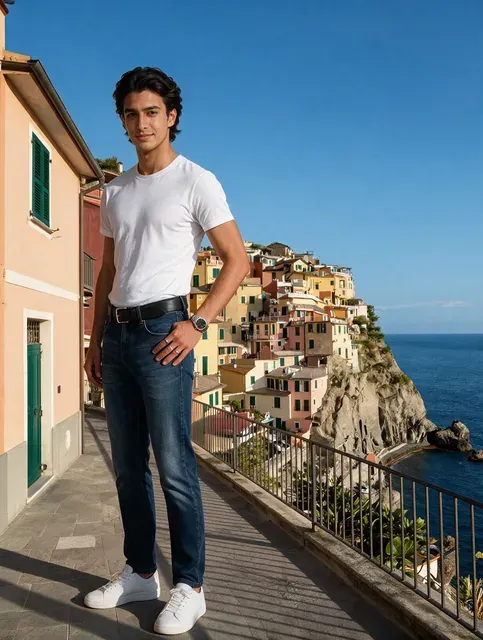
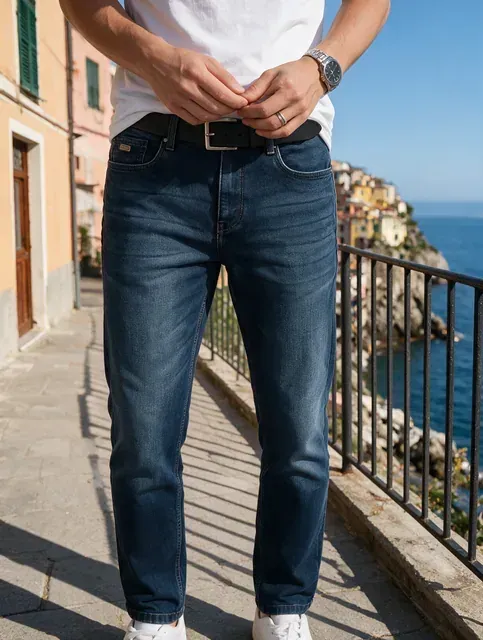
Shooting a pair of jeans
Hang the jeans from the waistband or lay them flat with the legs straight, in daylight. Take the back pockets too, and a close-up of the wash.
A man or a woman from Fivo's catalogue, a standing pose that shows the full leg, and a studio or a street setting.
The cost, GST included, is on screen before you generate. If an image fails, the credits it held are released.
Hold each image next to the real pair, check the wash, the rise and the leg, then download for each channel.
More denim shot with Fivo
Both are Fivo results shown without the brand's photo: mid-wash straight jeans with a raw hem, and high-rise straight jeans styled with a printed shirt.
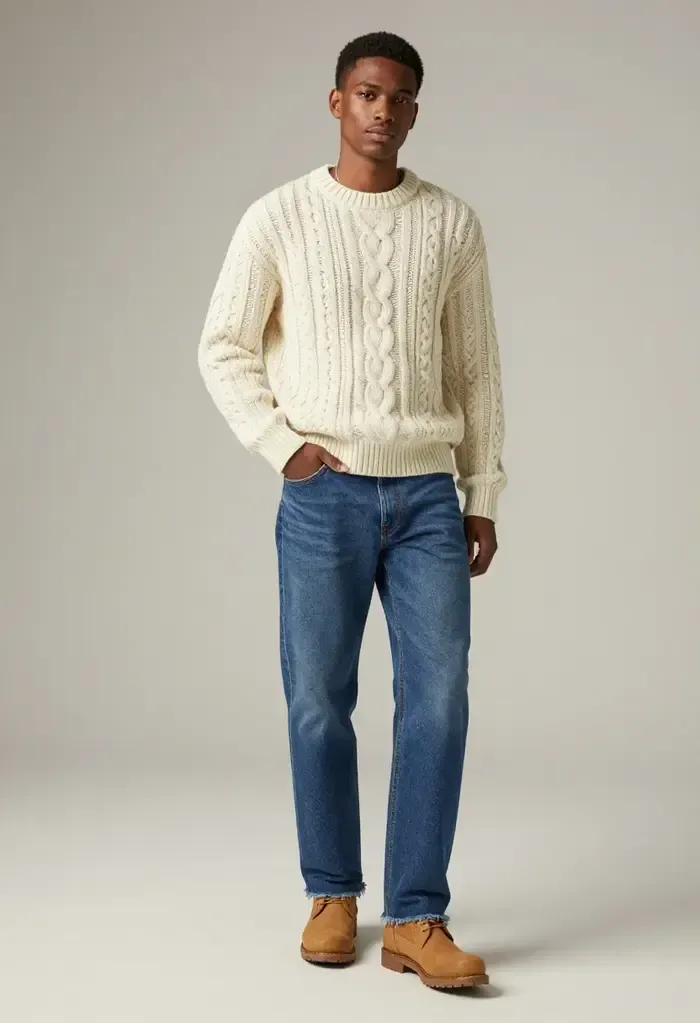 Fivo
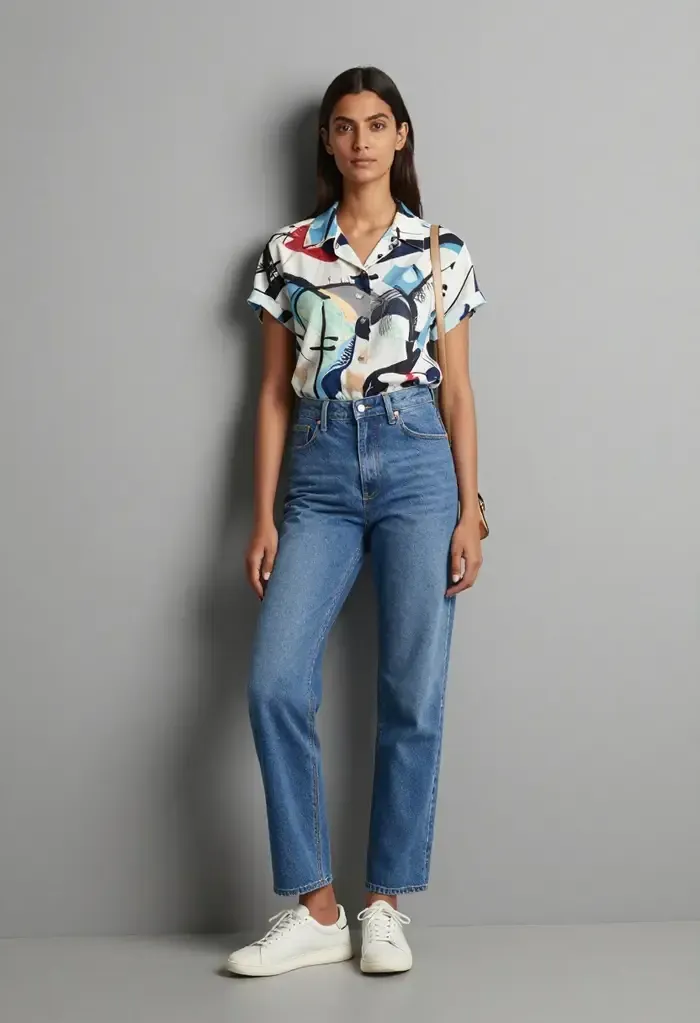 Fivo
Denim already live
These are dresses, not jeans, but they are the same cloth: blue denim whose colour and weave had to come through the shoot. The dress guide covers dresses.
A denim range, two ways
| Studio shoot | Fivo | |
|---|---|---|
| The blue on screen | Set by the studio lights and the retouch | Read from your daylight photo |
| Back-pocket view | A second set-up per pair | Made with front, side and close-up |
| A new wash of an existing fit | A reshoot | Shot in the same look as the original |
| Men's and women's fits | Two fit models | Both from Fivo's catalogue |
| Cost | By the day | About ₹20 an image, total shown first |
| Ready | After the shoot and the retouch | Minutes in the app; a Studio range usually within 24 hours |
Questions
What denim brands ask before they put a range on model with Fivo.
Every view comes from one reading of your photo, and a colour-match step runs in Fivo's pipeline, so the photo matters most: daylight and no filters give the truest blue to start from. The dark-wash pair on this page started on a hanger against a wall. Check each image against the jeans before you download it.
Fades and whiskering are part of the garment, so they are read from your photo and kept where they are. Photograph the jeans flat or hung, in even light, so the wear marks are visible, and add a close-up of the thighs or knees if the distressing is detailed.
Yes. Back is one of the four views, with front, side and close-up. Upload a photo of the back of the jeans so the pockets, the stitching and any patch are read from the real pair.
The leg shape is read from your photo, so the cut you upload is the cut on the model. Lay the jeans out with both legs straight and fully extended, or hang them from the waistband, then check each result against the pair. This page shows slim and straight pairs.
Yes. Fivo's model catalogue includes men and women, an older age group, and Indian and international looks, so the model can match who buys your denim. Choose per shoot, or once for a whole range in Fivo Studio, and every wash keeps your brand's look.
A front photo and a back photo, laid flat or hung from the waistband, in daylight, with the whole pair in frame from waistband to hem. Add a close-up of the wash or the distressing if it is a selling point.
Yes. Any denim garment is shot from a photo in the same way. Soften's denim dresses on Myntra use Fivo images, and the jacket guide covers outerwear.
Yes, for any lawful purpose: marketplace listings, your own store, ads and social media. Myntra and every other marketplace review listings against their own image rules, set out with sources in the Myntra guide.
YOUR NEXT DENIM DROP
 Fivo for AndroidShoot one garment at a time on your phone. Images and videos in your brand's look.

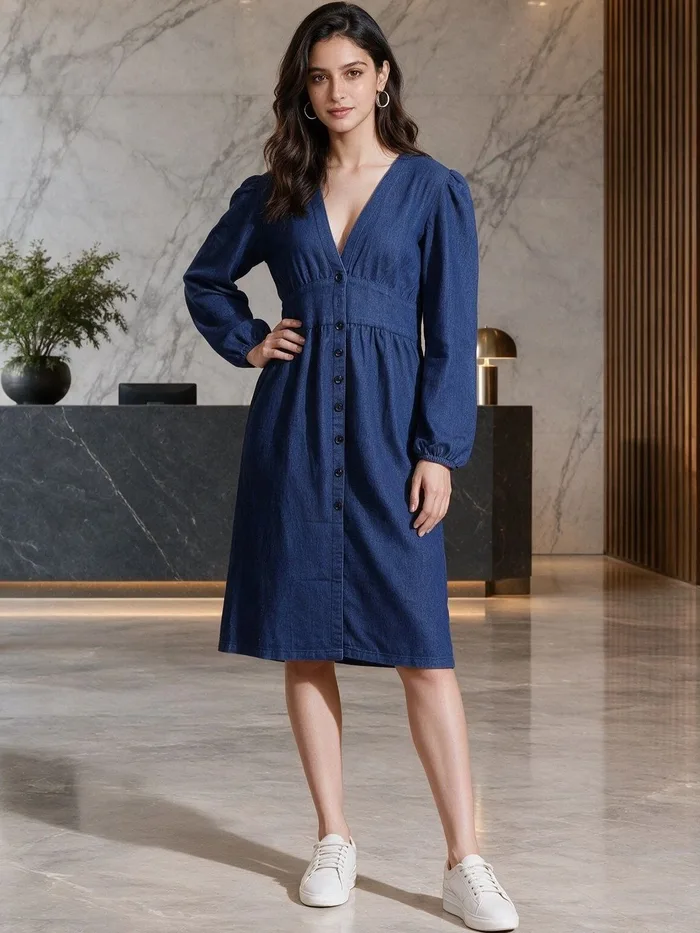
 Soften V-neck button-through denim midi dress