Every image matches
The same garment, fabric, design and model across front, back, side and close-up, and across the whole collection.

Fivo vs ChatGPT and Gemini
Attach a kurti to ChatGPT or Gemini, ask for it on a model, and you may well get a striking picture. The harder part comes next: the same embroidery in every view, and the same model and light across a whole drop. General assistants and a catalogue workflow, set side by side.
From about ₹20 an image · price shown before you generate · see pricing
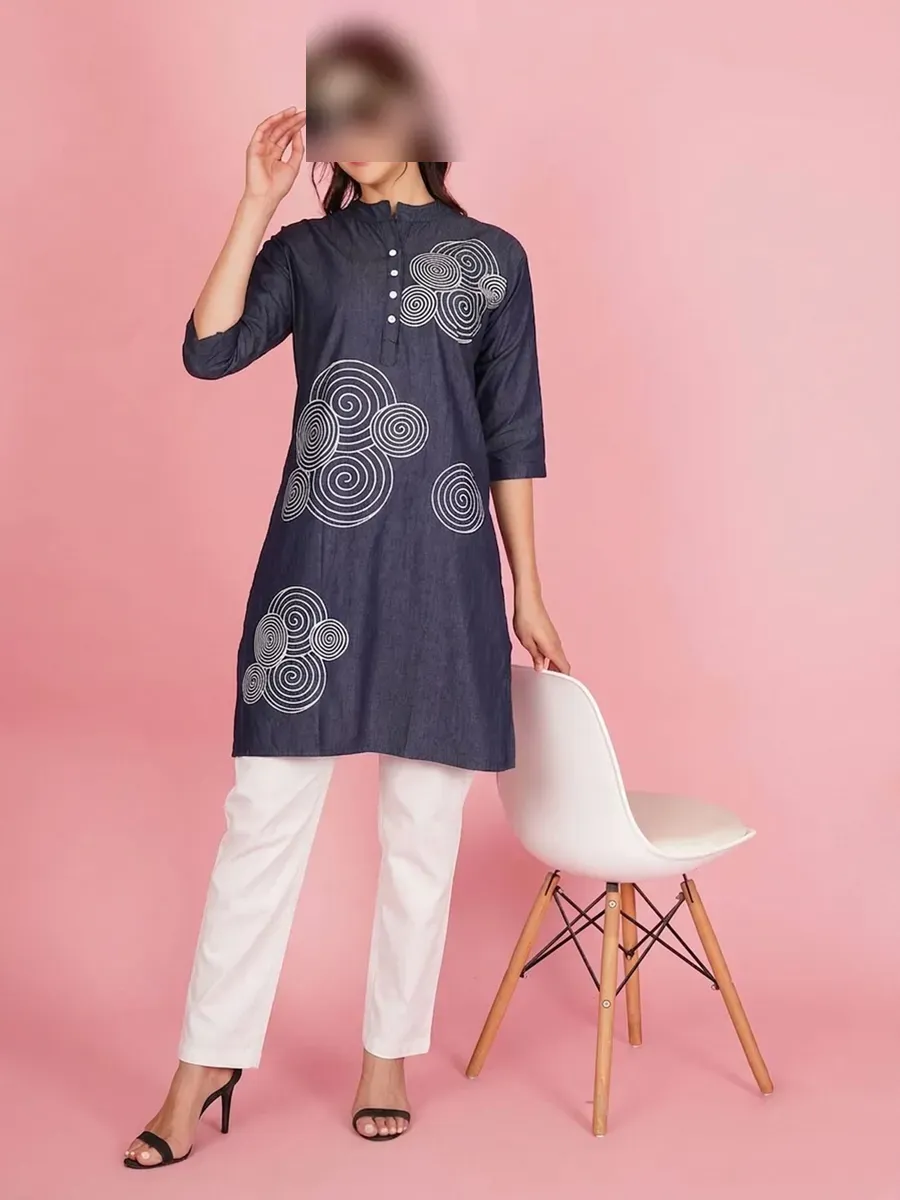 Brand's on-model photo
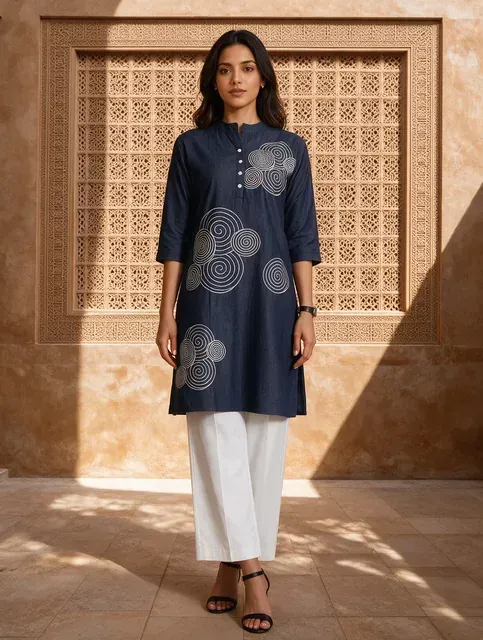 Fivo
ChatGPT and Gemini are general AI assistants that also make images from a prompt and any photo you attach, one request at a time. Fivo is built for fashion catalogues: it reads each garment from the brand's photo, makes front, back, side and close-up views that agree, and applies one model and setting to a whole collection.
Why brands choose Fivo
Customise every shoot to your brand. Fivo keeps your garment, your models, your styling and your look the same in every image you put out.
The same garment, fabric, design and model across front, back, side and close-up, and across the whole collection.
Your photo is the reference: colour, print, embroidery and cut are carried into every image, not reinvented.
Choose the pose for each shot, from straight catalogue fronts to walking, seated and detail shots.
Pick models by the look and age group your customers relate to: women, men, kids, Indian or international.
Choose each styling article per garment: footwear, jewellery, bags, watches, belts, and the top or bottom it's paired with. Or upload your own.
Quick verdict
Key difference: a general model makes one picture per request and leaves the consistency to you. Fivo is built so a whole catalogue agrees.
Feature by feature
The ChatGPT and Gemini column comes from OpenAI's and Google's own pages, checked November 2026.
| ChatGPT or Gemini | Fivo | |
|---|---|---|
| Built for | Everyday writing, research, questions and images, for anyone | One job: fashion catalogues, each garment shown on a model |
| Indian ethnic wear | Not a fashion tool; neither site says anything on ethnic wear, checked Nov 2026 | Kurtas, kurtis, sarees, lehengas and suits are part of Fivo's everyday work |
| What you start from | A written prompt, with any photo you attach | The garment photo alone, from a hanger, a flat lay, a mannequin, a person or a phone |
| Colour and design fidelity | Down to the prompt and each run; you check colour, stripes, motifs and the neckline yourself | Each garment read once from its photo, every frame made from that reading, and a colour-match step run in Fivo's pipeline |
| Matching views | Back, side and close-up asked for one prompt at a time | Front, back, side and close-up generated together as one set |
| Models for your target customer | Described in words, or taken from a reference photo you attach | Women, men, girls, boys and an older age group, Indian and international, picked from Fivo's catalogue for your buyers |
| Consistency across a collection | Model and garment re-described or re-attached in every request | Model and look fixed once in Fivo Studio for the whole upload; each garment's fabric and design come from its photo |
| Pose control | Any pose you can describe, held only while you keep describing it | Each shot's pose chosen from Fivo's pose library on screen, from catalogue fronts to walking and seated |
| Backgrounds | Any scene the prompt asks for | Studio backdrops and lifestyle places, kept the same across a drop |
| Styling per garment and brand | Each accessory and paired piece described, then checked, in the prompt | Footwear, jewellery, bags and the paired top or bottom set per garment from Fivo's styling catalogue or your own accessories; a kurta set worn whole |
| Whole-collection workflow | One chat request after another, within each service's usage limits | Upload the whole drop to Fivo Studio and apply one look to it |
| One garment from a phone | Web and mobile versions of both assistants | The Fivo Android app, one garment at a time; no iPhone app |
| Video from the same photo | Gemini lists video generation; ChatGPT's Go page doesn't mention video | On-model videos from the garment photo that made the images |
| Channel formats | Whatever shape the prompt asks for | Marketplace 2:3, website 3:4, Instagram 9:16 and WhatsApp 1:1 |
| How you work | A conversation: write, look at the result, ask again | Choices on screen, with no prompt to write or keep |
| Turnaround | Not stated as a number on either site | The app in minutes; a Studio drop usually within 24 hours |
| Done-for-you production | Not part of either service | Fivo's team can produce the whole shoot for you |
| Rights in the images | OpenAI: you own the output, as far as law allows. Google: won't claim ownership | Use them for any lawful purpose, including listings, ads and social media |
Checked on OpenAI's and Google's own websites, plans and terms pages, November 2026. Neither OpenAI nor Google publishes a fixed number of images.
What Fivo does differently
Fivo reads the garment once and builds the front, back, side and close-up from it, so thread-work, stripe spacing and hem length agree in every frame.
In Fivo Studio the model, pose, styling and backdrop are chosen once for the upload. SKU 40 gets the same model and light as SKU 1.
Nobody keeps a long description of the model or re-attaches her photo each time. You pick from options on screen, and the choices stay put.
The garment photo that makes the images also makes on-model videos in the same setting, for product pages and reels.
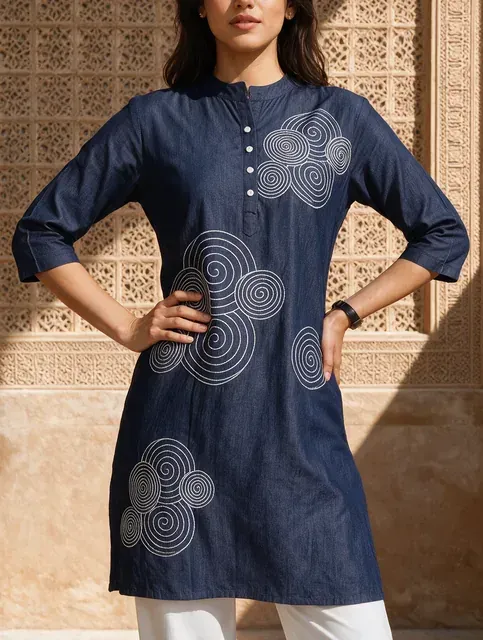
No need to describe 'denim blue with white thread-work' and hope. The kurti's photo sets its shade and embroidery, and a colour-match step runs in Fivo's pipeline.
Skip the generic AI look: choose models for your customer's age group and look, the pose for each shot, and the jewellery, footwear or pairing for each garment.
Where ChatGPT and Gemini lead
For ideas, a general model is hard to beat. Sketch a moodboard for a festive campaign, try backdrops before a shoot, draft captions and product descriptions, or make a one-off social graphic, all in one chat.
They also reach far beyond clothing: the same assistant handles your copy, your research and your banners. With a small catalogue and the time to check each picture against the real garment, a general model may be all you need.
One garment, every view
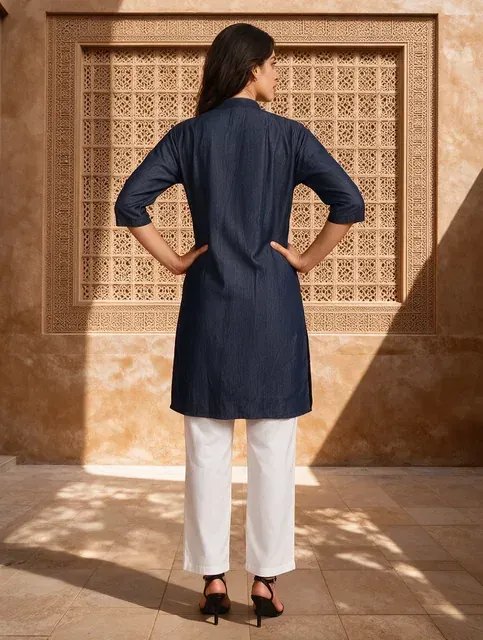
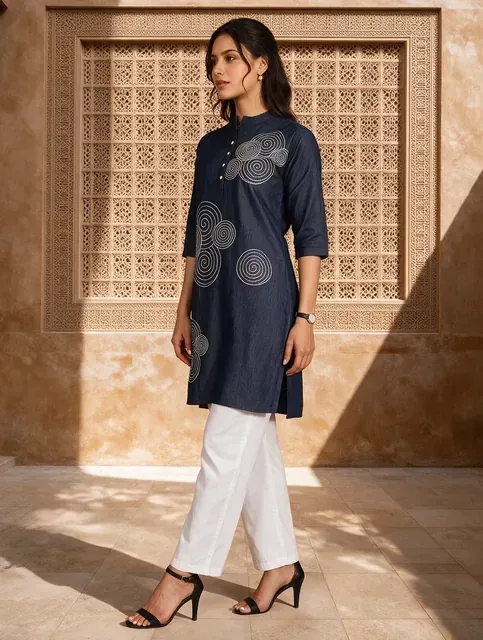
A denim kurti with white spiral thread-work, from the brand's own catalogue photo. Front, back, side and close-up came from one reading, in one courtyard.
More garments shot with Fivo
A plum kurta set with a kota-check dupatta, dark-wash jeans from a hanger with their whiskering, and a striped camp-collar shirt whose stripes stay straight down the placket.
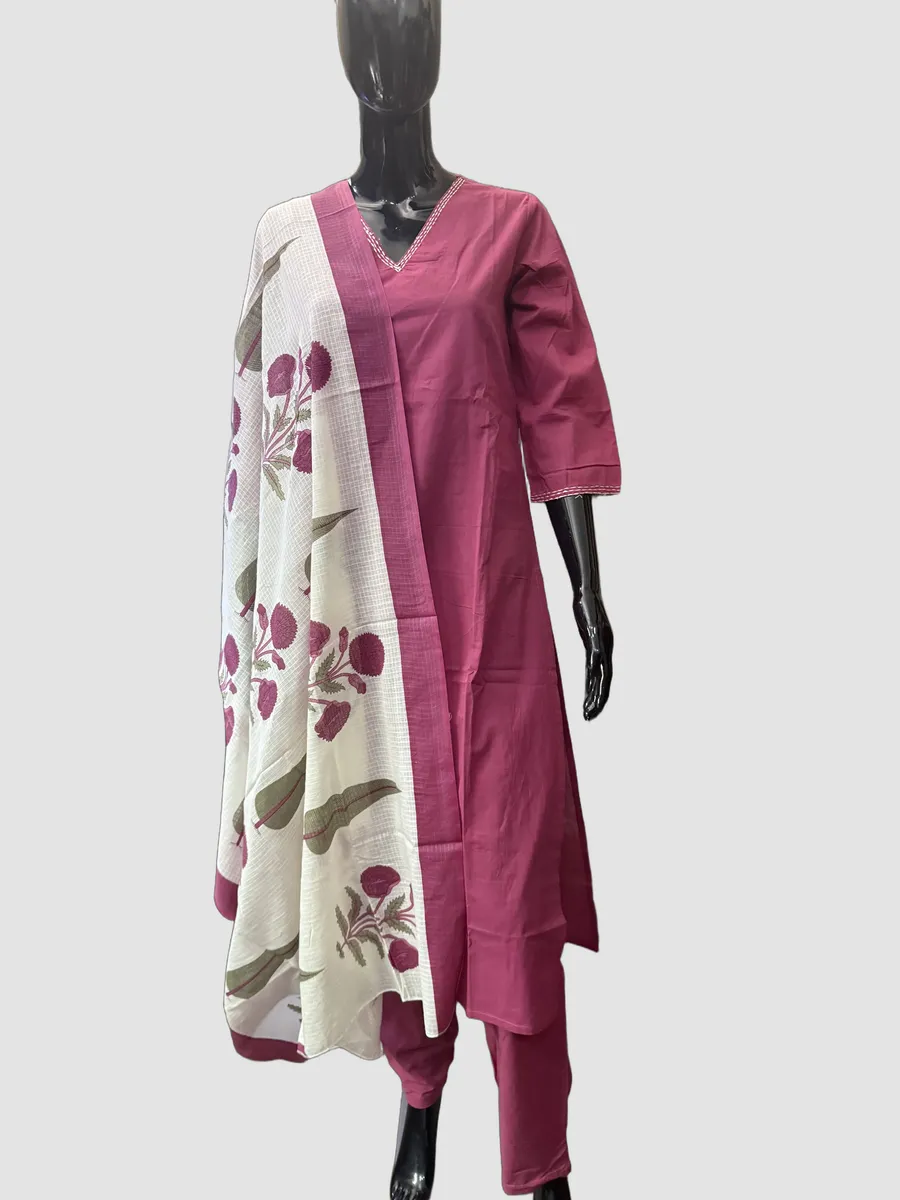 Brand's mannequin
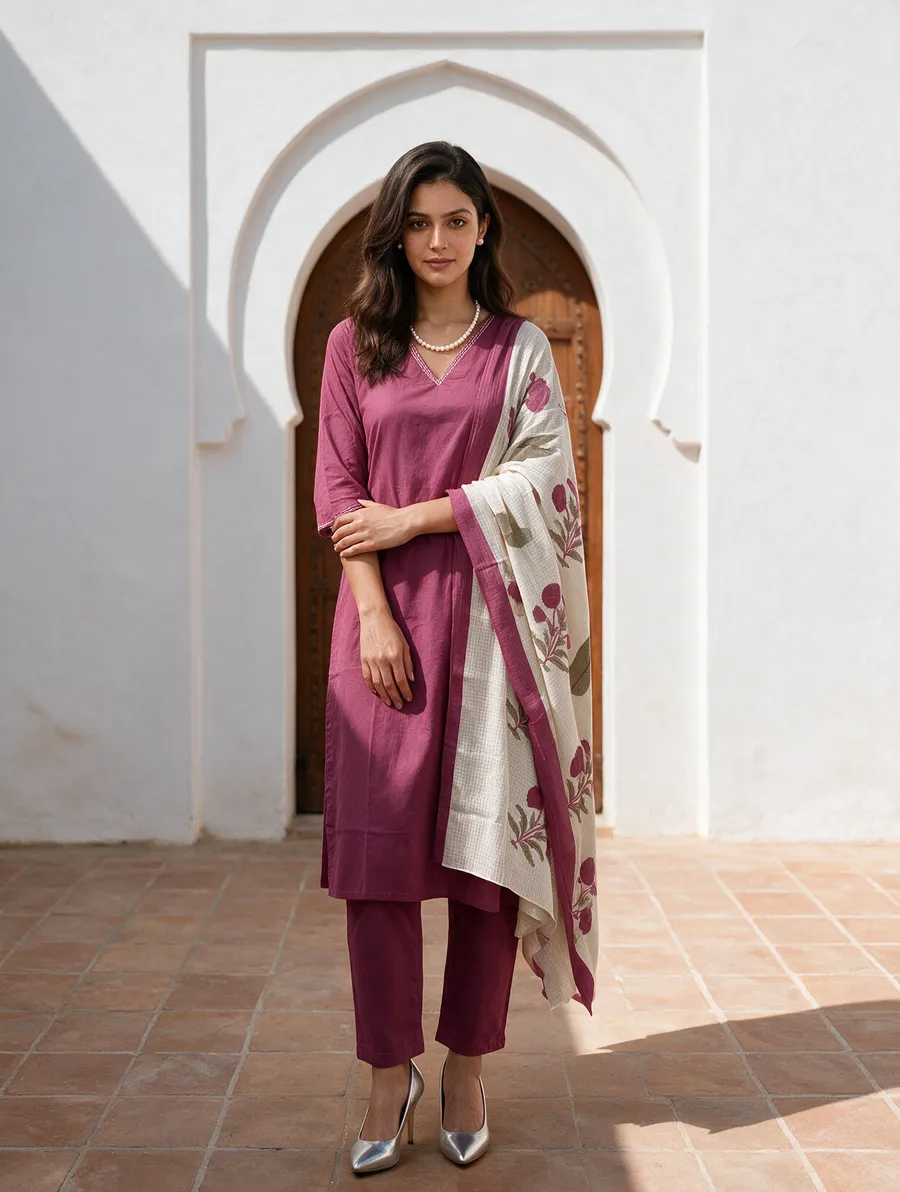 Fivo
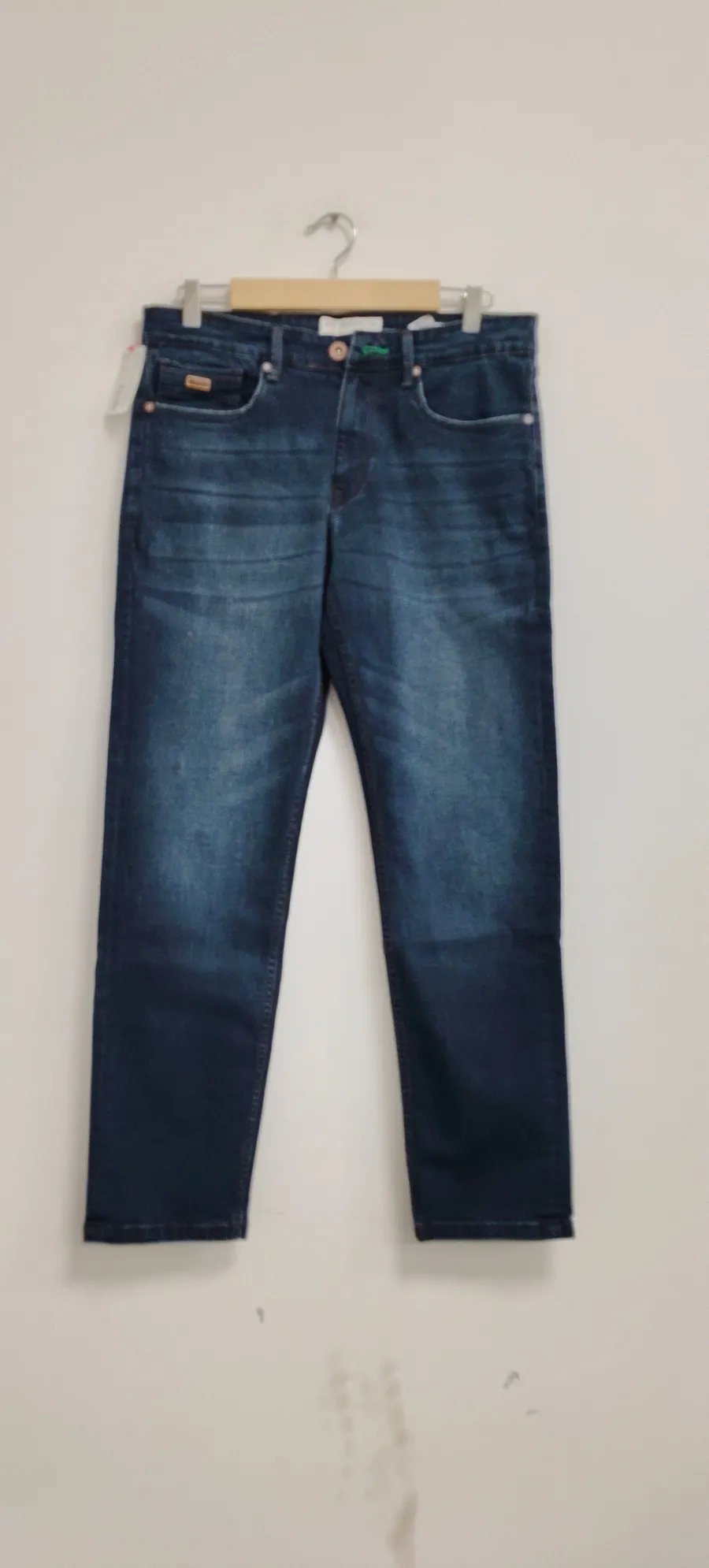 Brand's hanger
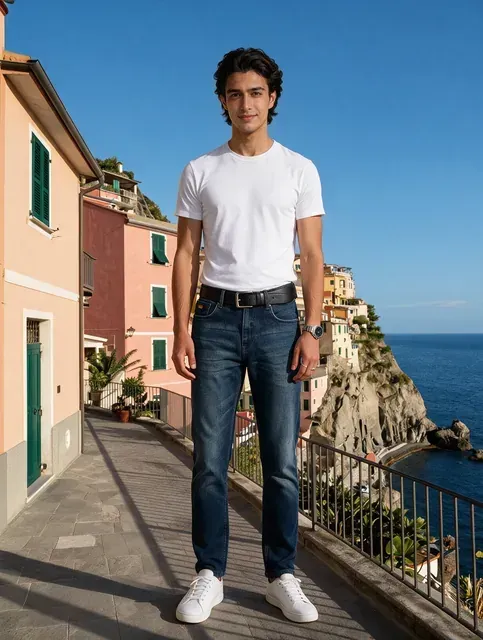 Fivo
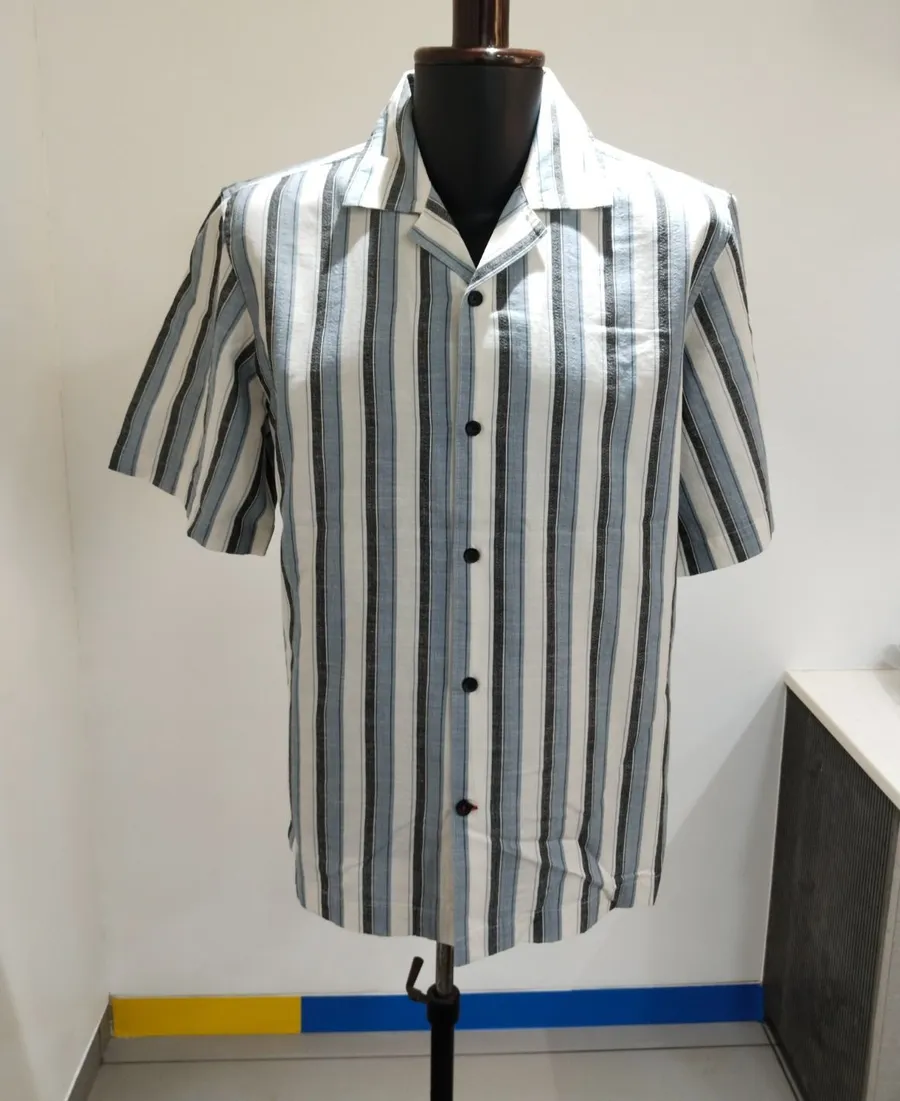 Brand's mannequin
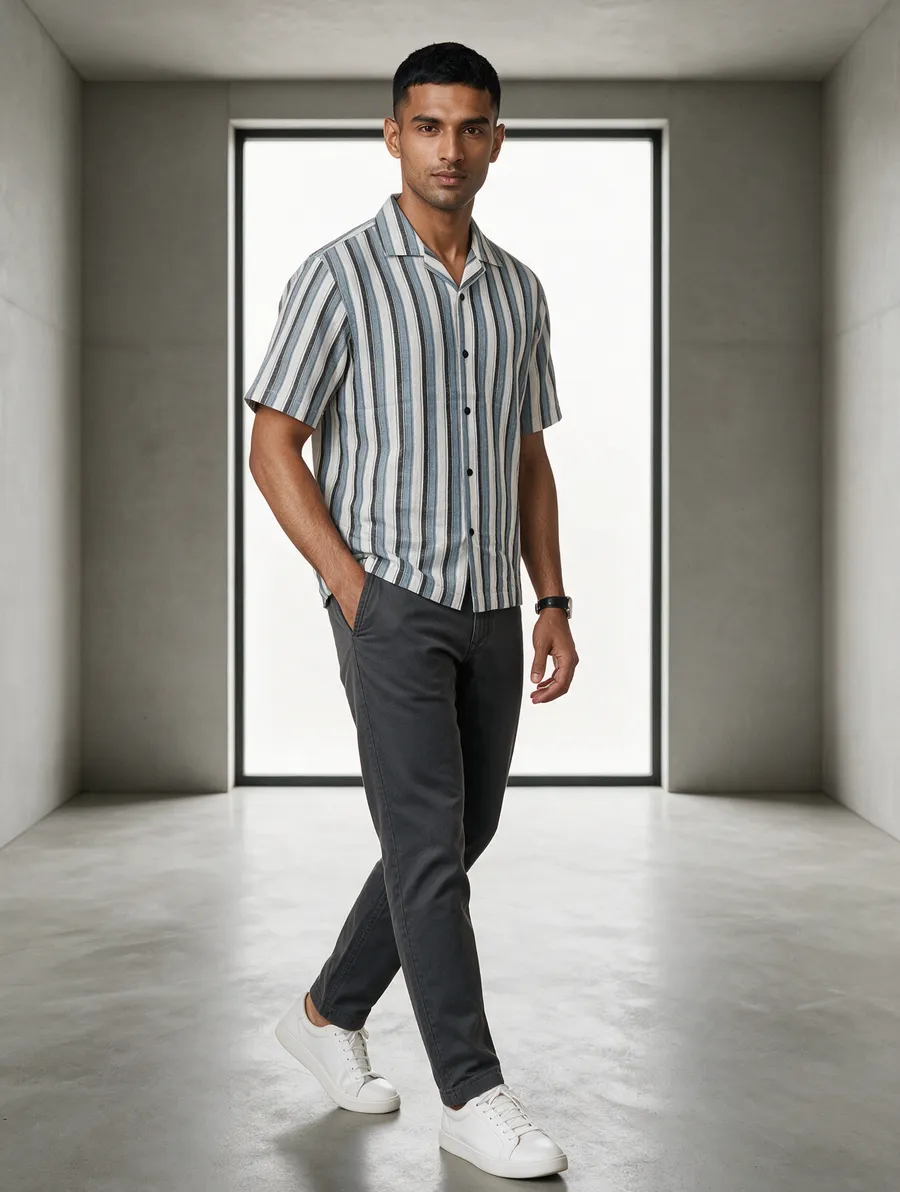 Fivo
Who each is built for
For sellers with a catalogue to fill.
For anyone who needs a capable assistant.
Switching from ChatGPT or Gemini?
Choose garments a chat struggled with, such as fine stripes or busy embroidery, and upload their original photos.
Pick a model, pose and setting in Fivo Studio instead of writing them into a prompt.
Generate front, back, side and close-up for each garment in one go.
Lay the chat results and Fivo's next to the real garment, view by view, and see which you would list.
Questions
For sellers who have tried a general AI tool for product photos and are deciding what to use for the catalogue.
Yes. Both can take an uploaded photo and a prompt and return an image of a model wearing something like it. How closely the result follows your garment depends on the prompt and the run, so check the print, colour and neckline before you list it.
Not automatically. Each request is a new generation, so the print, colour or neckline can come out differently between the front, the back and a close-up unless you prompt for it and check. Fivo reads each garment once and makes every view from that reading, so the views agree.
Only as far as you hold it there yourself, by re-describing the model or re-attaching a reference in each request. In Fivo Studio you choose a model from Fivo's catalogue once, and Studio applies that look to every garment in the upload.
With a chat you describe the person, or attach a reference, in every request. Fivo's catalogue has women, men, girls, boys and an older age group, with Indian and international looks; you pick the ones your shoppers relate to, and Studio keeps them across the drop.
OpenAI's terms of use say that, as between you and OpenAI and as far as the law allows, you own the output, and that outputs may not be unique. Google's terms of service say it won't claim ownership of content its generative AI creates for you. Both were checked in November 2026; read the current terms before commercial use.
When you need a handful of images, ideas for a campaign or a quick social post, and you have time to check each picture against the garment. For a full collection that must stay exact and consistent, a workflow built for catalogues saves that checking and prompting.
Yes. Plenty of sellers keep a general assistant for captions, product descriptions and campaign ideas, and use Fivo for the catalogue images themselves. The two don't overlap much: one writes and sketches, the other puts every garment in the drop on the same model, from every side.
Switch the catalogue work, keep the rest. If you are prompting the same model and backdrop again for every SKU, or fixing views that don't match, try five of those garments in Fivo and compare. If you only need a few images now and then, a general model may be enough.
PAST THE FIRST PROMPT
 Fivo for AndroidShoot one garment at a time on your phone. Images and videos in your brand's look.