Every image matches
The same garment, fabric, design and model across front, back, side and close-up, and across the whole collection.

Phone photo to model
If all you have is a mobile, you have enough. Photograph the garment in daylight, and the Fivo Android app puts it on a model from Fivo's catalogue in minutes, ready to post from the same phone.
From about ₹20 an image · price shown before you generate · see pricing
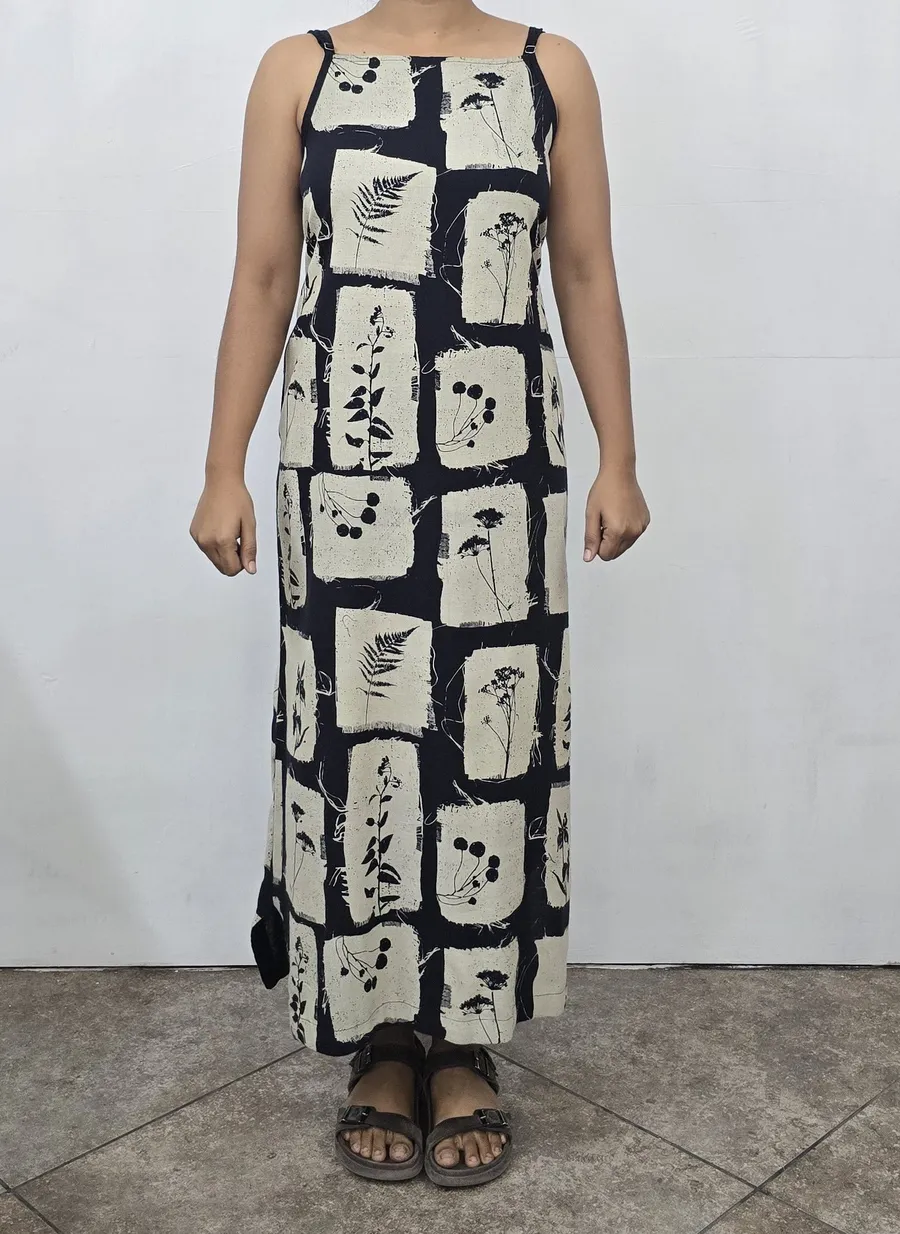 Brand's phone photo
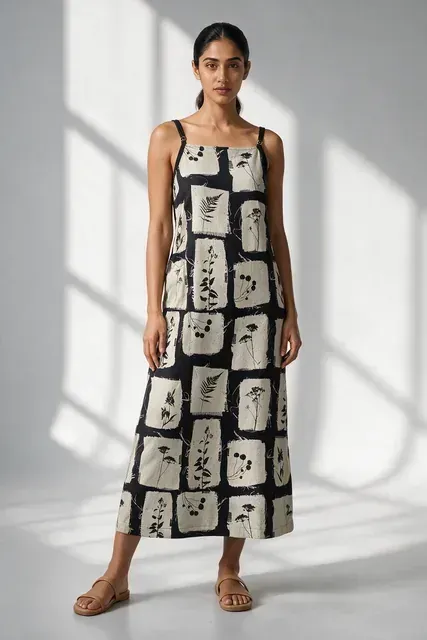 Fivo
It turns an ordinary mobile photo of a garment into images of a model wearing it. In the Fivo Android app you photograph the piece, choose a model from Fivo's catalogue, a pose and a background, see the price, and get on-model images and videos in minutes. Your photo is the reference for colour and print.
Why brands choose Fivo
Customise every shoot to your brand. Fivo keeps your garment, your models, your styling and your look the same in every image you put out.
The same garment, fabric, design and model across front, back, side and close-up, and across the whole collection.
Your photo is the reference: colour, print, embroidery and cut are carried into every image, not reinvented.
Choose the pose for each shot, from straight catalogue fronts to walking, seated and detail shots.
Pick models by the look and age group your customers relate to: women, men, kids, Indian or international.
Choose each styling article per garment: footwear, jewellery, bags, watches, belts, and the top or bottom it's paired with. Or upload your own.
Why a phone is enough
A worn maxi with the head cropped, a mirror selfie in the shop, a kids dress on a bed: every input on this page is a mobile shot.
Photograph, pick the model and generate in the Fivo Android app, then save the images to the phone for WhatsApp, Instagram or a marketplace upload.
Wear the piece yourself for the photo if you like, face out of frame. The result shows a Fivo catalogue model picked for your customers: women, men, kids or an older age group.
Fivo reads the garment once from your phone photo and carries its shade, print and embroidery into front, back and close-up, with a colour-match step in the pipeline. Unfiltered photos help most.
However you hung or wore the piece, pick the pose per image from Fivo's pose library: a catalogue front for the listing, a walking frame for a reel.
Set the model and backdrop once and each garment you photograph this month lands in the same look, so your page stays on-brand instead of reading as a generic AI feed.
Taking the photo
Fivo keeps the result close to the photo it is given, so a minute spent on the photo shows in the image.
| Do | Don't | |
|---|---|---|
| Light | Near a window in daytime, light falling on the front of the garment | Night-time tube light, or the flash, which flattens colour and adds glare |
| Backdrop | A plain wall, a door or a bedsheet pinned up behind | A cluttered room, other clothes or a printed curtain in shot |
| Camera mode | Ordinary photo mode on the main lens, at 1x | Portrait mode, beauty filters or digital zoom |
| Framing | The whole garment, neckline to hem, with a little space round it | Cutting off sleeves or hem to get closer |
| Focus | Wipe the lens, tap the fabric to focus, hold the phone with both hands | A blurred shot taken one-handed |
| If you wear it | Crop your face out; stand straight, arms slightly away from the body | Arms crossed over the front, or a bag covering the print |
| Extra shots | The back, plus a close-up of embroidery, print or buttons | Expecting one front photo to show a back design |
Real phone inputs
The kurta co-ord began as a mirror selfie with the face hidden behind the phone; the tracksuit as a worn photo cropped below the chin.
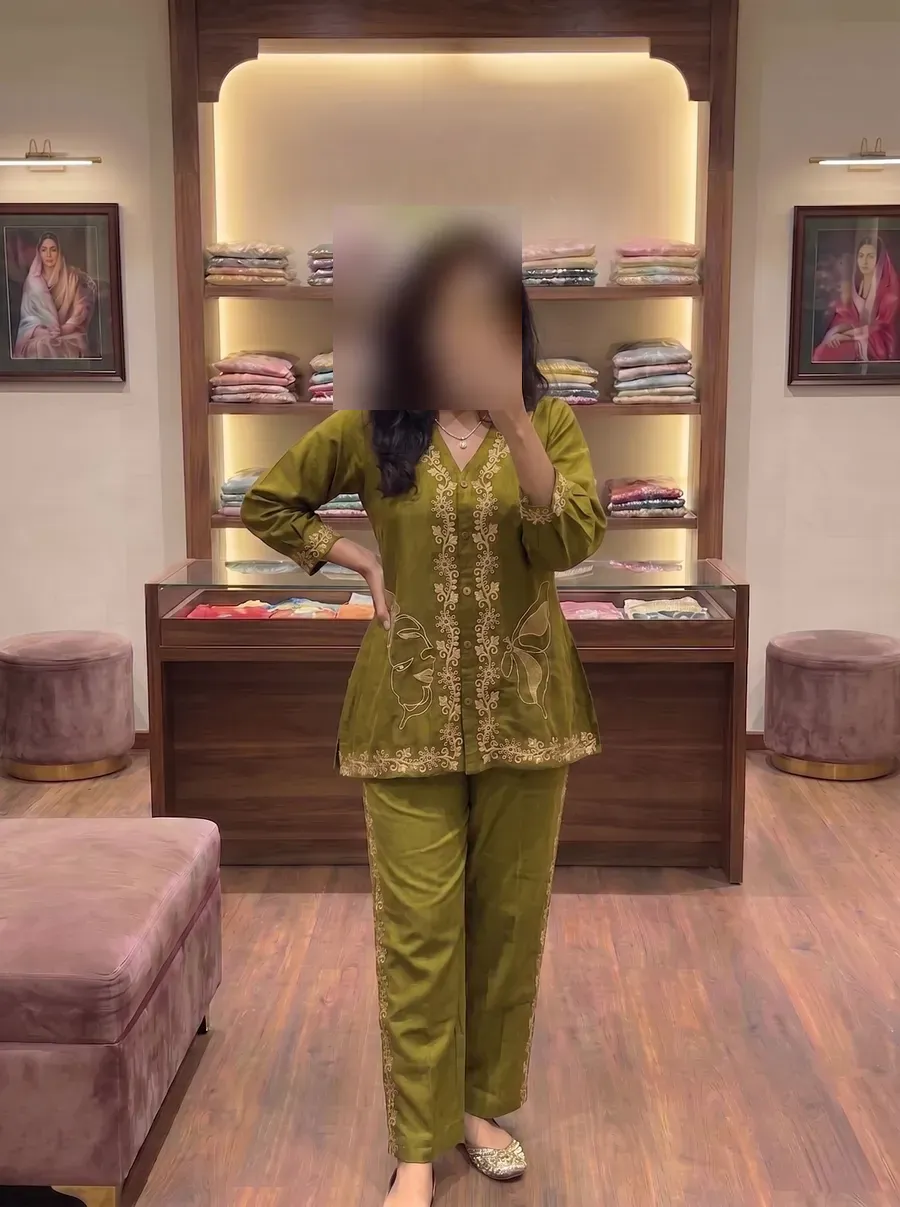 Brand's phone photo
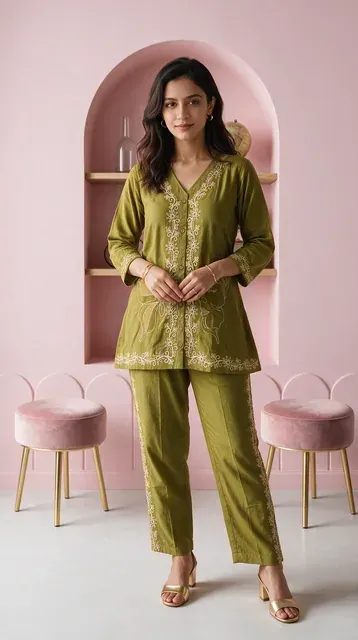 Fivo
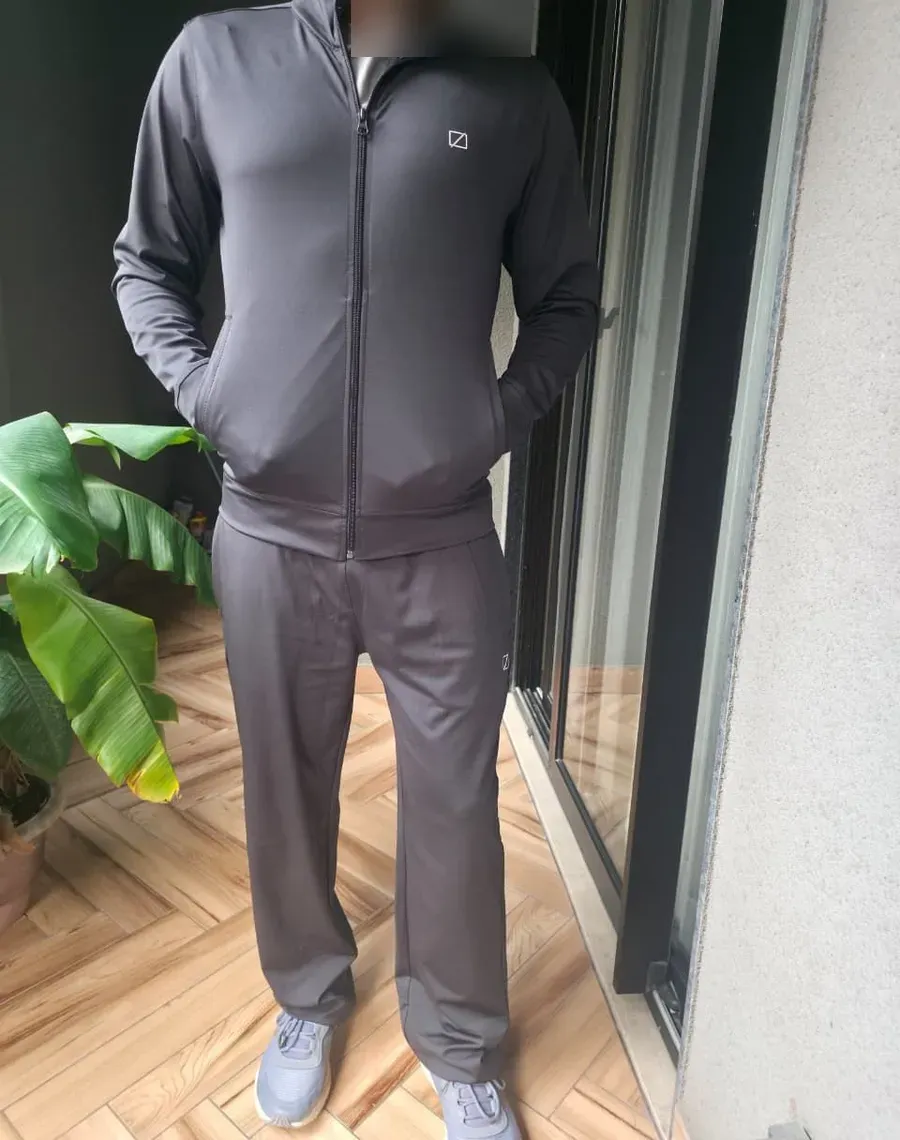 Brand's phone photo
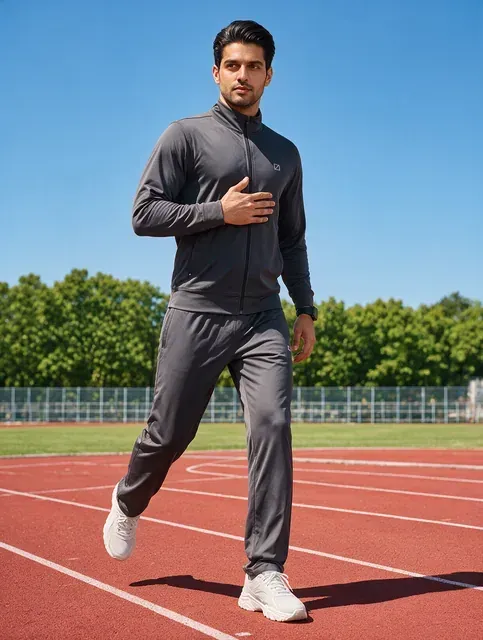 Fivo
One phone photo, two views
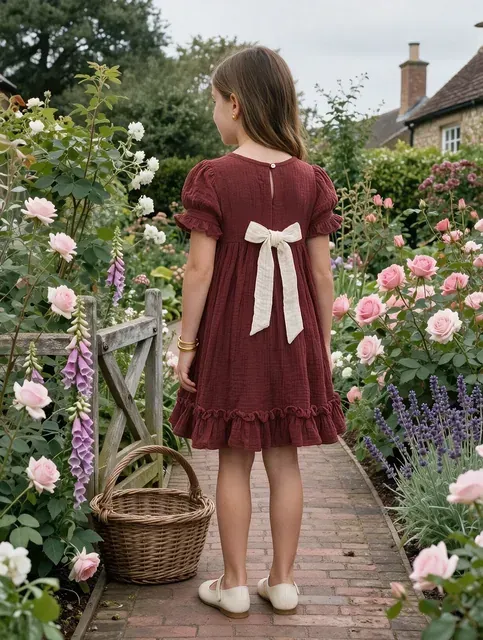
The brand laid a muslin dress with crochet daisies on a bed and photographed it on a phone. Fivo made the front and the back, bow included, on a kids model.
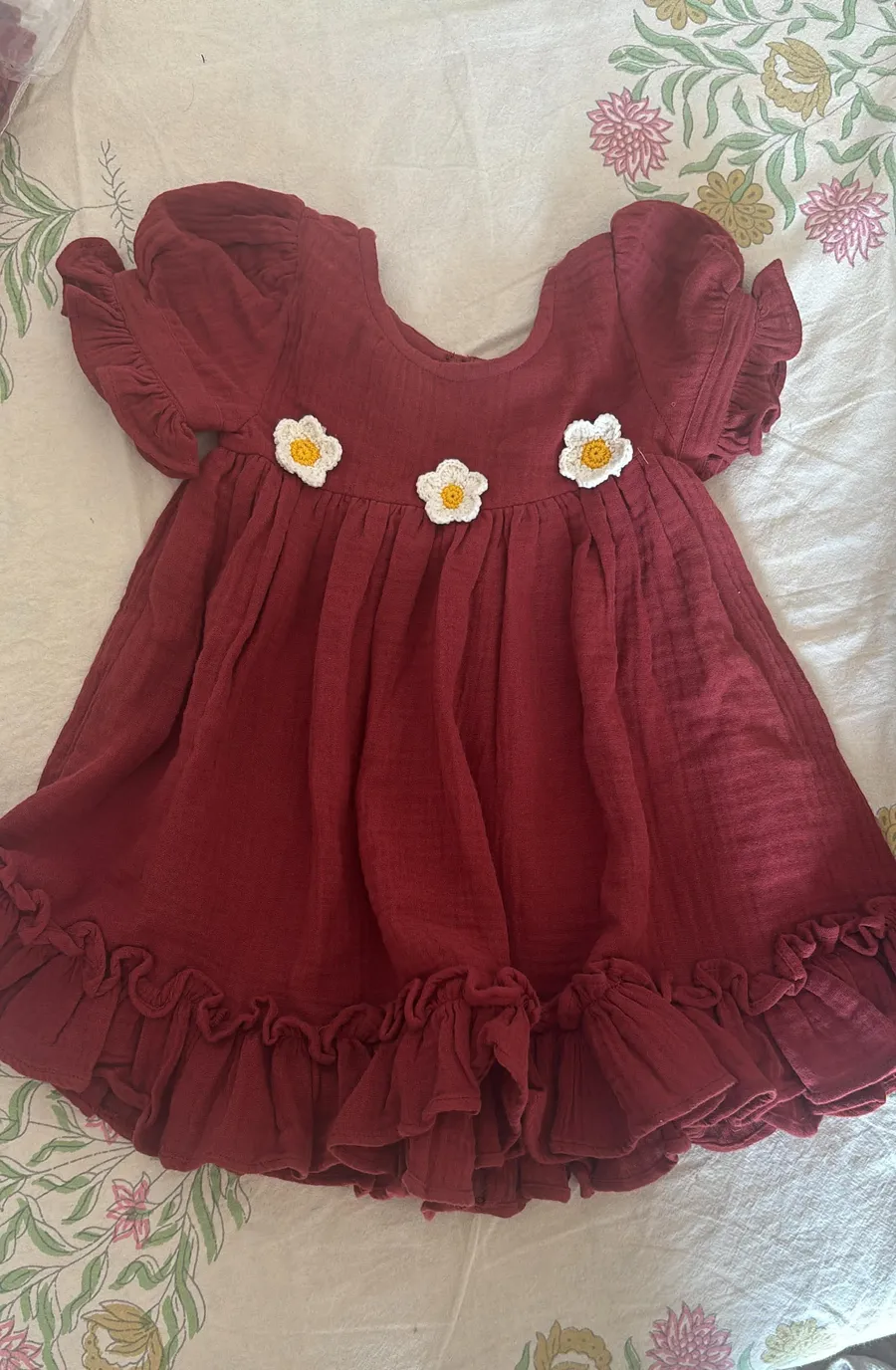
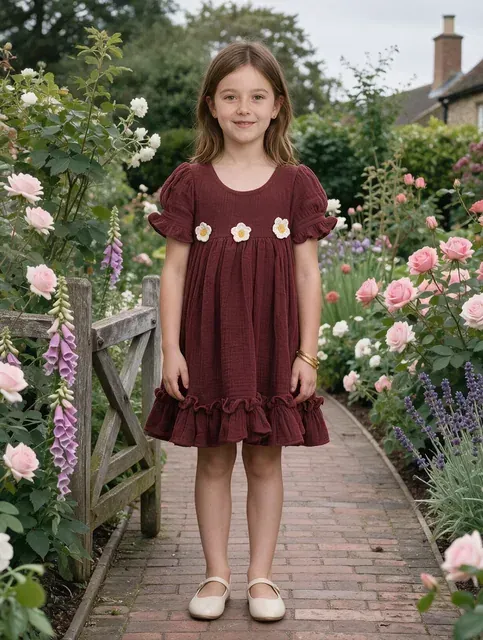
Why filters and portrait mode hurt
Portrait mode blurs whatever it decides is background, and on a garment it often softens the edges of sleeves and hems. Beauty and colour filters shift the shade, so a coral kurti can come out closer to pink. Digital zoom throws away the fine detail a print needs.
Plain mode, natural light and the phone held level with the middle of the garment is most of the recipe.
In the Android app
Install Fivo from Google Play and log in with your mobile number.
Against a plain backdrop, in daylight, the full piece in frame. Add a back photo if it has detail.
Select a model, a pose, a background and the styling: shoes, jewellery or a bag from Fivo's catalogue, your own accessories, or none. The price, with GST, shows before you generate.
Images and videos are ready in minutes, to save for your store, a marketplace or WhatsApp.
When one at a time isn't enough
Shoot, choose and generate on the phone that took the photo. Best for new arrivals and single listings.
Get it on Google PlayUpload a folder of phone photos in a web browser and give every garment the same model and background.
About Fivo StudioFivo's team runs the production for you, quoted on the garments, images and videos you need.
Questions
What sellers with only a mobile ask before their first Fivo shoot.
The standard photo mode on the main camera at 1x, with no filters. Use the highest resolution your phone offers and tap the garment to focus before you shoot. Wipe the lens first: a smudge softens every detail.
No. Portrait mode blurs edges it mistakes for background, which can soften sleeves and hems, and filters change the colour of the fabric. An unedited photo gives the truest colour on the model.
Next to a large window in daytime, with the garment facing the light and a plain wall, door or bedsheet behind it. Hang it, lay it flat on a clean sheet, or have someone wear it. Keep it out of direct sun, which throws hard shadows.
Yes. Three inputs on this page are worn photos, one of them a mirror selfie. Keep your face out of frame, stand straight, and keep your arms and any bag off the front so the print and neckline show. The result uses a model from Fivo's catalogue, chosen for the customers you sell to.
Minutes. The app shoots one garment at a time, so a piece that arrives in the morning can be photographed, generated and listed the same day. A collection uploaded to Fivo Studio is usually ready within 24 hours.
Fivo's phone app is for Android. Without one, photograph the garments on any camera and upload them to Fivo Studio in a web browser, which shoots several garments in one look. Or ask Fivo's team for full service.
Retake it if you can. Clutter, other clothes or a patterned curtain behind the garment can blend into its edges or print. A plain wall, or a sheet pinned up behind the hanger, takes a minute and gives a much cleaner input.
About ₹20 for each Standard image, paid as you go with credits at ₹1. The app is free to download, uploading photos costs nothing, and the full price with GST appears before you confirm. There is no subscription.
YOUR PHONE, YOUR STUDIO
 Fivo for AndroidShoot one garment at a time on your phone. Images and videos in your brand's look.