Every image matches
The same garment, fabric, design and model across front, back, side and close-up, and across the whole collection.

Flat lay to model
No mannequin, no hanger, nobody to hold the camera. Lay the garment on a clean floor or bed, photograph it from above, and Fivo puts it on a model from Fivo's catalogue in a studio or lifestyle setting. The print and colour come from your flat lay, so they read consistently in every view.
From about ₹20 an image · price shown before you generate · see pricing
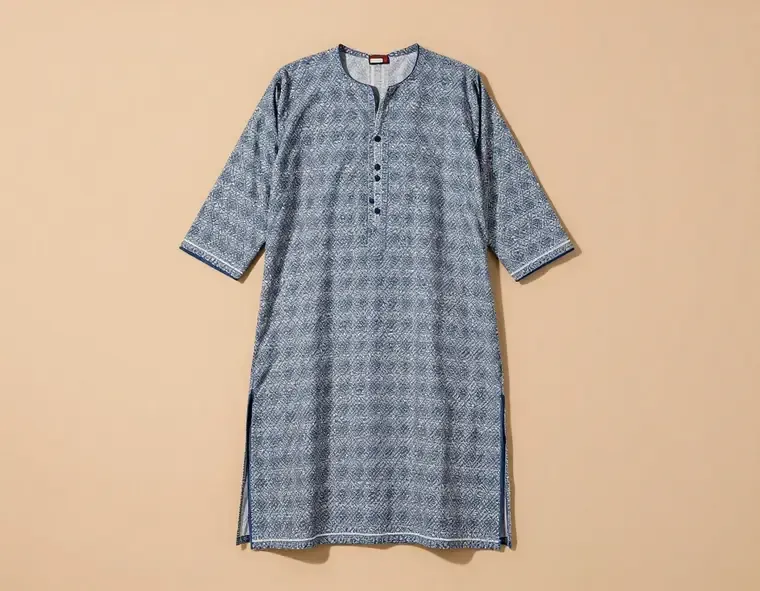 Brand's flat-lay
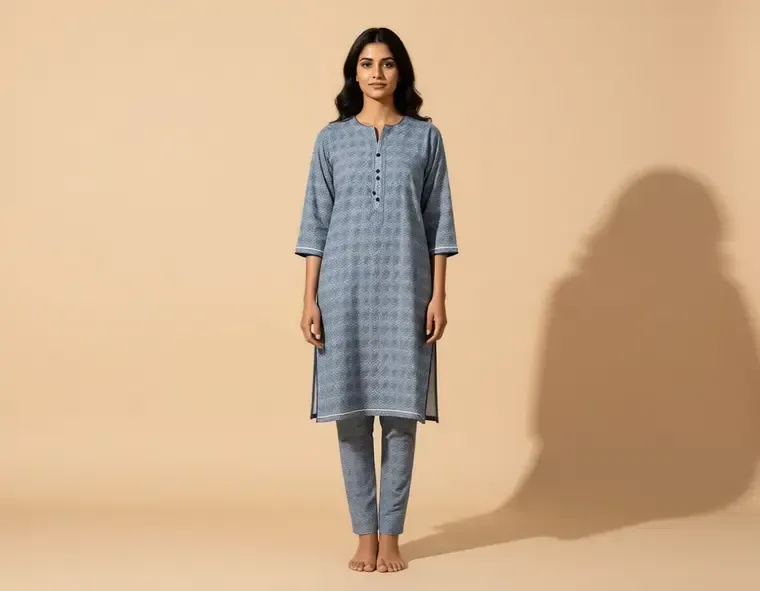 Fivo
Flat lay to model AI turns a photo of a garment laid flat and shot from above into images of a person wearing it. With Fivo you photograph the piece on a floor, bed or table, pick a model from Fivo's catalogue and a setting, and get on-model images and videos.
Why brands choose Fivo
Customise every shoot to your brand. Fivo keeps your garment, your models, your styling and your look the same in every image you put out.
The same garment, fabric, design and model across front, back, side and close-up, and across the whole collection.
Your photo is the reference: colour, print, embroidery and cut are carried into every image, not reinvented.
Choose the pose for each shot, from straight catalogue fronts to walking, seated and detail shots.
Pick models by the look and age group your customers relate to: women, men, kids, Indian or international.
Choose each styling article per garment: footwear, jewellery, bags, watches, belts, and the top or bottom it's paired with. Or upload your own.
Why start flat
Laid flat, a garment shows sleeve length, chest width, hem shape and where the print falls, with no form stretching it. Fivo carries those proportions onto the model.
Block prints, mirror-work plackets and lace edges sit where they sit on the flat garment, and the colour is matched to your photo rather than reinvented. The kurtas and slip below show it.
A clean sheet and a phone held overhead is the whole kit. That's often why the photos get taken at all on a busy restock day.
Every flat lay in a Studio batch goes on the same model and backdrop, so fabric, design and face match from front to close-up and from the first piece to the twentieth.
A garment lying flat has no stance of its own. Choose one per shot from Fivo's pose library: a straight front for the listing, a walk for Instagram, a seated frame.
Kidswear goes on girls or boys models of the age you sell to, kurtas on women or men with Indian or international looks, and a mature range on an older age group.
How to lay a garment out
Creases matter on the listing as well as the input: Flipkart's apparel rules, as reproduced in [Fynd's partner documentation for Flipkart](https://documentation.fynd.com/commerce/docs/openapi/listings-management/flipkart/image-guidelines-flipkart), ask for garments ironed with no creases (checked November 2026).
| Do | Don't | |
|---|---|---|
| Surface | A plain sheet, floor or table in a shade that contrasts with the garment | A patterned bedspread, or a surface the same colour as the fabric |
| Creases | Iron or steam first, then smooth it by hand once it is down | Straight out of the polybag with fold lines across the front |
| Shape | Sleeves slightly out from the body, hem straight, the garment at its natural width | Sleeves tucked underneath, or the body pulled wider than it is |
| Neckline | Collar or neckline open and flat so its shape is clear | A collar folded over itself, or a placket twisted to one side |
| Camera | Directly overhead, phone level, the garment filling most of the frame | An angled shot, which makes the top look wider than the hem |
| Light | Daylight from a nearby window, out of direct sun | Ceiling lights that throw your shadow and the phone's across the fabric |
| Back and detail | Turn it over for a back photo; add a close-up of print or embroidery | A single front photo for a garment with a back zip, tie or design |
Real flat-lay inputs
Each input is the brand's own flat lay. The saree was photographed on a floor with a phone, and Fivo draped it with the striped pallu placed as on the fabric.
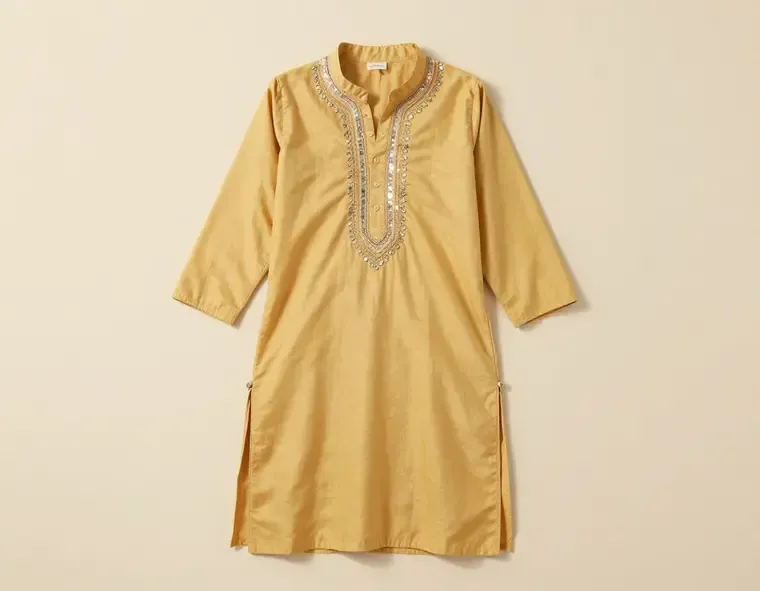 Brand's flat-lay
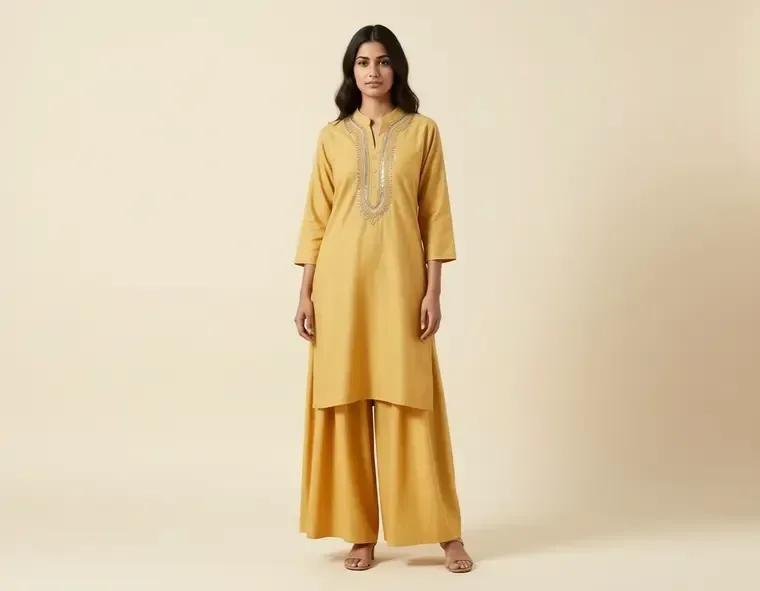 Fivo
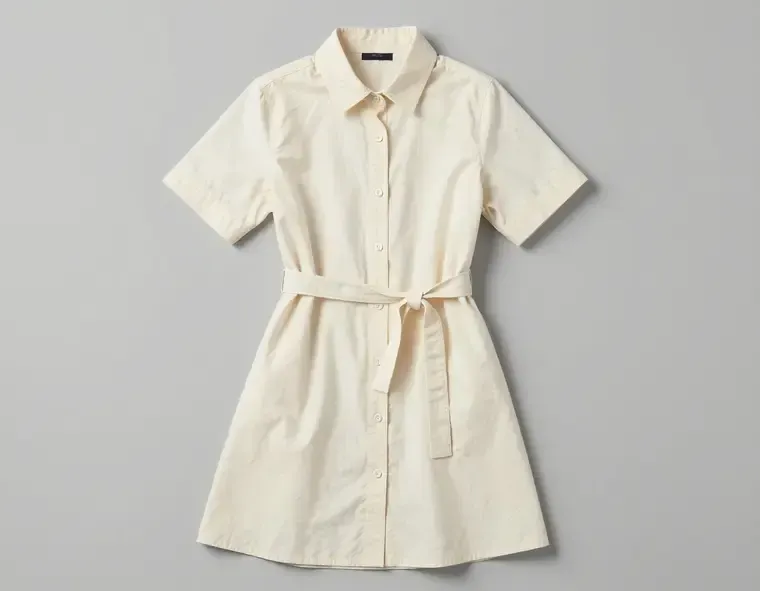 Brand's flat-lay
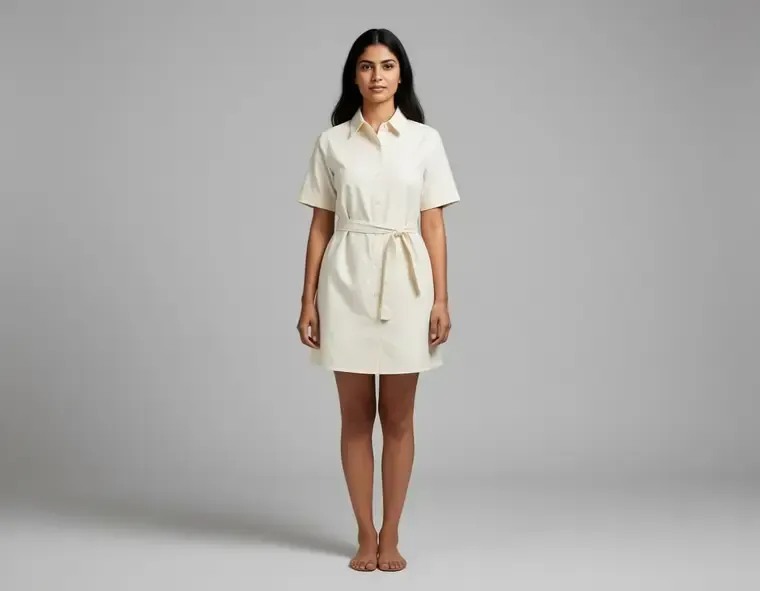 Fivo
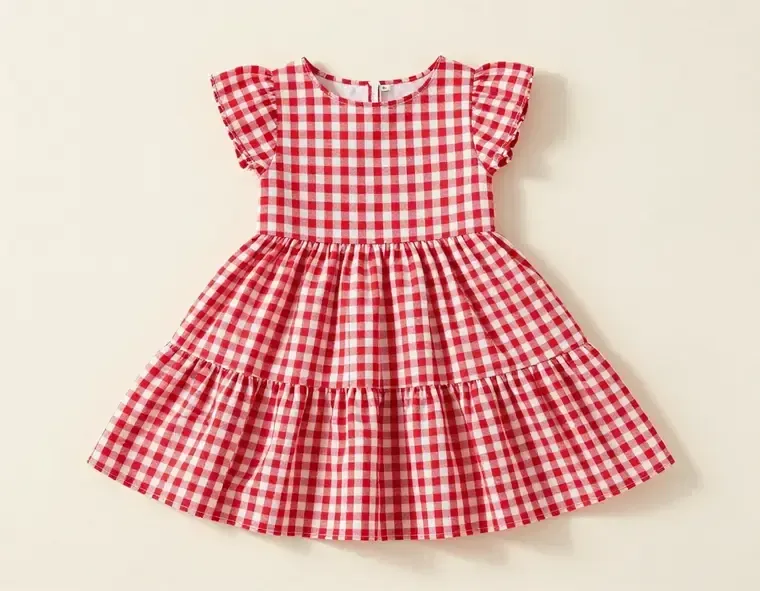 Brand's flat-lay
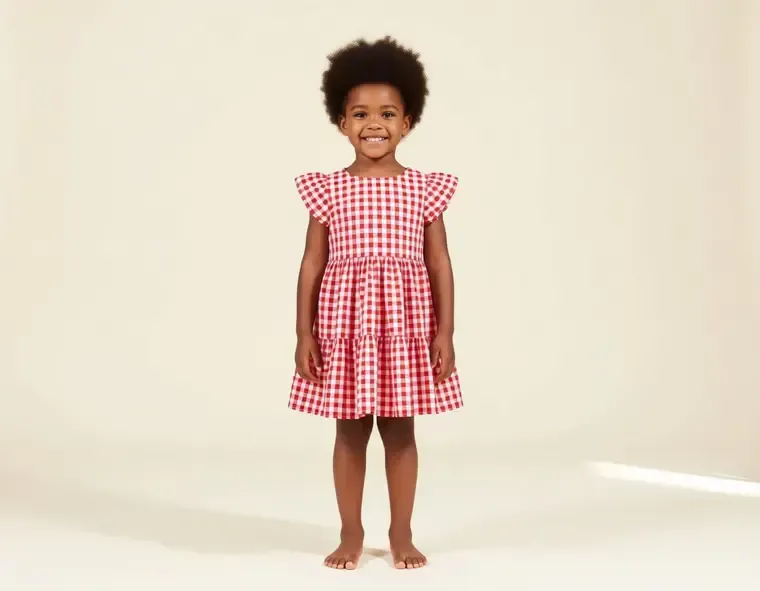 Fivo
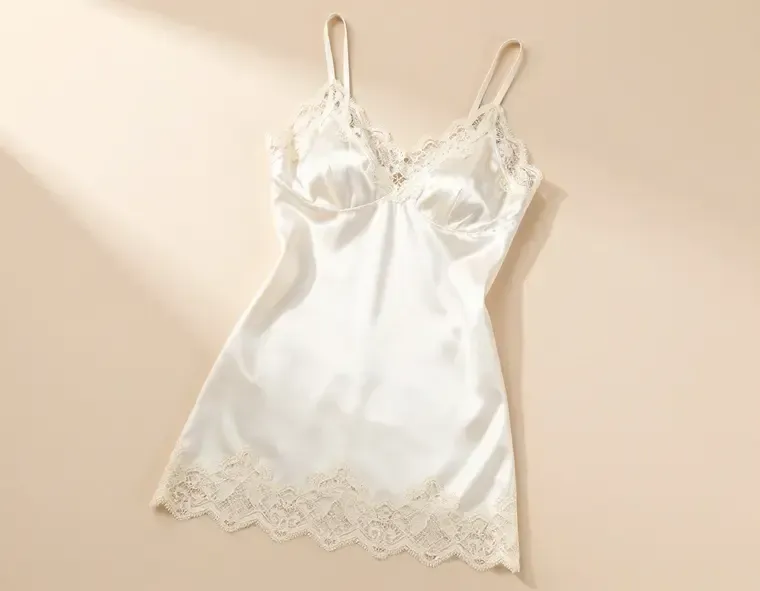 Brand's flat-lay
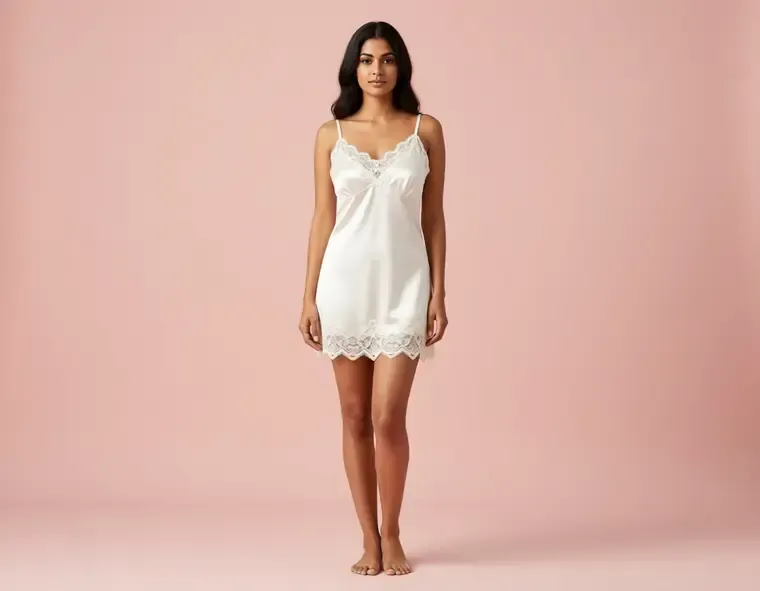 Fivo
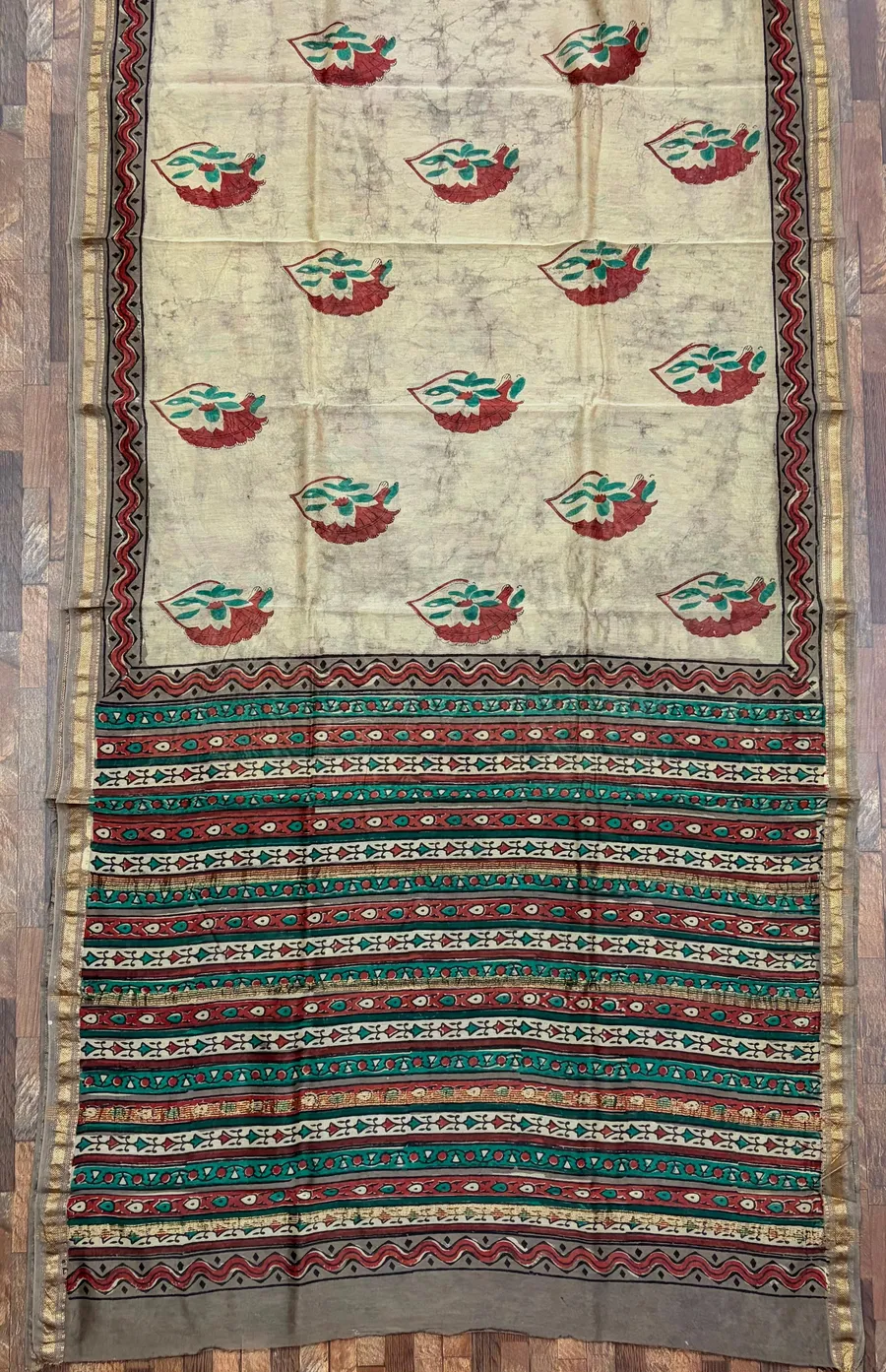 Brand's flat-lay
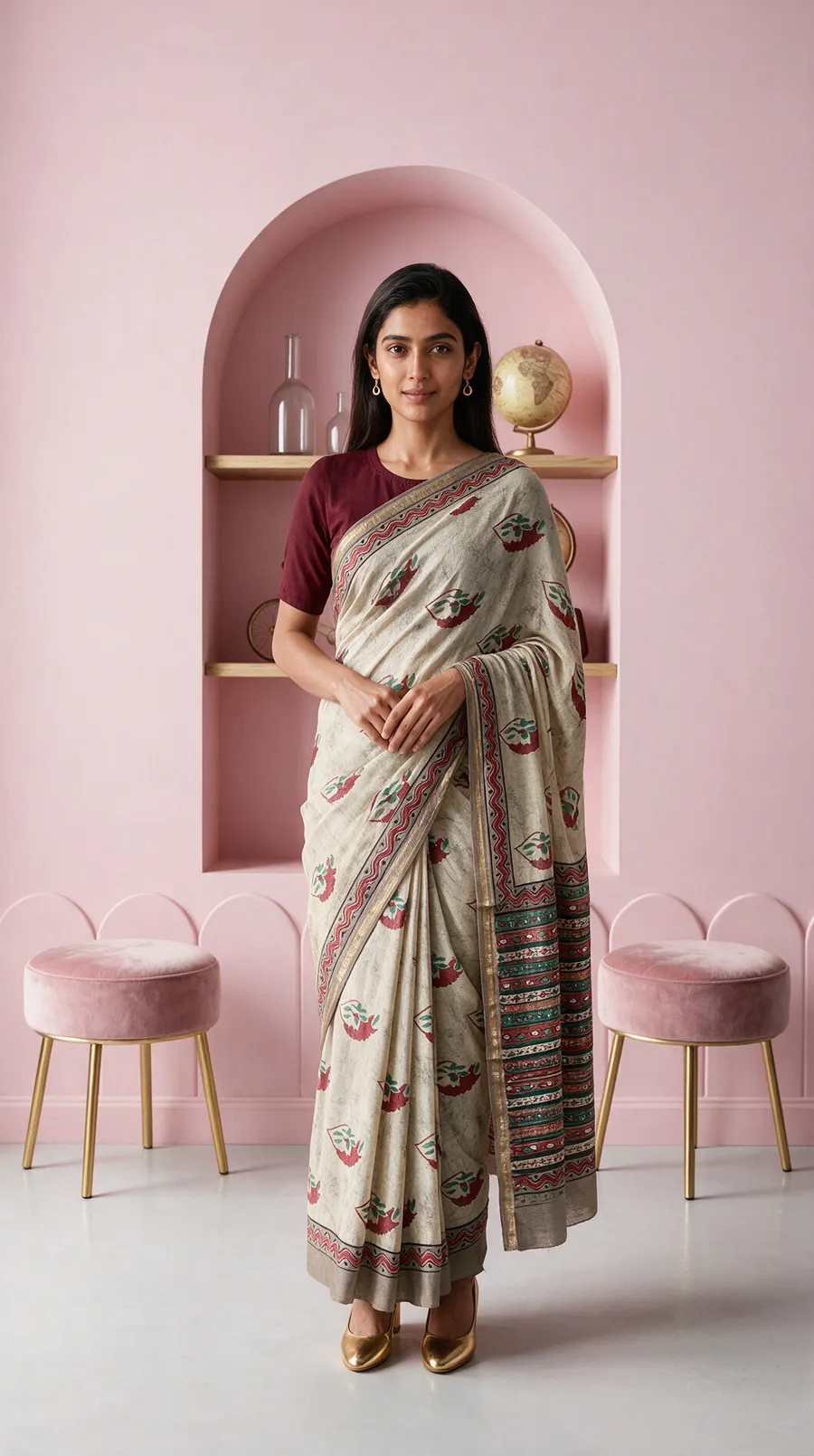 Fivo
What a flat lay shows least
A flat garment gives Fivo its outline: where the waist seam sits, how long the sleeve runs, how wide the hem flares. What it shows least is how heavy the fabric is. A georgette that floats and a denim that holds its shape can look alike lying down.
When the drape is the point, add a close-up so the weave and texture show, and a back photo if the back has a design. Then check every result against the garment on your table before you use it.
Flat lay to listing
Front first, then back, both from directly above. Add a close-up if the print or embroidery carries the design.
Choose a model from Fivo's catalogue, a pose, and a studio backdrop or lifestyle scene that suits your brand. Pair a top with jeans or a kurti with leggings from Fivo's styling catalogue, or add your own accessories.
The cost with GST appears before anything runs. If an image fails, its credits are released.
Keep the garment beside your screen, check each image, and save the ones that match it.
Three ways in
Lay it down, photograph it and put it on model on the same phone, the day the piece comes in.
Get it on Google PlayUpload a folder of flat lays at studio.getfivo.com and give the whole stack one model and background, on-brand rather than a generic AI look.
About Fivo StudioSend the garments' photos and Fivo's team produces the catalogue, quoted on what you need.
Questions
What sellers ask before shooting their first flat lay for Fivo.
On a plain surface that contrasts with the fabric, smoothed flat, sleeves slightly away from the body and the hem straight. Open the neckline so its shape is visible, then shoot from directly above with the phone held level.
Fivo works from what is in the photo, so deep fold lines can come through as part of the fabric. Iron or steam the garment before you lay it down, and smooth it by hand once it is in place.
For a plain back, a front photo can be enough. If the back has a zip, buttons, a tie, a yoke or its own print, turn the garment over and photograph it the same way, so the back view shows the real piece.
The flat lay shows the cut and proportions: length, sleeve, waist and hem width. Fivo keeps the cut, fit and drape true to your photos and makes every view from one reading of the garment. You review each image against the real piece.
Yes. The saree on this page was laid on a floor and photographed with a phone. Use the main camera without zoom or filters, in daylight, with the garment filling most of the frame. The phone photo to model guide covers mobile shooting.
Both work. A flat lay needs only a clean surface and shows the outline clearly; a hanger photo shows how a heavy or flowing fabric falls. Pick whichever you can repeat for every garment in the range.
Yes. This page shows a saree laid on a floor and a gingham kids dress laid flat, both put on model. For a saree, make sure the border and pallu are clearly visible in the photo. Kids' pieces go on a girls or boys model from Fivo's catalogue, in the age group your customers shop for.
Each Standard image uses 20 credits at ₹1 a credit, so about ₹20. Uploading your photos is free and there is no subscription. The app and Fivo Studio both show the full price, GST included, before you generate.
YOUR NEXT FLAT LAY
 Fivo for AndroidShoot one garment at a time on your phone. Images and videos in your brand's look.