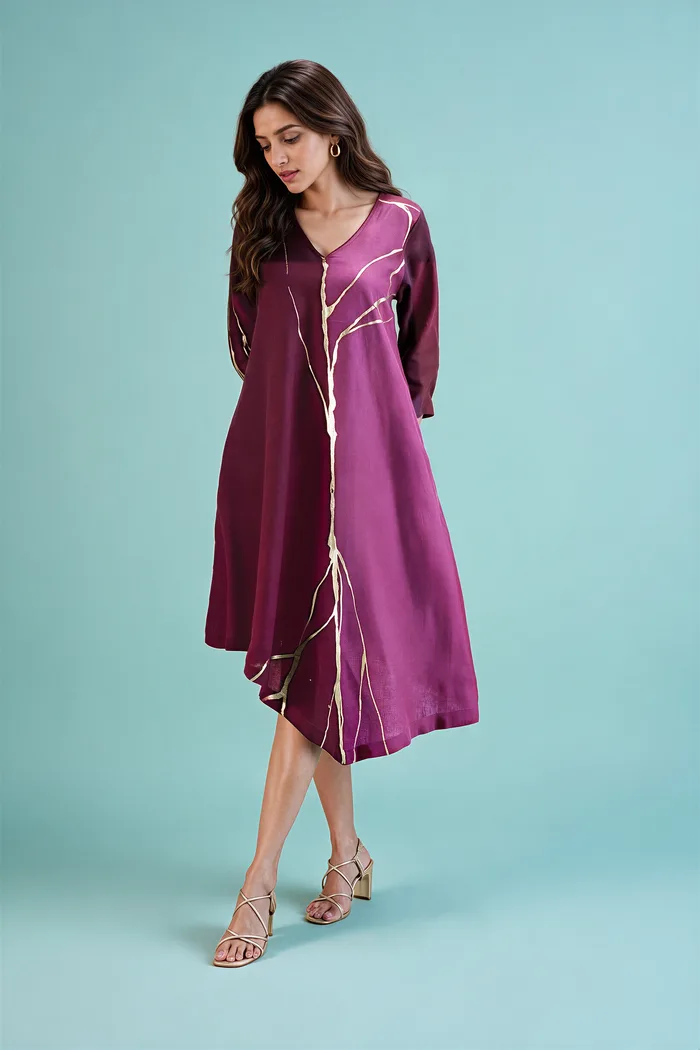
Every image matches
The same garment, fabric, design and model across front, back, side and close-up, and across the whole collection.

AI lookbook photoshoot
A lookbook sells the mood of a season before it sells any single piece. Fivo builds one from photos of your garments: you choose the model, the poses and a lifestyle setting, and the story runs in one light, on the same model, with each print in its true colour, from the first frame to the last.
From about ₹20 an image · price shown before you generate · see pricing
 Fivo
An AI lookbook photoshoot turns photos of a season's garments into editorial frames on a model in a lifestyle setting, without a location day. With Fivo you pick the model, poses and setting once in Fivo Studio, and every piece is shot into that one story for your site, stockists and launch.
Why brands choose Fivo
Customise every shoot to your brand. Fivo keeps your garment, your models, your styling and your look the same in every image you put out.
The same garment, fabric, design and model across front, back, side and close-up, and across the whole collection.
Your photo is the reference: colour, print, embroidery and cut are carried into every image, not reinvented.
Choose the pose for each shot, from straight catalogue fronts to walking, seated and detail shots.
Pick models by the look and age group your customers relate to: women, men, kids, Indian or international.
Choose each styling article per garment: footwear, jewellery, bags, watches, belts, and the top or bottom it's paired with. Or upload your own.
Why it reads as one story
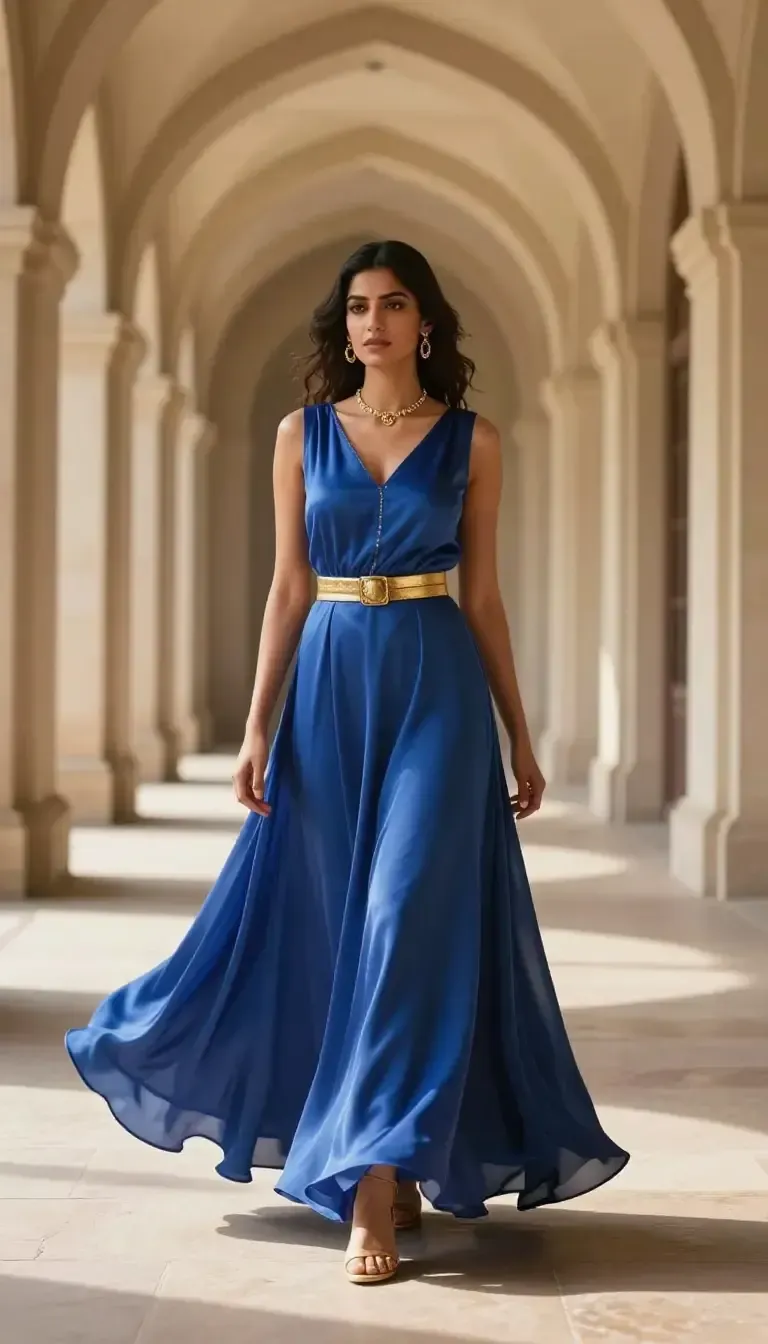
An arched corridor, sandstone steps, a garden path at golden hour, with poses you pick frame by frame from Fivo's pose library: a turn on the stairs, a seated pause, a walk.
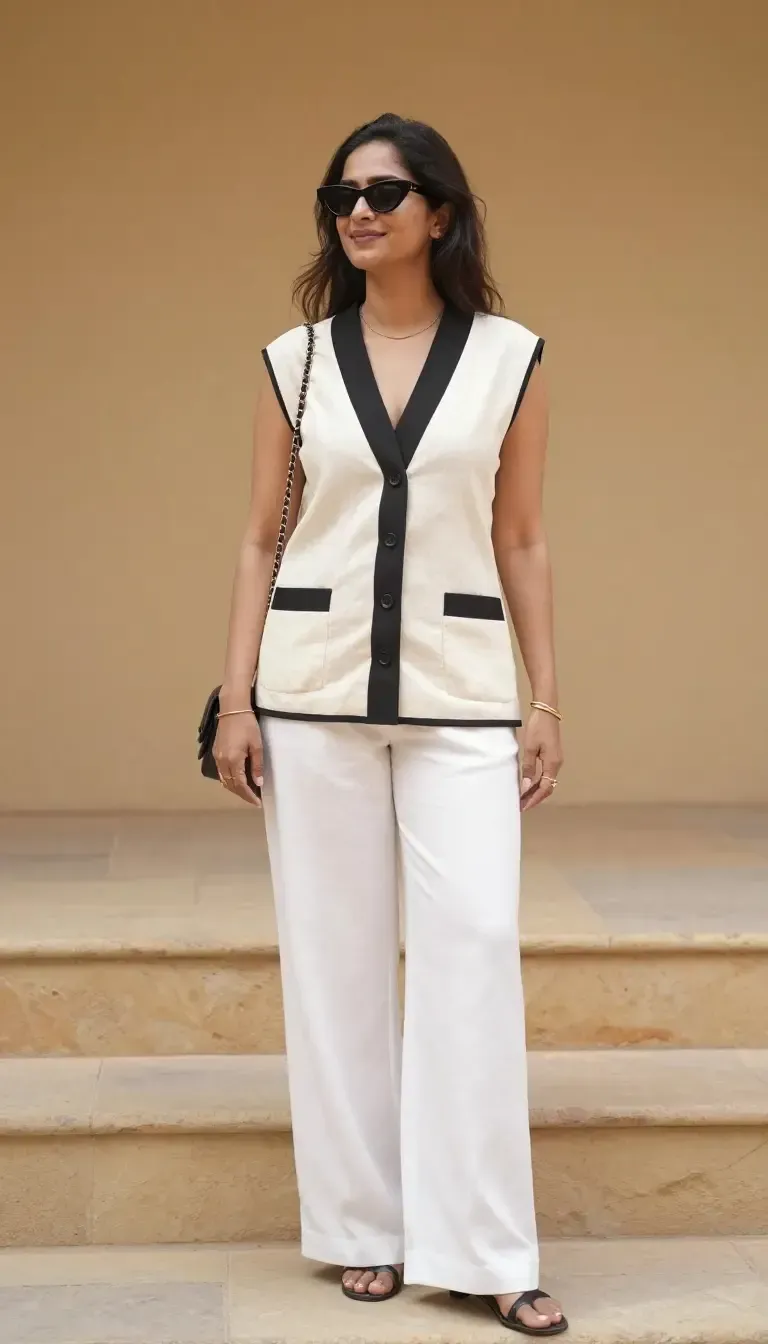
Set the look once in Studio and the linen waistcoat and the chiffon maxi land in the same light. Late samples join the story instead of diluting it.
Fivo reads each garment from your photo, so buttis, thread-work and colour stay true to the real piece, with a colour-match step along the way. Add a close-up where craft matters.
Your label's juttis, a stack of bangles, the same tan belt in every frame: pick footwear, jewellery and bags from Fivo's styling catalogue, upload your own accessories, or style nothing at all.
Cast the season like a campaign: a model picked for the customer you design for, from women, men, girls, boys or an older age group, Indian or international.
Real Fivo lifestyle frames
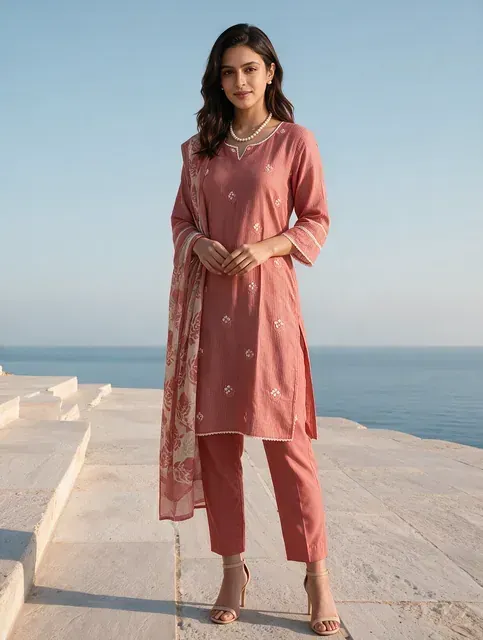
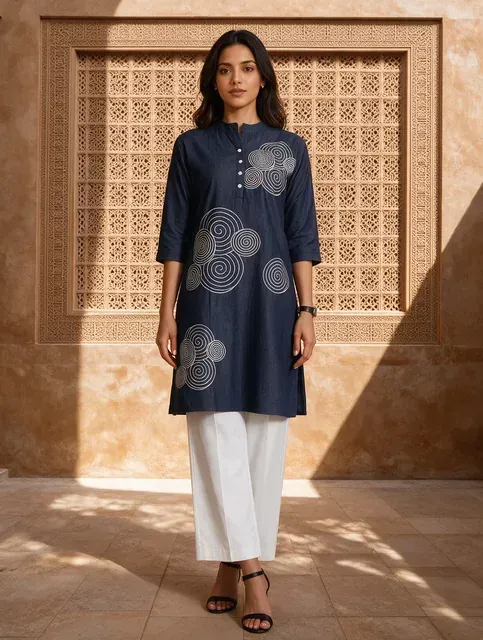
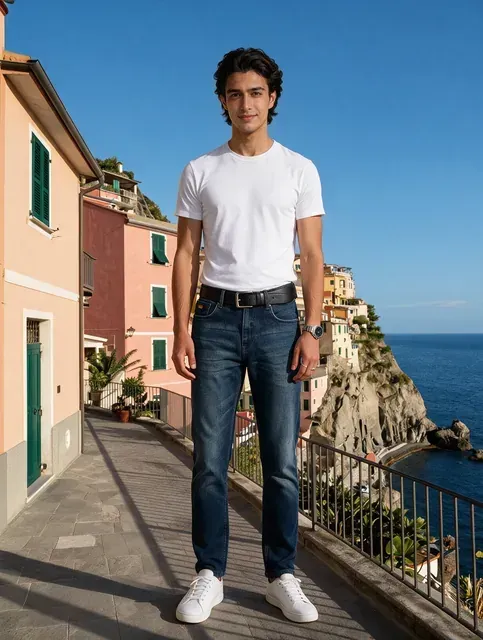
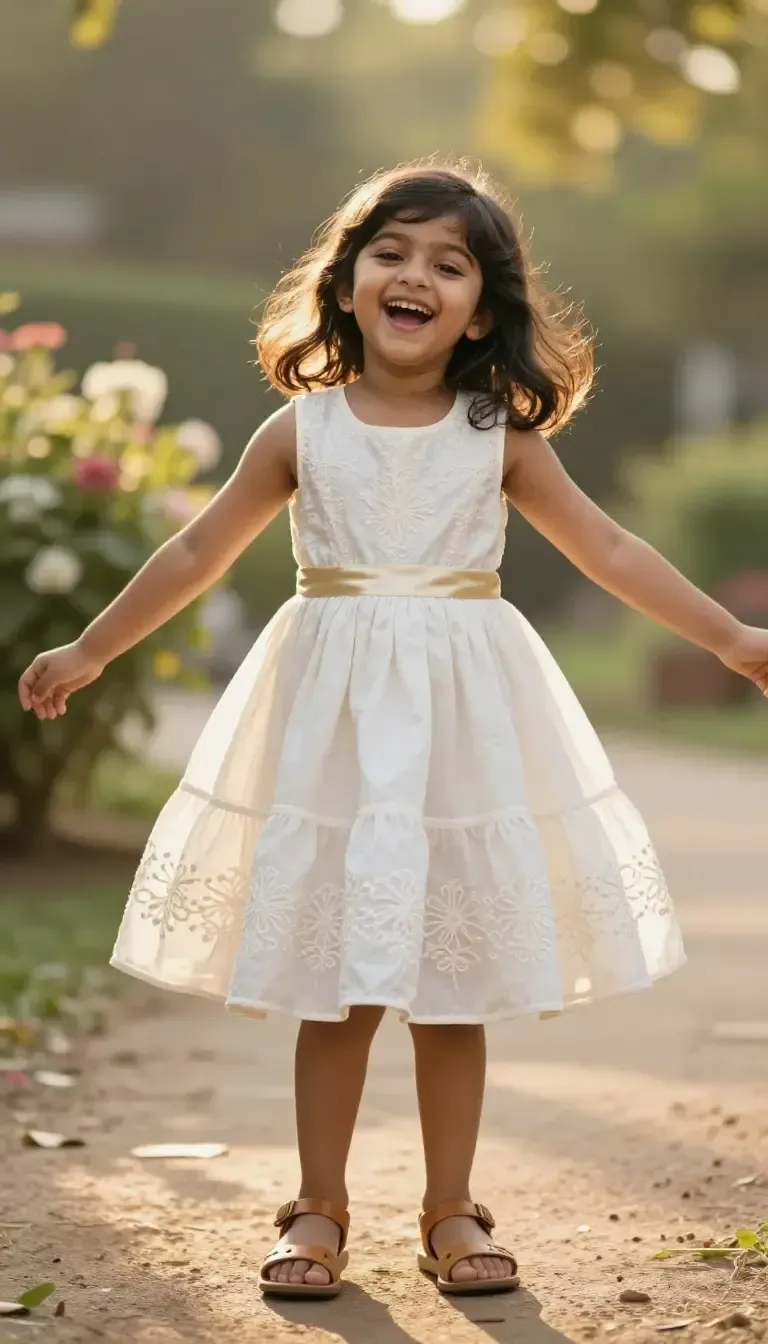
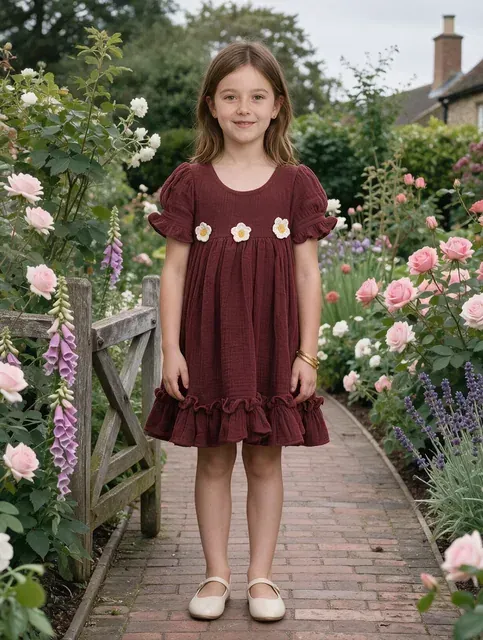
Each frame was made by Fivo from a brand's garment, women's, men's and kids', and captioned with the place it was set in. A lookbook would hold one of these settings across the whole season.
On a label's own site
A co-ord and a dress from Kaveri, sold on the label's own store with Fivo images. The same kind of frame can open a season page above the product grid.
Planning a lookbook
The twelve to twenty garments that carry the season's idea, not the whole range. Fewer, stronger frames make a better lookbook.
On a hanger, a mannequin, laid flat, worn, or a clear phone photo. Add a close-up wherever embroidery or a print is the point.
In Studio, choose the model from Fivo's catalogue, the poses and the lifestyle background. Every garment is shot in that look.
Review each frame against the garment, put them in story order, then download 3:4 for the website and 9:16 for launch posts.
Where a lookbook goes
A collection banner or campaign page on your own site, with the story sitting above the product grid.
Frames for the deck you send to stores and distributors, so they see the collection worn before they place an order.
The same frames upright for posts and Stories, plus on-model video in the matching look.
A tight edit of strong images for magazine features, pop-up applications and collaboration pitches.
Three ways to make it
Upload the season's hero pieces, choose the model and setting once, and build the whole lookbook in one look on the web.
Open Fivo StudioA sample that turns up after the shoot? Photograph it on your phone and add it to the story in minutes.
Get the Android appFivo's team handles the concept, setting, production, review and delivery of the lookbook, quoted for your collection.
Questions
What labels ask when they plan a season's lookbook with Fivo.
A catalogue gives every garment the same framing and views so shoppers can compare pieces. A lookbook uses fewer, more atmospheric frames in a lifestyle setting to show the season's mood and how the pieces are worn. With Fivo, both come from the same garment photos; only the look you choose changes.
Yes. In Fivo Studio you choose the model, poses and background once, and every garment you upload is shot in that look. The lookbook stays in one place and one light, including pieces you add later.
You choose the background, from studio backdrops to lifestyle scenes. The frames on this page were set in a sunlit arched corridor, on sandstone steps, seaside stone steps, a jaali courtyard, a cliffside village terrace, a golden-hour garden and a rose garden path.
Yes. You may use the images Fivo generates for any lawful purpose, including product listings, advertising and social media. A lookbook sent to your own stockists and wholesale buyers is one of those uses.
Yes. Fivo makes on-model videos from the same garment photo, in the same look as the stills, so the lookbook and its launch Reels match. See fashion product videos.
Most seasonal lookbooks run to twelve to twenty frames: enough to show the range's idea, few enough that each one is strong. Pick the pieces that carry the story, and leave the full range to the catalogue.
Yes. Each frame takes its own pose from Fivo's pose library, so the season can move from a walk down a corridor to a seated frame on the steps to a detail of the hem, on one model throughout. Full service adds Fivo's creative direction if you'd rather not plan it.
About ₹20 an image, pay as you go, with no subscription. A twenty-frame lookbook is about twenty images, and the full price, GST included, shows before anything is generated. Full service is quoted separately. See Fivo pricing.
THIS SEASON'S STORY
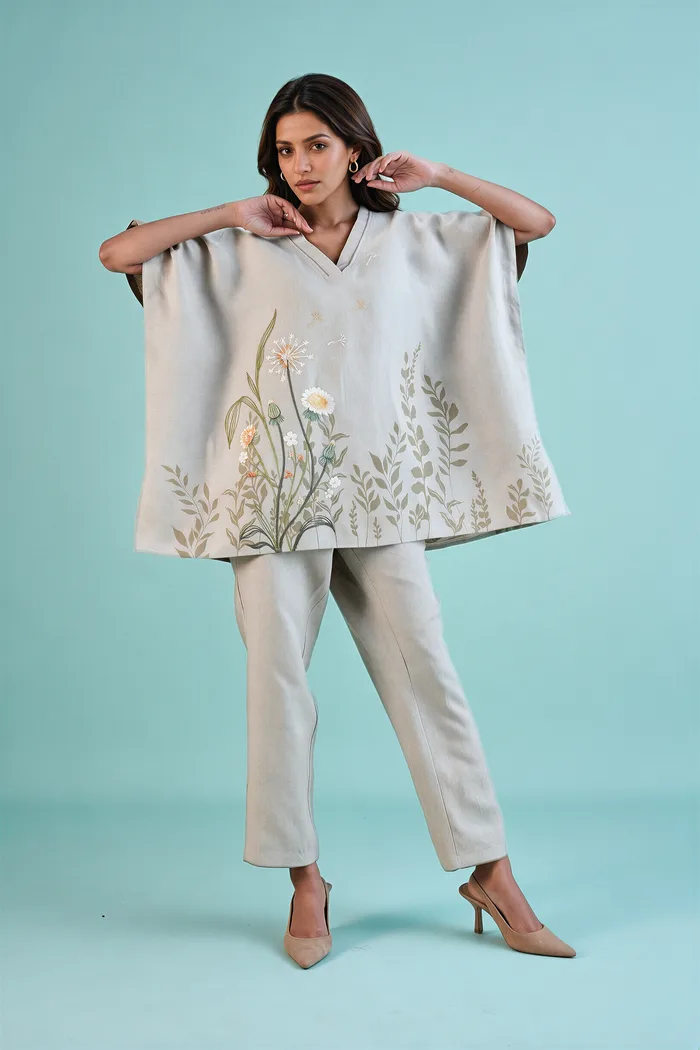
 Kaveri Wishes in the Wind square co-ord