Every image matches
The same garment, fabric, design and model across front, back, side and close-up, and across the whole collection.

AI saree photoshoot
A saree arrives as six yards of cloth, and the buyer has to picture it worn. Fivo takes a photo of the open saree and puts it on a model from its catalogue, with the border, the pallu stripes and the buttas placed as on your saree. This block-printed one started as a phone photo on a floor.
From about ₹20 an image · price shown before you generate · see pricing
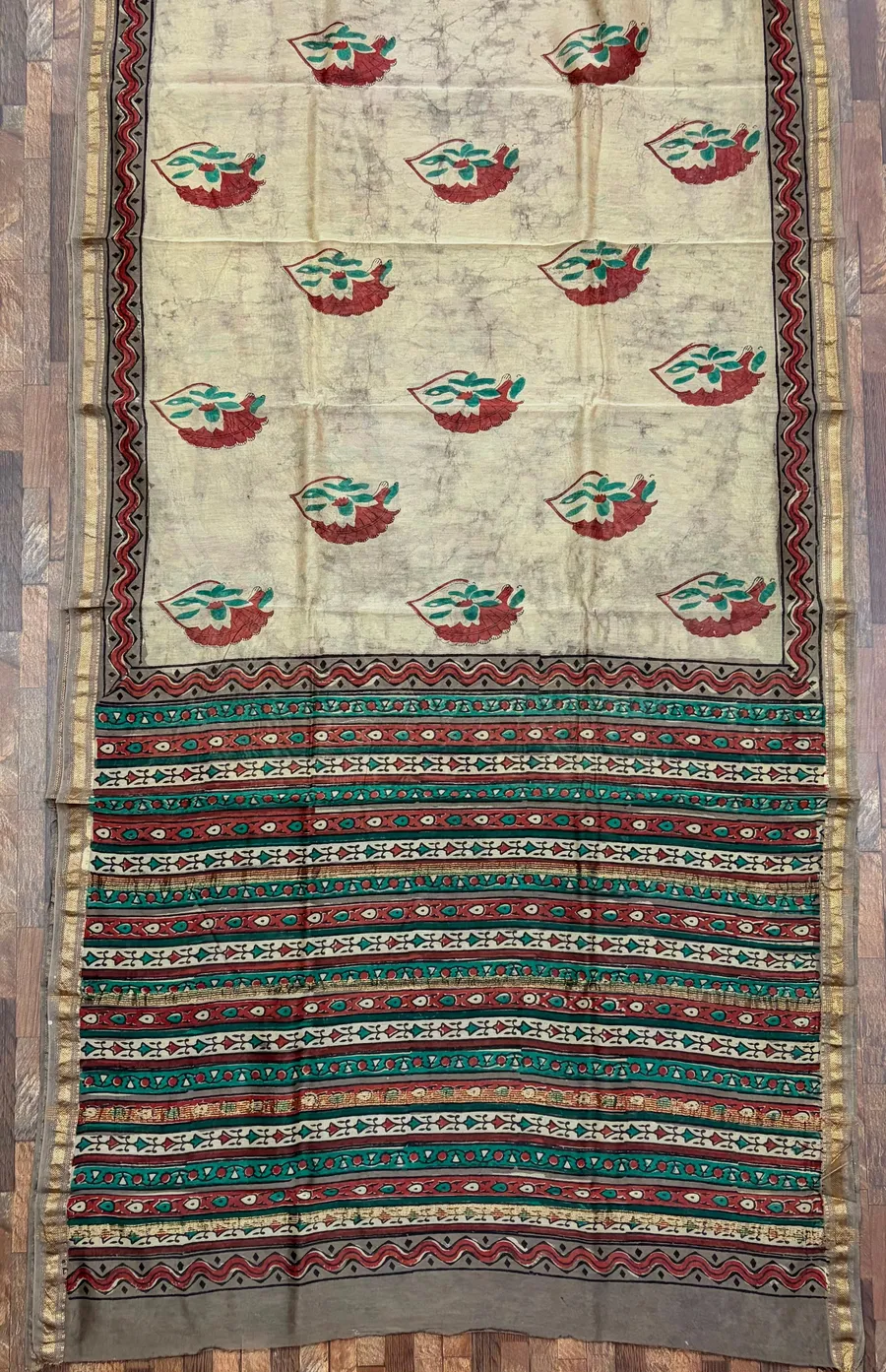 Brand's flat-lay
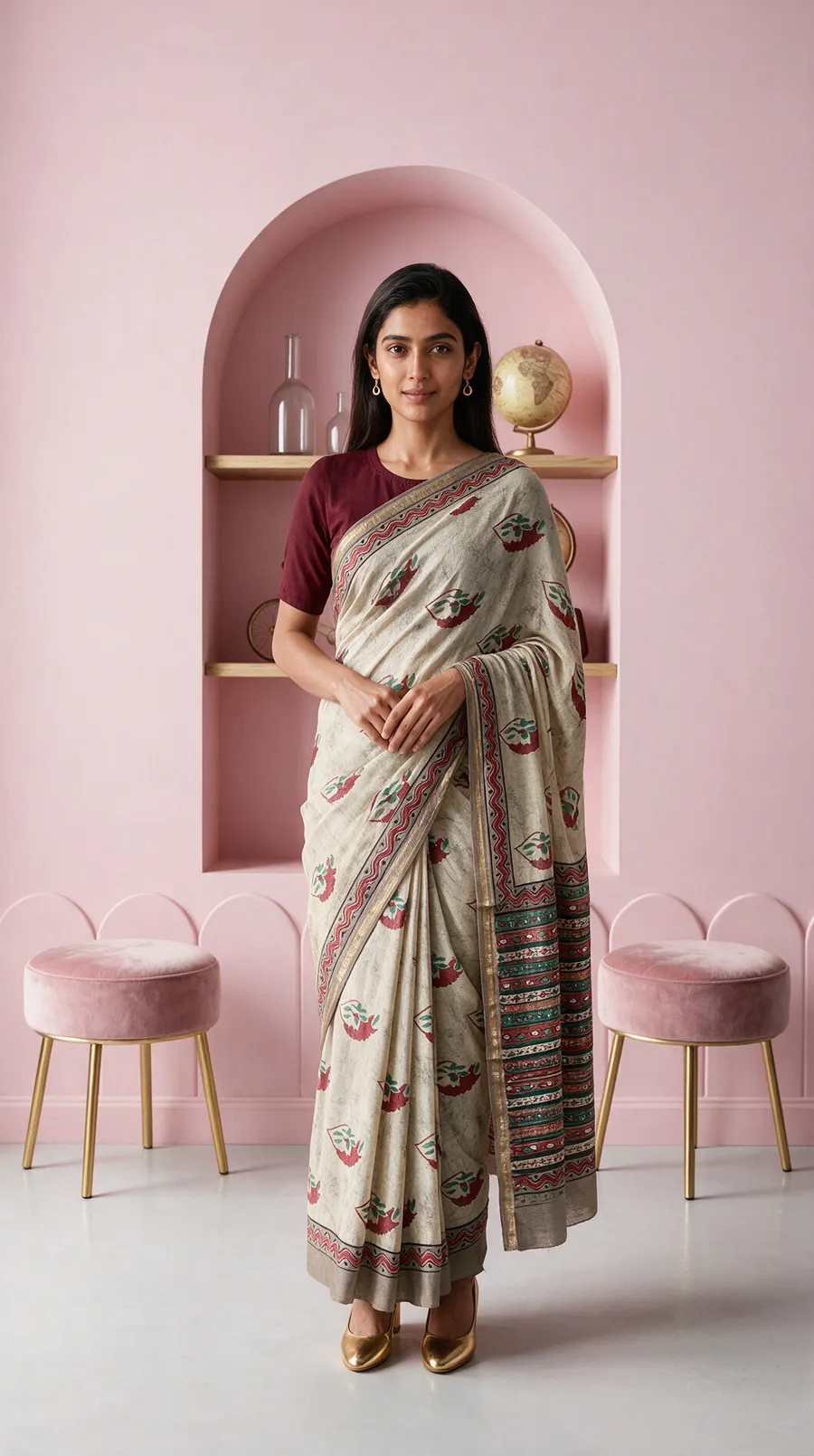 Fivo
An AI saree photoshoot puts your saree on a model from Fivo's catalogue, starting from a photo of the saree laid open. Fivo reads the border, the pallu, the zari and the colour from that photo and carries them, colour-matched, onto the draped saree in every view, so a buyer sees the weave they will receive.
Why brands choose Fivo
Customise every shoot to your brand. Fivo keeps your garment, your models, your styling and your look the same in every image you put out.
The same garment, fabric, design and model across front, back, side and close-up, and across the whole collection.
Your photo is the reference: colour, print, embroidery and cut are carried into every image, not reinvented.
Choose the pose for each shot, from straight catalogue fronts to walking, seated and detail shots.
Pick models by the look and age group your customers relate to: women, men, kids, Indian or international.
Choose each styling article per garment: footwear, jewellery, bags, watches, belts, and the top or bottom it's paired with. Or upload your own.
What a saree buyer zooms into
On a Banarasi or Kanjeevaram, the zari is much of the price. Shoot in soft daylight, never flash, so it reads as gold; a colour-match step keeps the silk's shade true.
The pallu carries the heaviest motifs, and a wide contrast border is what buyers recognise first on a Kanjeevaram. Spread the pallu fully, lay both borders straight in frame, and add a close-up.
Choose a model in your buyers' age group, from brides to their mothers, and a pose per frame. Jhumkas, bangles and footwear are styled to your brand from Fivo's catalogue, or uploaded by you.
See-through sarees take on the colour of whatever is beneath them. Lay net, georgette or chanderi on a plain, contrasting sheet so the embroidery and scalloped edges stay clear.
If a blouse piece comes with the saree, photograph it beside the open saree so the buyer sees what's included. Mention it in your listing too.
More sarees, made by Fivo
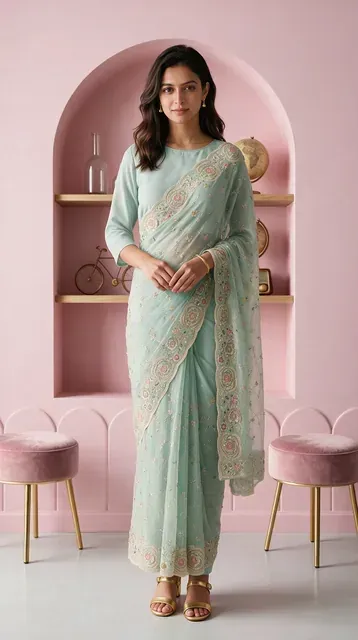
Results only: a magenta silk with a wide gold zari border and pallu, a teal silk shot from the side so the pallu falls, and a sheer mint net with pastel embroidery and a scalloped edge.
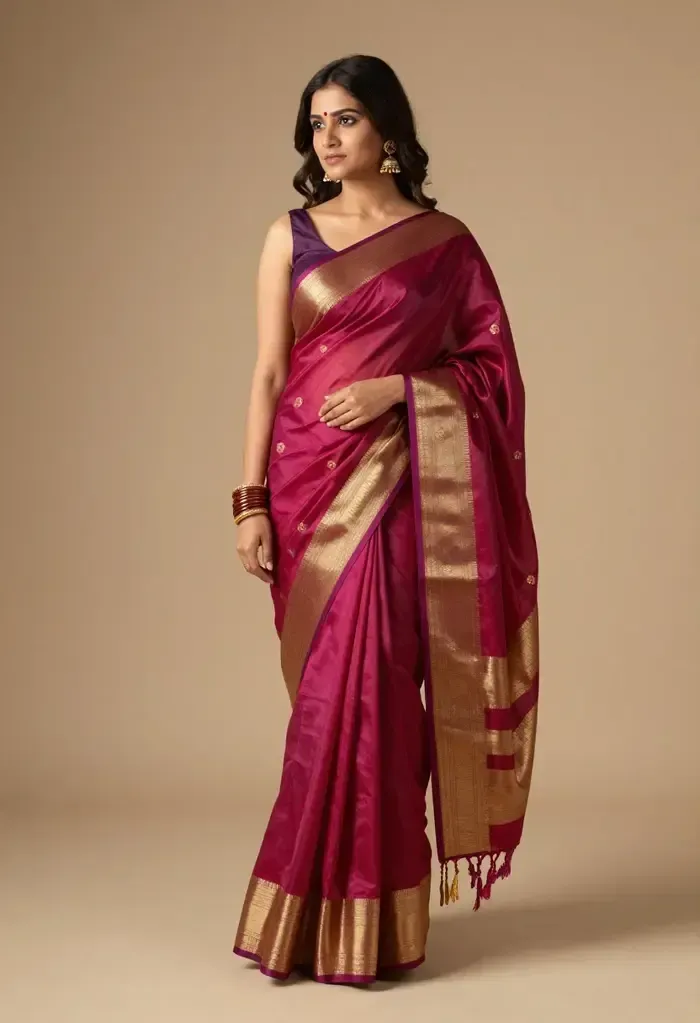 Fivo
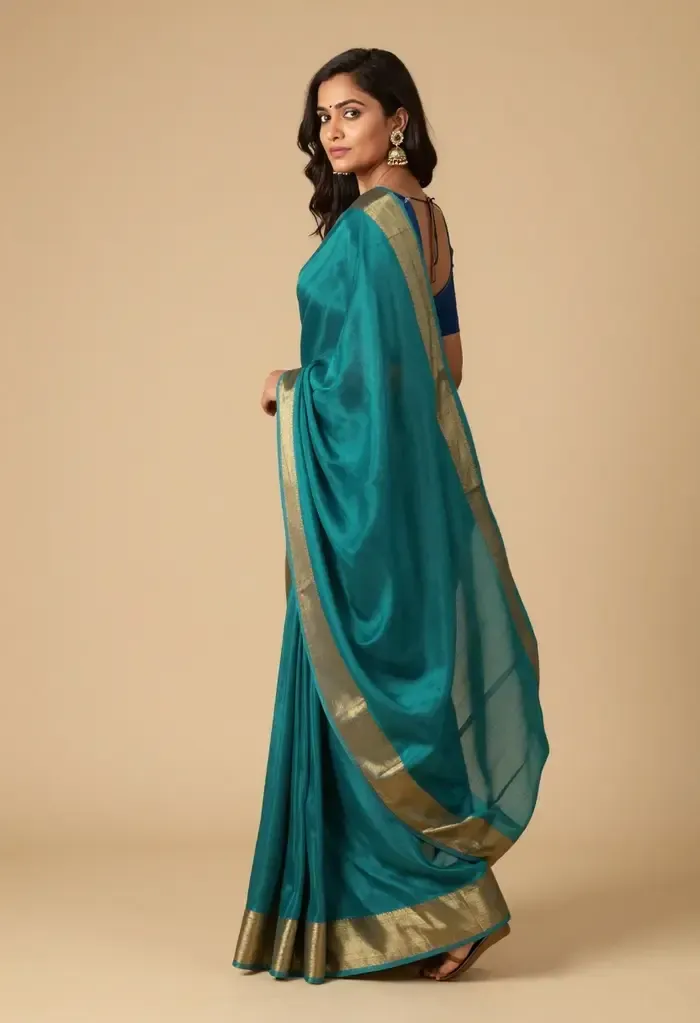 Fivo
 Fivo
About the drape
Fivo doesn't promise a particular regional drape or pleat count. What it works to keep is the saree itself: the border, the pallu, the motifs and the colour you photographed. Compare the hero's flat lay with the result: the wavy border, the striped pallu and the zari edge sit where the floor photo has them.
Before you upload
On a clean floor or bed, body and pallu in one frame, both borders running straight. A phone photo in daylight is enough.
These carry the most work, and they are what a buyer zooms into first.
A model from Fivo's catalogue, a pose and a background, set once for a whole collection in Studio.
The total with GST shows first. Then compare the border and pallu in each image with the real saree.
Studio day or Fivo
| Studio shoot | Fivo | |
|---|---|---|
| On set | A draper and a model for every saree | A photo of the open saree and its pallu |
| Zari and silk sheen | Lit and relit per saree | Read from your daylight photo |
| Ready | After the shoot day and the edit | Minutes in the app; usually within 24 hours in Studio |
| Cost | Quoted per shoot day | About ₹20 an image, total before you generate |
Questions
What saree sellers ask before their first shoot with Fivo.
Lay it open on a clean surface, or drape it on a mannequin, so the body, pallu and both borders show in even light. Then add close-ups of the pallu and the border. A plain phone photo is fine if the whole saree is in frame.
Fivo reads the saree once from your photos and draws every image from that reading, so the pallu and border carry the motifs you photographed. A close-up of each gives it the finest detail. Review every image against the saree before downloading.
Fivo doesn't promise a particular drape style. What it works to keep is the saree's border, pallu, motifs and colour from your photo, and you choose the model, the pose and the background.
Fivo works from your photo of the fabric, so a silk's sheen, a chanderi's light weave or a georgette's print comes from the real saree. Photograph heavy zari without flash, and sheer fabrics on a contrasting surface.
Photograph the blouse piece beside the open saree if it's sold together. In the hero example only the saree was uploaded, so treat any blouse you see on the model as styling, not as your product.
Yes. Fivo's catalogue has women across age groups, with Indian and international looks, so a wedding Kanjeevaram and an office-wear cotton can each go on a model your customer sees herself in.
Yes. The Fivo Android app and Fivo Studio both make on-model videos from the same saree photo as the stills, in the same look, for a festive Reel or the product page.
Yes. In Fivo Studio you choose the model, pose and background once and every saree is shot that way, usually within 24 hours, so the collection holds your brand's look. It costs about ₹20 an image, with the total including GST shown before you generate.
YOUR SAREE COLLECTION
 Fivo for AndroidShoot one garment at a time on your phone. Images and videos in your brand's look.